



Don’t let overlooked obligations become incidents. Learn how.
Utility navigation bar redirect icon
Portal LoginSupportContact
Search
Close search
Huntress Logo in Teal
  • Platform Overview
    Managed EDR

    Get full endpoint visibility, detection, and response.

    Managed EDR

    Get full endpoint visibility, detection, and response.

    Managed ITDR

    Protect your Microsoft 365 identities and email environments.

    Managed ITDR

    Protect your Microsoft 365 identities and email environments.

    Managed SIEM

    Managed threat response and robust compliance support at a predictable price.

    Managed SIEM

    Managed threat response and robust compliance support at a predictable price.

    Managed Security Awareness Training

    Empower your teams with science-backed security awareness training.

    Managed Security Awareness Training

    Empower your teams with science-backed security awareness training.

    Managed ISPM

    Continuous Microsoft 365 and identity hardening, managed and enforced by Huntress experts.

    Managed ISPM

    Continuous Microsoft 365 and identity hardening, managed and enforced by Huntress experts.

    Managed ESPM

    Proactively secure endpoints against attacks.

    Managed ESPM

    Proactively secure endpoints against attacks.

    Integrations
    Integrations
    Support Documentation
    Support Documentation
    See Huntress in Action

    Quickly deploy and manage real-time protection for endpoints, email, and employees - all from a single dashboard.

    Huntress Cybersecurity
    See Huntress in Action

    Quickly deploy and manage real-time protection for endpoints, email, and employees - all from a single dashboard.

    Huntress Cybersecurity
  • Threats We Stop
    Phishing
    Phishing
    Business Email Compromise
    Business Email Compromise
    Ransomware
    Ransomware
    Infostealers
    Infostealers
    View Allright arrowView Allright arrow
    Industries We Serve
    Education
    Education
    Financial Services
    Financial Services
    State and Local Government
    State and Local Government
    Healthcare
    Healthcare
    Law Firms
    Law Firms
    Manufacturing
    Manufacturing
    Utilities
    Utilities
    View Allright arrowView Allright arrow
    Tailored Solutions
    MSPs
    MSPs
    Resellers
    Resellers
    SMBs
    SMBs
    Compliance
    Compliance
    What Gets Overlooked Gets Exploited

    Most days, nothing happens. But one day, something will.

    Huntress Cybersecurity
    Cybercriminals Have Evolved

    Get the intel on today’s cybercriminal groups and learn how to protect yourself.

    Huntress Cybersecurity
  • Pricing
  • Community Series
    The Product Lab

    Shape the next big thing in cybersecurity together.

    The Product Lab

    Shape the next big thing in cybersecurity together.

    Fireside Chat

    Real people. Real perspectives. Better conversations.

    Fireside Chat

    Real people. Real perspectives. Better conversations.

    Tradecraft Tuesday

    No products, no pitches – just tradecraft.

    Tradecraft Tuesday

    No products, no pitches – just tradecraft.

    _declassified

    Exposing hidden truths in the world of cybersecurity.

    _declassified

    Exposing hidden truths in the world of cybersecurity.

    Resources
    Upcoming Events
    Upcoming Events
    Ebooks
    Ebooks
    On-Demand Webinars
    On-Demand Webinars
    Videos
    Videos
    Whitepapers
    Whitepapers
    Datasheets
    Datasheets
    Cybersecurity Education
    Cybersecurity 101
    Cybersecurity 101
    Cybersecurity Guides
    Cybersecurity Guides
    Threat Library
    Threat Library
    Real Tradecraft, Real Results
    Real Tradecraft, Real Results
    2026 Cyber Threat Report
    2026 Cyber Threat Report
    The Huntress Blog
    Huntress Lands on the Microsoft Marketplace
    Huntress Cybersecurity
    Huntress Lands on the Microsoft Marketplace
    Huntress Cybersecurity
    How Huntress & DEFCERT Are Streamlining CMMC Assessment Prep
    Huntress Cybersecurity
    How Huntress & DEFCERT Are Streamlining CMMC Assessment Prep
    Huntress Cybersecurity
    Live Hacking Into Microsoft 365 with Kyle Hanslovan
    Huntress Cybersecurity
    Live Hacking Into Microsoft 365 with Kyle Hanslovan
    Huntress Cybersecurity
  • Why Huntress

    Go beyond AI in the fight against today’s hackers with Huntress Managed EDR purpose-built for your needs

    Huntress Cybersecurity
    Why Huntress

    Go beyond AI in the fight against today’s hackers with Huntress Managed EDR purpose-built for your needs

    Huntress Cybersecurity
    The Huntress SOC

    24/7 Security Operations Center

    The Huntress SOC

    24/7 Security Operations Center

    Reviews

    Why businesses of all sizes trust Huntress to defend their assets

    Reviews

    Why businesses of all sizes trust Huntress to defend their assets

    Case Studies

    Learn directly from our partners how Huntress has helped them

    Case Studies

    Learn directly from our partners how Huntress has helped them

    Community

    Get in touch with the Huntress Community team

    Community

    Get in touch with the Huntress Community team

    Compare Huntress
    Bitdefender
    Bitdefender
    Blackpoint
    Blackpoint
    Breach Secure Now!
    Breach Secure Now!
    Crowdstrike
    Crowdstrike
    Datto
    Datto
    SentinelOne
    SentinelOne
    Sophos
    Sophos
    Compare Allright arrowCompare Allright arrow
  • HUNTRESS HUB

    Login to access top-notch marketing resources, tools, and training.

    Huntress Cybersecurity
    HUNTRESS HUB

    Login to access top-notch marketing resources, tools, and training.

    Huntress Cybersecurity
    Partners
    MSPs

    Join our partner community to deliver expert-led managed security.

    MSPs

    Join our partner community to deliver expert-led managed security.

    Resellers

    Partner program designed to grow your cybersecurity business.

    Resellers

    Partner program designed to grow your cybersecurity business.

    Tech Alliances

    Driving innovation through global technology Partnerships

    Tech Alliances

    Driving innovation through global technology Partnerships

    Microsoft Partnership

    A Level-Up for Your Business Security

    Microsoft Partnership

    A Level-Up for Your Business Security

  • Press Release
    Huntress Announces Collaboration with Microsoft to Strengthen Cybersecurity for Businesses of All Sizes
    Huntress Cybersecurity
    Press Release
    Huntress Announces Collaboration with Microsoft to Strengthen Cybersecurity for Businesses of All Sizes
    Huntress Cybersecurity
    Our Story

    We're on a mission to shatter the barriers to enterprise-level security.

    Our Story

    We're on a mission to shatter the barriers to enterprise-level security.

    Newsroom

    Explore press releases, news articles, media interviews and more.

    Newsroom

    Explore press releases, news articles, media interviews and more.

    Meet the Team

    Founded by former NSA Cyber Operators. Backed by security researchers.

    Meet the Team

    Founded by former NSA Cyber Operators. Backed by security researchers.

    Careers

    Ready to shake up the cybersecurity world? Join the hunt.

    Careers

    Ready to shake up the cybersecurity world? Join the hunt.

    Awards
    Awards
    Contact Us
    Contact Us
  • Portal Login
  • Support
  • Contact
  • Search
  • Get a Demo
  • Start for Free
Portal LoginSupportContact
Search
Close search
Get a Demo
Start for Free
HomeBlog
Looking Through a Pinhole at a Qilin Ransomware Attack
Published:
October 22, 2025

Looking Through a Pinhole at a Qilin Ransomware Attack

By:
Lindsey O'Donnell-Welch
Ben Folland
Harlan Carvey
Share icon
Glitch effectGlitch effectGlitch effect

A big part of a security analyst’s everyday role is figuring out what actually happened during an incident. We can do that by piecing together breadcrumbs–whether that’s through logs, antivirus detections, and other clues–that help us understand how the attacker achieved initial access and what they did after.

However, it’s not always cut and dry: sometimes there are external factors that limit our visibility. The Huntress agent might not be deployed across all endpoints, for example, or the targeted organization might install the Huntress agent after a compromise has already occurred. In these cases, we need to get creative and look at multiple data sources in order to determine what actually happened.

Recently, we analyzed an incident where both of the above factors were true: on October 11, an organization installed the Huntress agent post-incident, and initially on one endpoint. When it comes to visibility, this incident was less about looking through a keyhole, and more akin to looking through a pinhole. Even so, Huntress analysts were able to derive a great deal of information regarding the incident.


The Qilin incident: What we started with

The Huntress agent was installed on a single endpoint following a Qilin ransomware infection. What does that mean from the perspective of an analyst trying to figure out what happened? We had limited clues to start: there was no endpoint detection and response (EDR) or SIEM telemetry available, and Huntress-specific ransomware canaries weren’t tripped. Because we were also on one endpoint, our visibility was limited to the activity that had occurred on that specific endpoint within the broader environment’s infrastructure. 

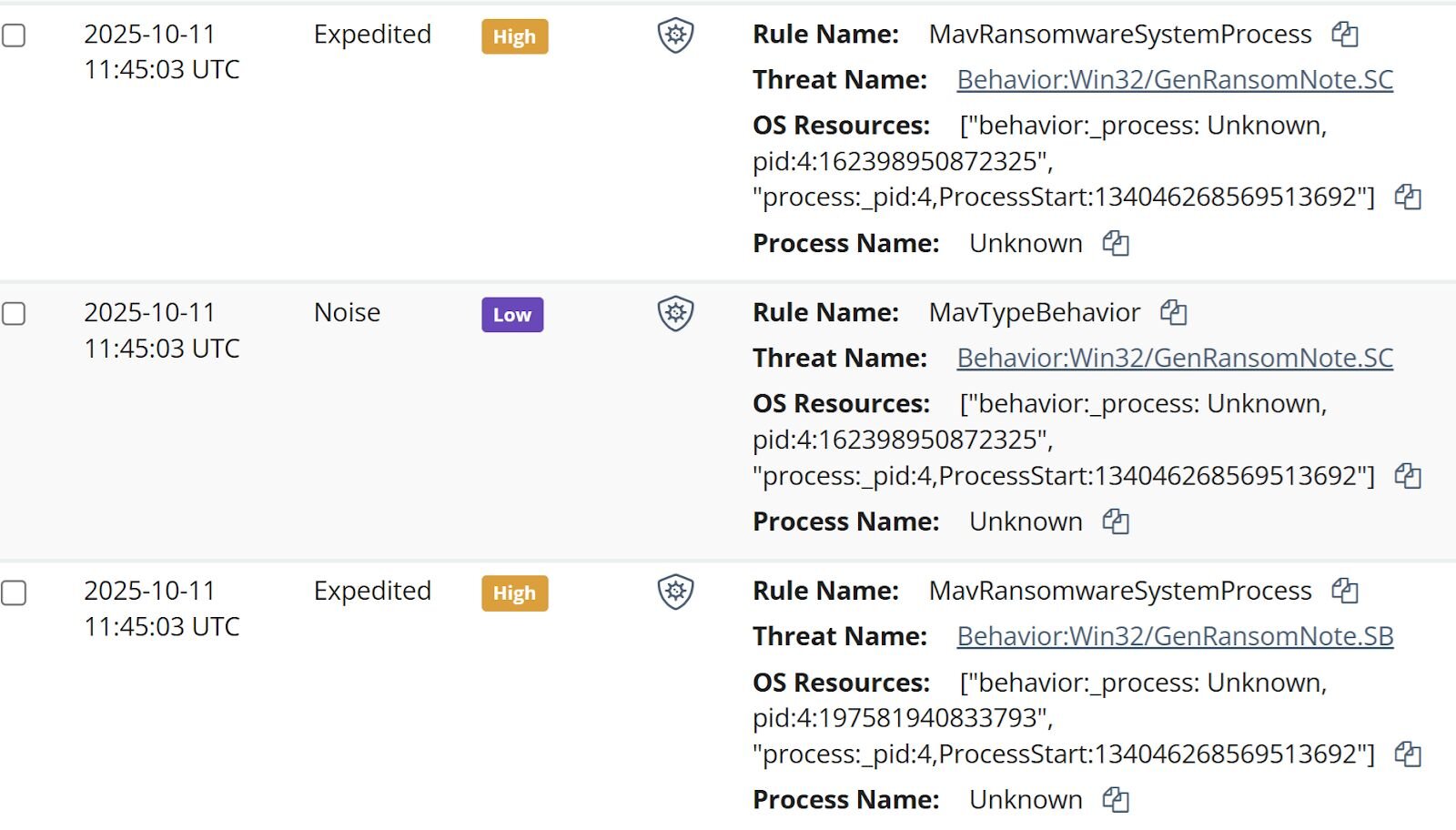
As a result, all Huntress analysts had to start with to unravel this incident was the managed antivirus (MAV) alerts. Once the Huntress agent was added to the endpoint, the SOC was alerted to existing MAV detections, some of which are illustrated in Figure 1.


Figure 1: MAV alerts that tripped after the ransom note was dropped 

Analysts began tasking files from the endpoint, starting with a specific subset of the Windows Event Logs (WEL).

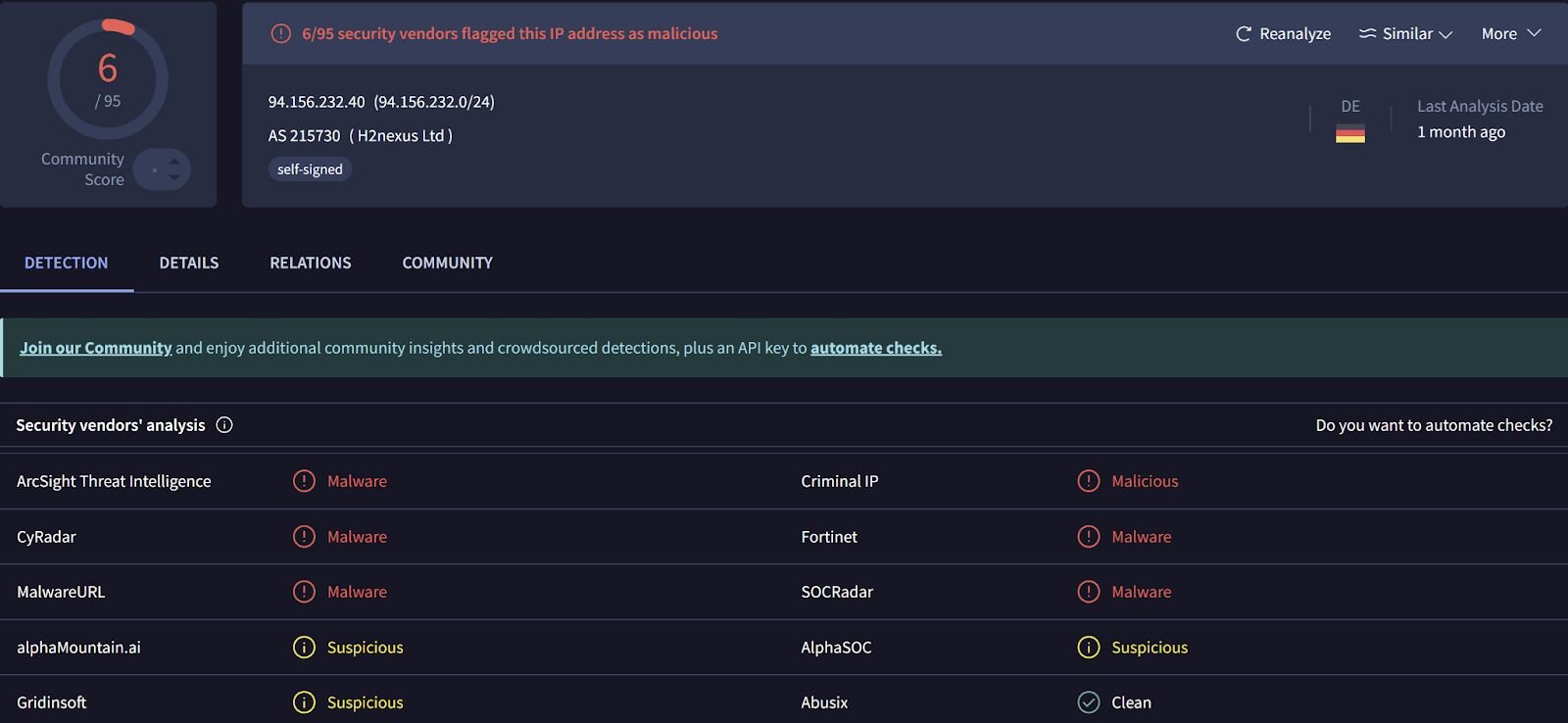
From those logs, analysts could see that on 8 Oct 2025, the threat actor accessed the endpoint and installed the Total Software Deployment Service, as well as a rogue instance of the ScreenConnect RMM, one that pointed to IP address 94.156.232[.]40. Searching VirusTotal for the IP address provided the insight illustrated in Figure 2.


Figure 2: VirusTotal response for the IP address 94.156.232[.]40

An interesting aspect of the installation was that LogMeIn was apparently legitimately installed on the endpoint on 20 Aug 2025 from the file %user%\Downloads\LogMeIn.msi. Then, on 8 Oct, the rogue ScreenConnect instance was installed from the file C:\Users\administrator\AppData\Roaming\Installer\LogmeinClient.msi. Further, the timeline indicates that on 2 Oct, the file %user%\Downloads\LogMeIn Client.exe was submitted by Windows Defender for review, and no other action was taken after that event. 

Pivoting from the ScreenConnect installation to ScreenConnect activity events within the timeline of activity, analysts saw that on 11 Oct, three files were transferred to the endpoint via the ScreenConnect instance; r.ps1, s.exe, and ss.exe. Digging in a bit deeper, only r.ps1 was still found on the endpoint (shown below).

$RDPAuths = Get-WinEvent -LogName
'Microsoft-Windows-TerminalServices-RemoteConnectionManager/Operational'
-FilterXPath @'
<QueryList><Query Id="0"><Select>
  *[System[EventID=1149]]
</Select></Query></QueryList>
'@

# Get specific properties from the event XML
[xml[]]$xml=$RDPAuths|Foreach{$_.ToXml()}
$EventData = Foreach ($event in $xml.Event) {
  # Create custom object for event data
  New-Object PSObject -Property @{
   TimeCreated = (Get-Date ($event.System.TimeCreated.SystemTime) -Format 'yyyy-MM-dd hh:mm:ss K')
   User = $event.UserData.EventXML.Param1
   Domain = $event.UserData.EventXML.Param2
   Client = $event.UserData.EventXML.Param3
  }
}
$EventData | FT

Based on the contents of the script, it would appear that the threat actor was interested in determining IP addresses, domains, and usernames associated with RDP accesses to the endpoint. 

However, the Windows Event Log contained a Microsoft-Windows-PowerShell/4100 message stating:

Error Message = File C:\WINDOWS\systemtemp\ScreenConnect\22.10.10924.8404\Files\r.ps1 cannot be loaded because running scripts is disabled on this system.

This message was logged within 20 seconds of the script being transferred to the endpoint, and the threat actor attempting to run it. 


Parsing through PCA logs

The other two files, s.exe and ss.exe, took a bit more work to unravel, because they were no longer found on the endpoint. However, Huntress analysts were able to take advantage of data sources on the Windows 11 endpoint, specifically the AmCache.hve file and the Program Compatibility Assistant (PCA) log files to obtain hashes for the files, and to see that while the threat actor had attempted to execute the files, both apparently failed. 

The threat actor disabled Windows Defender, which were seen in Windows Defender event records, starting with event ID 5001, indicating that the Real-Time Protection feature was disabled. This was followed by several event ID 5007 records, indicating that features such as SpyNetReporting and SubmitSamplesConsent had been modified (in this case, disabled), as well as SecurityCenter messages indicating that Windows Defender had entered a SECURITY_PRODUCT_STATE_SNOOZED state. The threat actor then attempted to launch s.exe, which was almost immediately followed by the message “Installer failed” in the PCA logs. Based on the identified VirusTotal detections shown in Figure 3, and the behaviors identified by VirusTotal, this file appears to be an infostealer. 


Figure 3: VirusTotal response for s.exe file
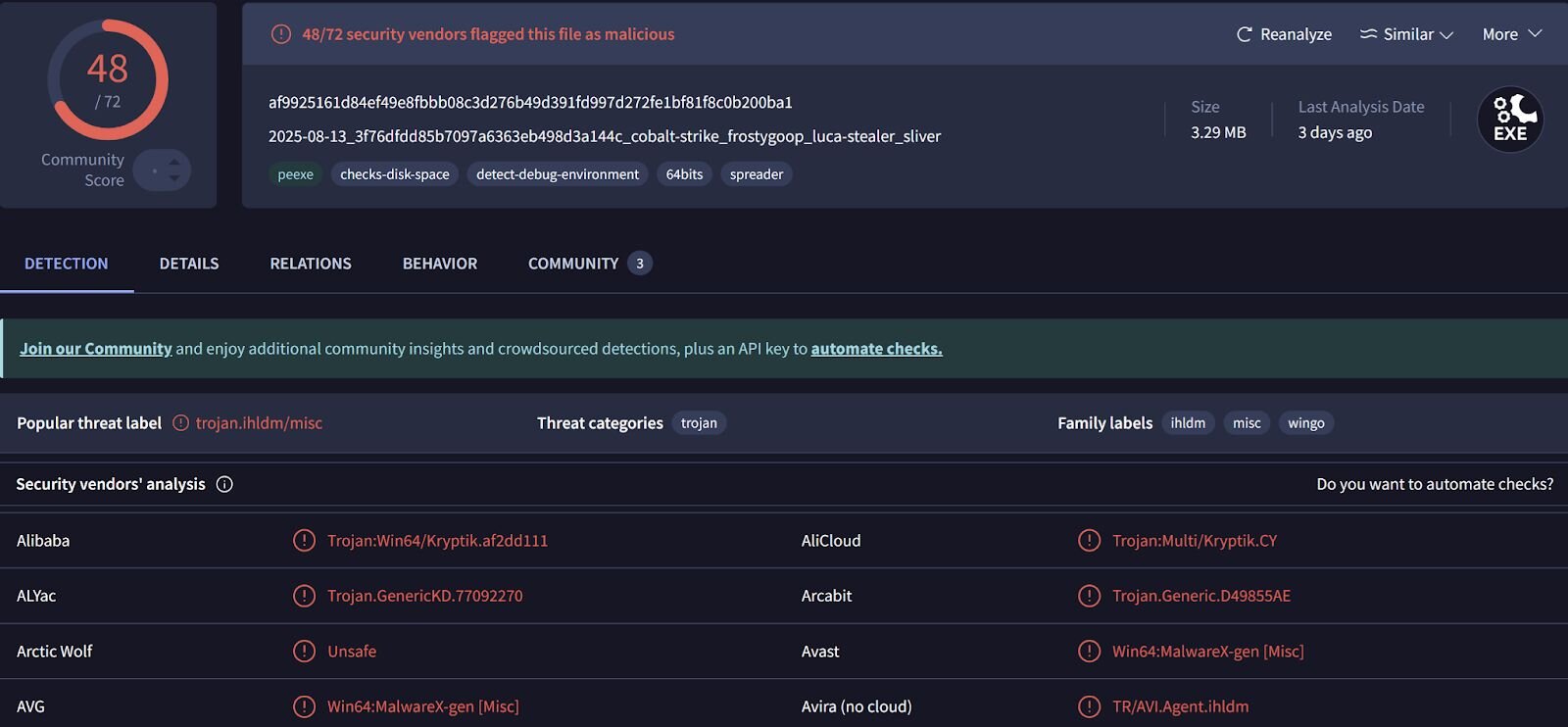

The messages in the PCA logs provide indications that the file, identified as an installer, failed to execute.

Seven seconds later, the threat actor attempted to run ss.exe, which was immediately followed by the legitimate Windows application, c:\windows\syswow64\werfault.exe, being launched. The PCA logs then contained three consecutive messages stating, “PCA resolve is called, resolver name: CrashOnLaunch, result: 0” with respect to ss.exe, all indicating that the application did not run. 

Again, prior to attempting to run the above two files, the threat actor disabled Windows Defender at 2025-10-11 01:34:21 UTC, resulting in the Windows Defender status being reported as SECURITY_PRODUCT_STATE_SNOOZED. At 2025-10-11 03:34:56 UTC, the threat actor accessed the endpoint remotely, and then at 2025-10-11 03:35:13 UTC, there were multiple Windows Defender detections for attempts to create ransom notes (i.e., Behavior:Win32/GenRansomNote), as well as Windows Defender messages indicating that remediation attempts failed. At this point, the Windows Defender status was reported as SECURITY_PRODUCT_STATE_ON. The Windows Defender detection, coupled with the preceding remote login, appears to indicate that the ransomware executable was launched from another endpoint, against network shares.

Figure 4 illustrates an excerpt of a Qilin ransom note found on the endpoint.


Figure 4: Qilin ransom note excerpt
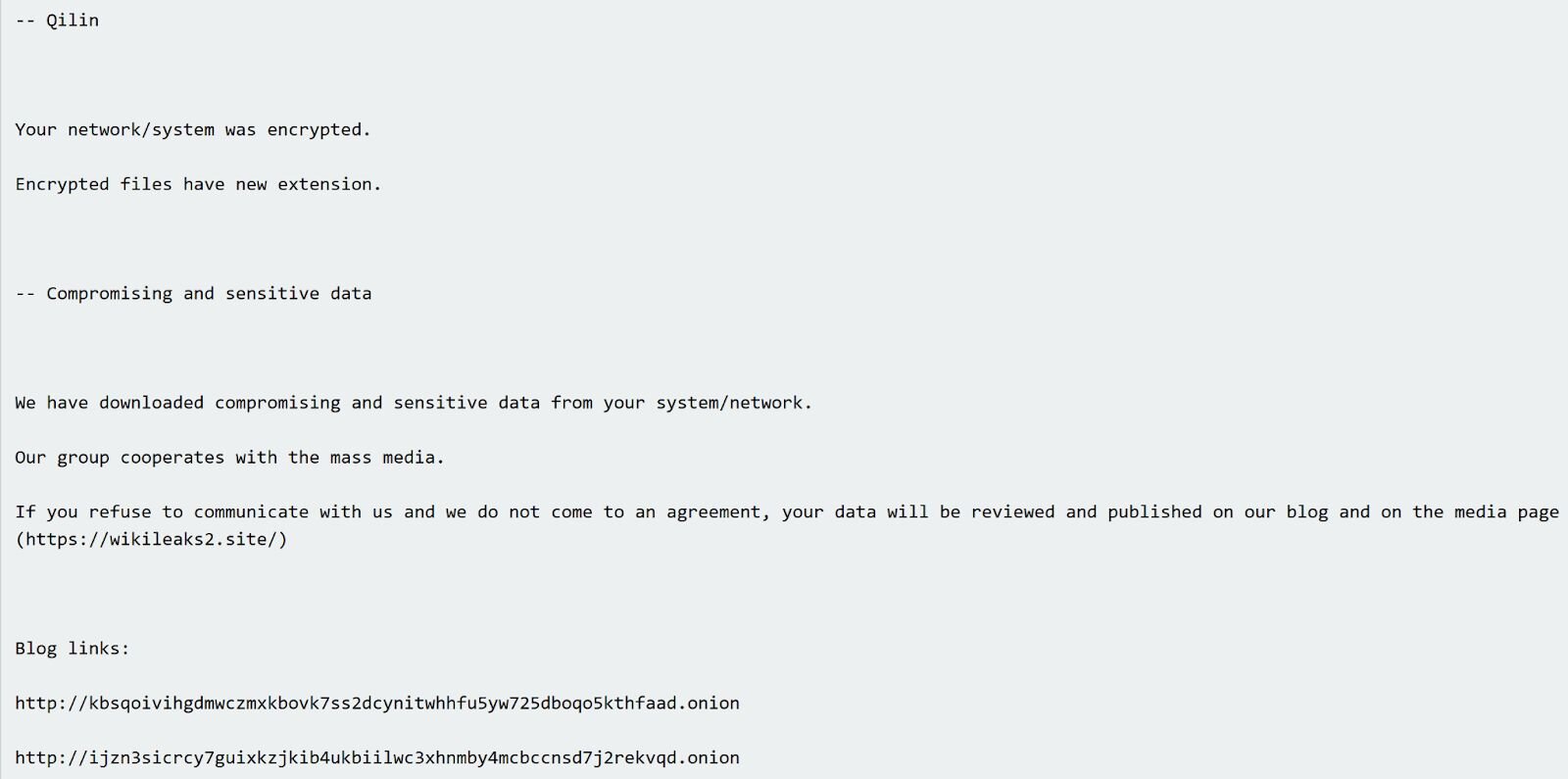

Qilin ransomware is a “ransomware-as-a-service” (RaaS) variant, meaning that while the ransomware logistics is managed from a central location, each affiliate likely follows a different attack pattern, leaving behind different traces and artifacts. For example, a number of Qilin incidents observed by Huntress analysts have started with the threat actor logging in via the Remote Desktop Protocol (RDP), and all included similar ransom notes and encrypted file extensions. However, in only one incident did analysts observe the use of s5cmd for data exfiltration. 


The value of multiple data sources in an investigation

Throughout this investigation, Huntress analysts weren’t looking through a keyhole. Remember, the Huntress agent was installed post-incident, so there was no EDR telemetry, no SIEM data, and no ransomware canaries on which to build an understanding of the incident progression. In addition, at the time the MAV alerts were received in the Huntress portal, this was the only endpoint within the infrastructure with a Huntress agent installed. 

Rather than looking through a keyhole, analysts were looking through a pinhole. Yet, relying on multiple data sources led not only to a deeper understanding of the threat actor’s attempted activities on the endpoint, but also served to validate findings and provide a clearer picture of what actually occurred. For example, understanding that the threat actor used a rogue ScreenConnect instance to attempt to deploy several malicious files–including one that appeared to be an infostealer–can help inform the victim company when they are trying to determine the scope of the incident and how to respond.

During an investigation, particularly one that is time-sensitive or even just assumed to be, it’s easy to fall prey to finding an artifact and building a story around it without first verifying or validating it. It can be easy to think, “...this is anomalous to me…”, without really considering if it’s anomalous within the infrastructure itself, particularly if the investigation is being performed by looking through a pinhole. Validating activity across multiple data sources, and not jumping to the first indicator as the basis for malicious activity, provides a much more accurate picture of the threat actor’s activities, and provides a foundation for more accurate decisions and remediations.


IOCs


Indicator

Description

63bbb3bfea4e2eea

Rogue ScreenConnect instance ID

af9925161d84ef49e8fbbb08c3d276b49d391fd997d272fe1bf81f8c0b200ba1

s.exe  hash

ba79cdbcbd832a0b1c16928c9e8211781bf536cc

ss.exe hash

README-RECOVER-<extension>.txt

Ransom note


Categories
Threat Analysis
Summarize this postClose Speech Bubble
ChatGPTClaudePerplexityGoogle AI

See Huntress in action

Our platform combines a suite of powerful managed detection and response tools for endpoints and Microsoft 365 identities, science-backed security awareness training, and the expertise of our 24/7 Security Operations Center (SOC).

Book a Demo
Share
Facebook iconTwitter X iconLinkedin iconDownload icon
Glitch effect

You Might Also Like

  • Managing Attack Surface

    Huntress recently detected interesting activity on an endpoint; a threat actor was attempting to establish a foothold on an endpoint by using commands issued via MSSQL to upload a reverse shell accessible from the web server. All attempts were obviated by MAV and process detections, but boy-howdy, did they try!
  • ReadText34 Ransomware Incident

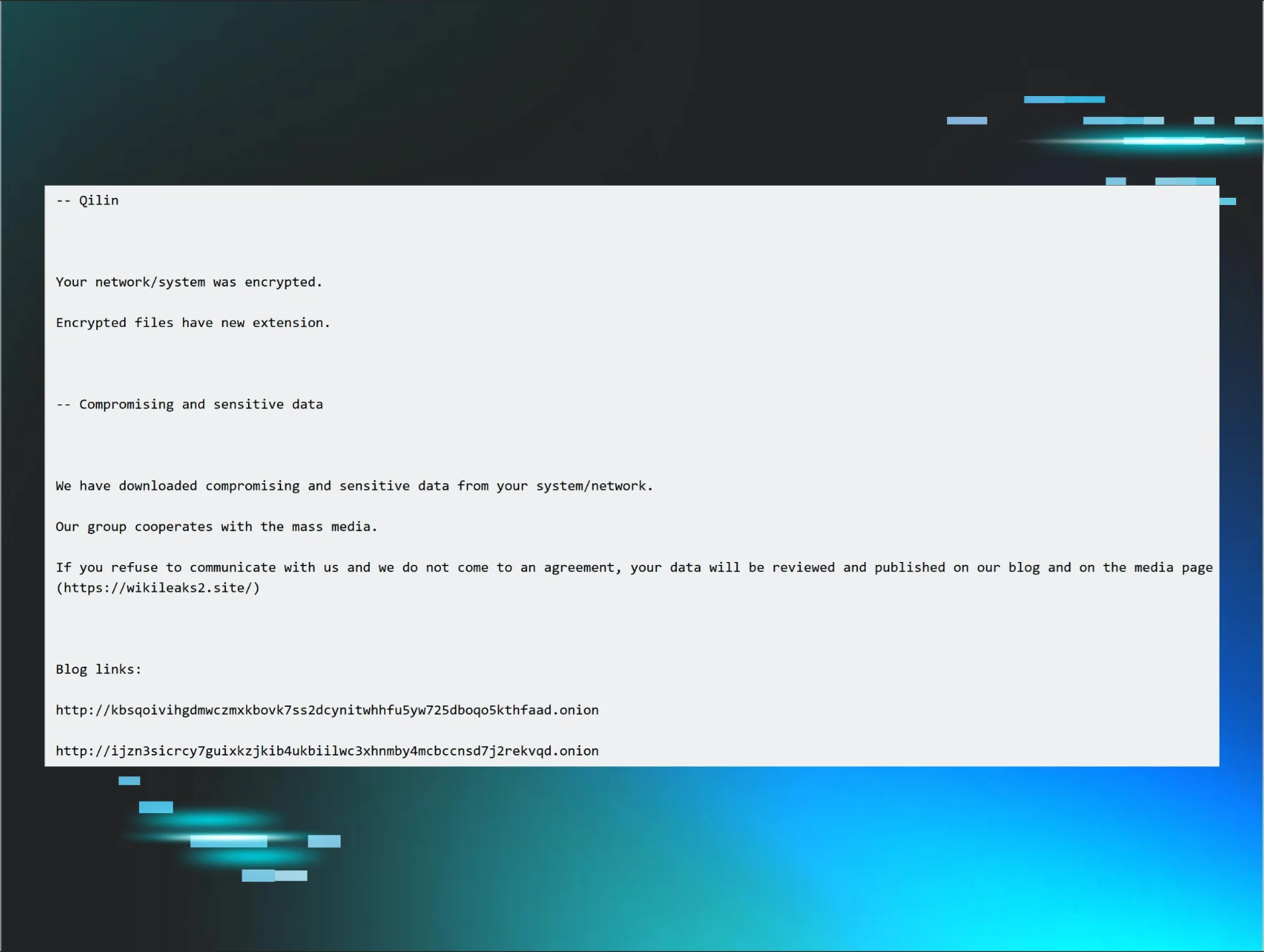
    Huntress analysts see a number of attacks on a daily and weekly basis, some of which include ransomware attacks. Now and again, Huntress analysts will observe a ransomware attack that stands out in some novel manner.
  • LOLBin to INC Ransomware

    Huntress has observed INC ransomware deployed in the past but recent activity indicates a possible continued shift in/or improvement of tactics employed by these threat actors.
  • RMMs: A Gateway for Bulk Attacks on MSP Customers, Pt. II

    When a threat actor exploited an MSP's RMM tool to target businesses, Huntress investigated and uncovered another eerily similar incident with key differences that reveal evolving tactics
  • BlackCat Ransomware Affiliate TTPs

    This blog post provides a detailed look at the TTPs of a ransomware affiliate operator. In this case, the endpoint had been moved to another infrastructure (as illustrated by various command lines, and confirmed by the partner), so while Huntress SOC analysts reported the activity to the partner, no Huntress customer was impacted by the ransomware deployment.
  • For Ransomware, Time (to Ransom) is Money

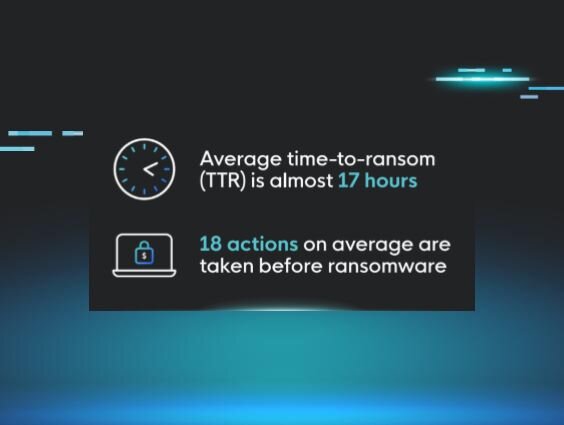
    During ransomware attacks, the average time-to-ransom for attackers is almost 17 hours. Learn more about what this means for businesses.
  • Attacking MSSQL Servers, Pt. II

    The publication of the first blog post led a Huntress SOC analyst to identify and escalate a second, similar incident. A deeper investigation into the activity made it clear that the Huntress SOC had obviated several Trigona ransomware attacks, protecting customers from the impact of a ransomware infection.
  • The Unwanted Guest

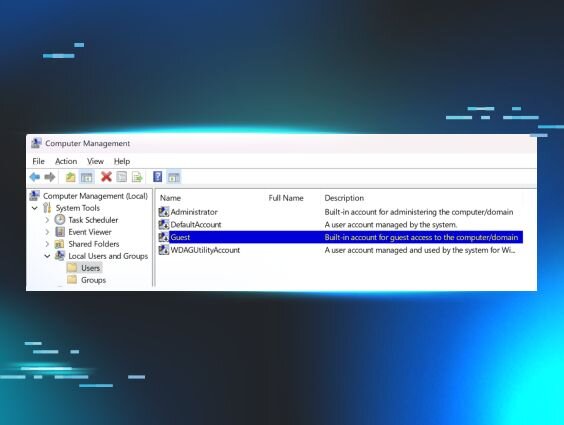
    Threat actors are enabling the built-in Windows Guest account to maintain persistence. Learn how they gain access and how to detect this activity.

Sign Up for Huntress Updates

Get insider access to Huntress tradecraft, killer events, and the freshest blog updates.
Privacy • Terms
By submitting this form, you accept our Terms of Service & Privacy Policy
Thank you! Your submission has been received!
Oops! Something went wrong while submitting the form.
Huntress Managed Security PlatformManaged EDRManaged EDR for macOSManaged EDR for LinuxManaged ITDRManaged SIEMManaged Security Awareness TrainingManaged ISPMManaged ESPMBook a Demo
PhishingComplianceBusiness Email CompromiseEducationFinanceHealthcareManufacturingState & Local Government
Managed Service ProvidersResellersIT & Security Teams24/7 SOCCase Studies
BlogResource CenterCybersecurity 101Upcoming EventsSupport Documentation
Our CompanyLeadershipNews & PressCareersContact Us
Huntress white logo

Protecting 215k+ customers like you with enterprise-grade protection.

Privacy PolicyCookie PolicyTerms of UseCookie Consent
Linkedin iconTwitter X iconYouTube iconInstagram icon
© 2025 Huntress All Rights Reserved.

Join the Hunt

Get insider access to Huntress tradecraft, killer events, and the freshest blog updates.

By submitting this form, you accept our Terms of Service & Privacy Policy