

Don’t let overlooked obligations become incidents. Learn how.
Utility navigation bar redirect icon
Portal LoginSupportContact
Search
Close search
Huntress Logo in Teal
  • Platform Overview
    Managed EDR

    Get full endpoint visibility, detection, and response.

    Managed EDR

    Get full endpoint visibility, detection, and response.

    Managed ITDR

    Protect your Microsoft 365 identities and email environments.

    Managed ITDR

    Protect your Microsoft 365 identities and email environments.

    Managed SIEM

    Managed threat response and robust compliance support at a predictable price.

    Managed SIEM

    Managed threat response and robust compliance support at a predictable price.

    Managed Security Awareness Training

    Empower your teams with science-backed security awareness training.

    Managed Security Awareness Training

    Empower your teams with science-backed security awareness training.

    Managed ISPM

    Continuous Microsoft 365 and identity hardening, managed and enforced by Huntress experts.

    Managed ISPM

    Continuous Microsoft 365 and identity hardening, managed and enforced by Huntress experts.

    Managed ESPM

    Proactively secure endpoints against attacks.

    Managed ESPM

    Proactively secure endpoints against attacks.

    Integrations
    Integrations
    Support Documentation
    Support Documentation
    See Huntress in Action

    Quickly deploy and manage real-time protection for endpoints, email, and employees - all from a single dashboard.

    Huntress Cybersecurity
    See Huntress in Action

    Quickly deploy and manage real-time protection for endpoints, email, and employees - all from a single dashboard.

    Huntress Cybersecurity
  • Threats We Stop
    Phishing
    Phishing
    Business Email Compromise
    Business Email Compromise
    Ransomware
    Ransomware
    Infostealers
    Infostealers
    View Allright arrowView Allright arrow
    Industries We Serve
    Education
    Education
    Financial Services
    Financial Services
    State and Local Government
    State and Local Government
    Healthcare
    Healthcare
    Law Firms
    Law Firms
    Manufacturing
    Manufacturing
    Utilities
    Utilities
    View Allright arrowView Allright arrow
    Tailored Solutions
    MSPs
    MSPs
    Resellers
    Resellers
    SMBs
    SMBs
    Compliance
    Compliance
    What Gets Overlooked Gets Exploited

    Most days, nothing happens. But one day, something will.

    Huntress Cybersecurity
    Cybercriminals Have Evolved

    Get the intel on today’s cybercriminal groups and learn how to protect yourself.

    Huntress Cybersecurity
  • Pricing
  • Community Series
    The Product Lab

    Shape the next big thing in cybersecurity together.

    The Product Lab

    Shape the next big thing in cybersecurity together.

    Fireside Chat

    Real people. Real perspectives. Better conversations.

    Fireside Chat

    Real people. Real perspectives. Better conversations.

    Tradecraft Tuesday

    No products, no pitches – just tradecraft.

    Tradecraft Tuesday

    No products, no pitches – just tradecraft.

    _declassified

    Exposing hidden truths in the world of cybersecurity.

    _declassified

    Exposing hidden truths in the world of cybersecurity.

    Resources
    Upcoming Events
    Upcoming Events
    Ebooks
    Ebooks
    On-Demand Webinars
    On-Demand Webinars
    Videos
    Videos
    Whitepapers
    Whitepapers
    Datasheets
    Datasheets
    Cybersecurity Education
    Cybersecurity 101
    Cybersecurity 101
    Cybersecurity Guides
    Cybersecurity Guides
    Threat Library
    Threat Library
    Real Tradecraft, Real Results
    Real Tradecraft, Real Results
    2026 Cyber Threat Report
    2026 Cyber Threat Report
    The Huntress Blog
    Huntress Lands on the Microsoft Marketplace
    Huntress Cybersecurity
    Huntress Lands on the Microsoft Marketplace
    Huntress Cybersecurity
    How Huntress & DEFCERT Are Streamlining CMMC Assessment Prep
    Huntress Cybersecurity
    How Huntress & DEFCERT Are Streamlining CMMC Assessment Prep
    Huntress Cybersecurity
    Live Hacking Into Microsoft 365 with Kyle Hanslovan
    Huntress Cybersecurity
    Live Hacking Into Microsoft 365 with Kyle Hanslovan
    Huntress Cybersecurity
  • Why Huntress

    Go beyond AI in the fight against today’s hackers with Huntress Managed EDR purpose-built for your needs

    Huntress Cybersecurity
    Why Huntress

    Go beyond AI in the fight against today’s hackers with Huntress Managed EDR purpose-built for your needs

    Huntress Cybersecurity
    The Huntress SOC

    24/7 Security Operations Center

    The Huntress SOC

    24/7 Security Operations Center

    Reviews

    Why businesses of all sizes trust Huntress to defend their assets

    Reviews

    Why businesses of all sizes trust Huntress to defend their assets

    Case Studies

    Learn directly from our partners how Huntress has helped them

    Case Studies

    Learn directly from our partners how Huntress has helped them

    Community

    Get in touch with the Huntress Community team

    Community

    Get in touch with the Huntress Community team

    Compare Huntress
    Bitdefender
    Bitdefender
    Blackpoint
    Blackpoint
    Breach Secure Now!
    Breach Secure Now!
    Crowdstrike
    Crowdstrike
    Datto
    Datto
    SentinelOne
    SentinelOne
    Sophos
    Sophos
    Compare Allright arrowCompare Allright arrow
  • HUNTRESS HUB

    Login to access top-notch marketing resources, tools, and training.

    Huntress Cybersecurity
    HUNTRESS HUB

    Login to access top-notch marketing resources, tools, and training.

    Huntress Cybersecurity
    Partners
    MSPs

    Join our partner community to deliver expert-led managed security.

    MSPs

    Join our partner community to deliver expert-led managed security.

    Resellers

    Partner program designed to grow your cybersecurity business.

    Resellers

    Partner program designed to grow your cybersecurity business.

    Tech Alliances

    Driving innovation through global technology Partnerships

    Tech Alliances

    Driving innovation through global technology Partnerships

    Microsoft Partnership

    A Level-Up for Your Business Security

    Microsoft Partnership

    A Level-Up for Your Business Security

  • Press Release
    Huntress Announces Collaboration with Microsoft to Strengthen Cybersecurity for Businesses of All Sizes
    Huntress Cybersecurity
    Press Release
    Huntress Announces Collaboration with Microsoft to Strengthen Cybersecurity for Businesses of All Sizes
    Huntress Cybersecurity
    Our Story

    We're on a mission to shatter the barriers to enterprise-level security.

    Our Story

    We're on a mission to shatter the barriers to enterprise-level security.

    Newsroom

    Explore press releases, news articles, media interviews and more.

    Newsroom

    Explore press releases, news articles, media interviews and more.

    Meet the Team

    Founded by former NSA Cyber Operators. Backed by security researchers.

    Meet the Team

    Founded by former NSA Cyber Operators. Backed by security researchers.

    Careers

    Ready to shake up the cybersecurity world? Join the hunt.

    Careers

    Ready to shake up the cybersecurity world? Join the hunt.

    Awards
    Awards
    Contact Us
    Contact Us
  • Portal Login
  • Support
  • Contact
  • Search
  • Get a Demo
  • Start for Free
Portal LoginSupportContact
Search
Close search
Get a Demo
Start for Free
HomeBlog
SSO vs. MFA: Key Differences, Compared + Explained
Last Updated:
March 5, 2026

SSO vs. MFA: Key Differences, Compared + Explained

By:
Lily Lewis
Share icon
Glitch effectGlitch effectGlitch effect

Usernames and passwords are the foundation of almost every application we use and every network we access. But these conventional credentials, first introduced more than 60 years ago by researchers at MIT in 1961, have become shockingly inadequate. The days of only relying on a simple username and password for protection are long gone.

As threat actors have become more clever and resourceful, companies need a stronger, more resilient defense. Enter single sign-on (SSO) and multi-factor authentication (MFA), two fundamental layers of security that can bolster your cyber defense in a relatively easy way. So, how do you choose between SSO vs. MFA? It’s not one or the other—it’s both! 

In this blog, we'll delve into the world of SSO vs. MFA, explore their individual benefits, and explain why combining them can be a game-changer for your security posture.


Key takeaways

  • SSO and MFA serve different but complementary purposes: SSO simplifies access by letting users log in once to reach multiple applications, while MFA strengthens security by requiring additional verification factors beyond a password.
  • Passwords alone are no longer enough: First introduced in 1961, traditional username and password credentials have become dangerously inadequate against modern threat actors—making layered authentication essential.
  • Combining SSO and MFA is the recommended approach: SSO reduces login fatigue and encourages stronger passphrases, while MFA ensures that even compromised credentials can't grant unauthorized access.
  • Not all MFA methods are equally secure: Passkeys, biometrics, and push factors offer stronger protection than SMS codes or one-time passcodes, and organizations should prioritize the strongest available options.


What is single sign-on?

Single sign-on, or SSO, is when applications or websites allow a person to log in using an already trusted third party to verify that the user is who they say they are. 

Instead of juggling multiple usernames and passwords for different systems, users log in once, and SSO securely handles their access to various resources. You’ve probably seen or used this before as most websites today offer the option to log in with Google or Apple or Microsoft or Facebook or… you get the idea.


What is multi-factor authentication?

Multi-factor authentication, or MFA for short, is an authentication method that requires users to provide two or more verification factors before they can get access. These factors typically fall into one of three categories:

  1. Knowledge: Something only the user knows (e.g., a password)
  2. Possession: Something only the user has (e.g., a smartphone or security token)
  3. Inherence: Something only the user is (e.g., fingerprint or facial recognition)

MFA brings a major security enhancement by adding an additional layer of authentication beyond just a username and password. Even if threat actors manage to steal login credentials, they can’t access the account without the second factor.
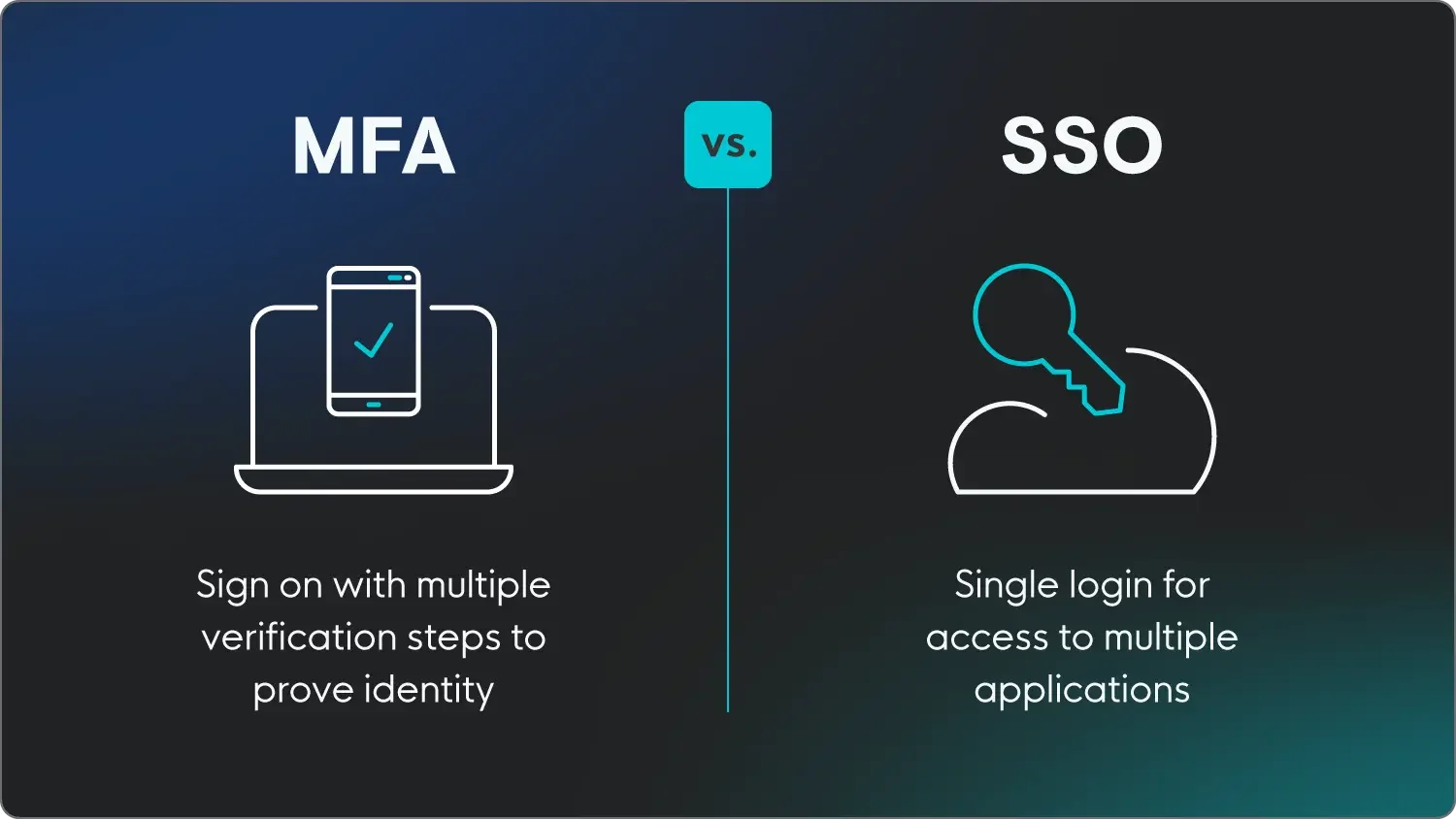

Key differences of MFA and SSO:  

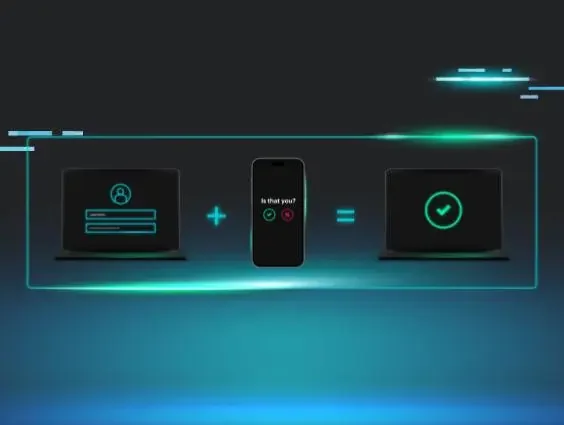
SSO (single sign-on) and MFA (multi-factor authentication) both play a role in the login process, but they solve different problems. SSO is built for convenience—it lets users log in once to access multiple applications without managing separate credentials for each. MFA is built for security—it requires users to verify their identity through two or more factors, such as a password plus a biometric scan or a push notification, before gaining access. In short, SSO reduces how often you log in, while MFA makes each login more trustworthy. The most effective approach uses both together: SSO streamlines the user experience, and MFA protects it.

Here’s an overview of the key differences between MFA and SSO.


MFA

SSO

Main goal

Security, reduces the risk of unauthorized access

Convenience, reduces login fatigue

User experience

Extra steps added to verify identity

Single login for multiple apps

Complexity

Layered authentication, requires more setup

Integrates apps into one login system

Typical use case

Protecting the SSO identity

Brokering access to enterprise and cloud applications

Potential advantages

Enhanced security, mitigates credential theft, and ensures compliance

Convenient, reduces potential user fatigue, saves time, cost-effective, centralized control, improved security

Potential disadvantages 

Users may find it inconvenient/fatiguing, SMS codes can be vulnerable, potential implementation challenges

Single point of failure, reliant on identity provider (IdP)


Why you should use both MFA and SSO

While SSO and MFA serve different purposes, combining them gives you a robust defense against cyber threats. Implementing both lets organizations improve their security without creating a bad user experience, while also making it easier to monitor network activity.

Let’s face it: Passwords are a vulnerability. It’s tough for people to remember the complex, multi-character passwords that almost every application requires today. So wouldn’t it be so much easier to remember just one? One solid, complex, and hard-to-guess passphrase, that is.

With SSO, that one passphrase is all a user has to remember. But of course, SSO means fewer potential entry points for hackers—and once they’ve cracked the code, the doors have opened to all the user’s other accounts and applications. This is why using strong, uncommon passwords and requiring an additional authentication layer with MFA is so important.

By combining SSO and MFA, you strike a balance between convenience and security. Users enjoy the simplicity of logging in once, while MFA adds an extra layer of protection: even if their credentials are compromised, an attacker still can't access their account.


Security tips for implementing SSO and MFA

Strengthening your security posture with SSO and MFA isn’t just a smart choice; it's a basic and essential step. To protect your employees and your organization, we highly recommend implementing both SSO and MFA.

When combined, SSO can help limit employee frustration and increase password strength, while MFA allows for verification of user identity before they log in to any application or network you want to maintain tight control over.

Here are some essential tips for successfully implementing MFA and SSO in your organization:

  • Choose a reliable SSO provider: Select a trusted SSO solution that offers seamless integration with your applications and robust security features.
  • Implement MFA everywhere: Enable MFA for all critical applications and services to ensure a consistent security posture.
  • Not all MFAs are created equal: Consider only enabling passkeys, biometric verification, and/or push factors instead of the weaker one-time passcodes, SMS, or voice verifications.
  • Educate users: Train your users on the importance of security, especially regarding protecting their MFA methods, such as smartphones or tokens.
  • Regularly review and update policies: Continuously monitor and update access policies and authentication methods to adapt to evolving threats.


Not “either or”, it’s both and then some

Cybersecurity is a challenge for IT departments across all industries. Not only are expectations getting higher, but the workforce is also evolving with new technologies and an ever-expanding global ecosystem. That means the risks are high as well.

Single sign-on and multi-factor authentication represent two fundamental layers of security that can work in tandem to combat the vulnerabilities of traditional authentication methods. By choosing SSO and MFA, rather than SSO vs. MFA, you have a bit more peace of mind while protecting your organization or managed environments.

At Huntress, we’re hyper-aware of how hackers are getting smarter and evolving their tradecraft. We need to implement changes to make it that much harder for attackers to access an application or network. That’s why the Huntress platform is enabled for both multi-factor authentication and two-factor authentication (2FA).

Huntress empowers your employees to be part of the cybersecurity solution with security awareness training (SAT), giving you personalized phishing defense coaching based on real threats our security experts see in the wild.


FAQ

What's the difference between SSO and MFA?

SSO stands for single sign-on, which means logging into one account to gain access to multiple services, like your Google account. MFA, or multi-factor authentication, is an identity verification process in which users are required to confirm their identity after logging in with something like a biometric scan or typing in a received code. 

Can you have both MFA and SSO? 

Yes, absolutely. In fact, it’s encouraged to implement both MFA and SSO to provide users with the best and most secure experience.

Is MFA the same as 2FA? 

Two-factor authentication is a type of multi-factor authentication where two kinds of identity verification are required. MFA refers to when at least two types of verification are required, but sometimes more. 



Categories
Cybersecurity Education
Summarize this postClose Speech Bubble
ChatGPTClaudePerplexityGoogle AI

Don't Wait for a Breach! Protect your Business Now

Stay ahead of threats like Akira ransomware. Start your FREE trial of Huntress today and secure your environment with advanced threat detection and response.
Free Trial
Share
Facebook iconTwitter X iconLinkedin iconDownload icon
Glitch effect

You Might Also Like

  • What Is Multi-Factor Authentication? A Complete Guide to MFA Security

    Understand the multiple uses for multi-factor authentication, plus why it’s important for cybersecurity and how to implement it at your organization.
  • What Is Single Sign-On?

    Learn what single sign-on (SSO) login is, how it’s used in role management and cybersecurity, and how to set it up at your organization.
  • Is There a Right Way to Set Up Two-Factor Authentication?

    In this blog, we aim to answer the question: how easy is it for hackers to circumvent two-factor authentication? We look at their tricks to learn the best way to set up 2FA.
  • Demystifying Multi-Factor Authentication for Businesses

    MFA for business isn’t a silver bullet. But it’s close! Learn the benefits, MFA methods, and how to make it work without the usual headaches.
  • To MFA or Not to MFA: How Multi-Factor Authentication Saves the SMB

    MFA could be the thing that stops your payroll money from disappearing in a wire transaction. So why do we treat it as an optional inconvenience?
  • #ShadyHacks with Kyle Hanslovan

    Huntress CEO Kyle Hanslovan's live hack demo: modern hacker playbook, with stolen credentials, MFA bypass, and M365 token hijacking. Get defense tips, stay protected.
  • What Is the Zero Trust Security Model?

    Learn the fundamentals of Zero Trust Security and how it protects organizations by ensuring constant verification and reducing cyber risks. Stay secure with Zero Trust.
  • How To Speak To SMBs About Cybersecurity

    Need help approaching the security sales conversation? Use these tips to walk into your next client meeting armed with points for selling cybersecurity.

Sign Up for Huntress Updates

Get insider access to Huntress tradecraft, killer events, and the freshest blog updates.
Privacy • Terms
By submitting this form, you accept our Terms of Service & Privacy Policy
Thank you! Your submission has been received!
Oops! Something went wrong while submitting the form.
Huntress Managed Security PlatformManaged EDRManaged EDR for macOSManaged EDR for LinuxManaged ITDRManaged SIEMManaged Security Awareness TrainingManaged ISPMManaged ESPMBook a Demo
PhishingComplianceBusiness Email CompromiseEducationFinanceHealthcareManufacturingState & Local Government
Managed Service ProvidersResellersIT & Security Teams24/7 SOCCase Studies
BlogResource CenterCybersecurity 101Upcoming EventsSupport Documentation
Our CompanyLeadershipNews & PressCareersContact Us
Huntress white logo

Protecting 215k+ customers like you with enterprise-grade protection.

Privacy PolicyCookie PolicyTerms of UseCookie Consent
Linkedin iconTwitter X iconYouTube iconInstagram icon
© 2025 Huntress All Rights Reserved.

Join the Hunt

Get insider access to Huntress tradecraft, killer events, and the freshest blog updates.

By submitting this form, you accept our Terms of Service & Privacy Policy