

Don’t let overlooked obligations become incidents. Learn how.
Utility navigation bar redirect icon
Portal LoginSupportContact
Search
Close search
Huntress Logo in Teal
  • Platform Overview
    Managed EDR

    Get full endpoint visibility, detection, and response.

    Managed EDR

    Get full endpoint visibility, detection, and response.

    Managed ITDR

    Protect your Microsoft 365 identities and email environments.

    Managed ITDR

    Protect your Microsoft 365 identities and email environments.

    Managed SIEM

    Managed threat response and robust compliance support at a predictable price.

    Managed SIEM

    Managed threat response and robust compliance support at a predictable price.

    Managed Security Awareness Training

    Empower your teams with science-backed security awareness training.

    Managed Security Awareness Training

    Empower your teams with science-backed security awareness training.

    Managed ISPM

    Continuous Microsoft 365 and identity hardening, managed and enforced by Huntress experts.

    Managed ISPM

    Continuous Microsoft 365 and identity hardening, managed and enforced by Huntress experts.

    Managed ESPM

    Proactively secure endpoints against attacks.

    Managed ESPM

    Proactively secure endpoints against attacks.

    Integrations
    Integrations
    Support Documentation
    Support Documentation
    See Huntress in Action

    Quickly deploy and manage real-time protection for endpoints, email, and employees - all from a single dashboard.

    Huntress Cybersecurity
    See Huntress in Action

    Quickly deploy and manage real-time protection for endpoints, email, and employees - all from a single dashboard.

    Huntress Cybersecurity
  • Threats We Stop
    Phishing
    Phishing
    Business Email Compromise
    Business Email Compromise
    Ransomware
    Ransomware
    Infostealers
    Infostealers
    View Allright arrowView Allright arrow
    Industries We Serve
    Education
    Education
    Financial Services
    Financial Services
    State and Local Government
    State and Local Government
    Healthcare
    Healthcare
    Law Firms
    Law Firms
    Manufacturing
    Manufacturing
    Utilities
    Utilities
    View Allright arrowView Allright arrow
    Tailored Solutions
    MSPs
    MSPs
    Resellers
    Resellers
    SMBs
    SMBs
    Compliance
    Compliance
    What Gets Overlooked Gets Exploited

    Most days, nothing happens. But one day, something will.

    Huntress Cybersecurity
    Cybercriminals Have Evolved

    Get the intel on today’s cybercriminal groups and learn how to protect yourself.

    Huntress Cybersecurity
  • Pricing
  • Community Series
    The Product Lab

    Shape the next big thing in cybersecurity together.

    The Product Lab

    Shape the next big thing in cybersecurity together.

    Fireside Chat

    Real people. Real perspectives. Better conversations.

    Fireside Chat

    Real people. Real perspectives. Better conversations.

    Tradecraft Tuesday

    No products, no pitches – just tradecraft.

    Tradecraft Tuesday

    No products, no pitches – just tradecraft.

    _declassified

    Exposing hidden truths in the world of cybersecurity.

    _declassified

    Exposing hidden truths in the world of cybersecurity.

    Resources
    Upcoming Events
    Upcoming Events
    Ebooks
    Ebooks
    On-Demand Webinars
    On-Demand Webinars
    Videos
    Videos
    Whitepapers
    Whitepapers
    Datasheets
    Datasheets
    Cybersecurity Education
    Cybersecurity 101
    Cybersecurity 101
    Cybersecurity Guides
    Cybersecurity Guides
    Threat Library
    Threat Library
    Real Tradecraft, Real Results
    Real Tradecraft, Real Results
    2026 Cyber Threat Report
    2026 Cyber Threat Report
    The Huntress Blog
    Huntress Lands on the Microsoft Marketplace
    Huntress Cybersecurity
    Huntress Lands on the Microsoft Marketplace
    Huntress Cybersecurity
    How Huntress & DEFCERT Are Streamlining CMMC Assessment Prep
    Huntress Cybersecurity
    How Huntress & DEFCERT Are Streamlining CMMC Assessment Prep
    Huntress Cybersecurity
    Live Hacking Into Microsoft 365 with Kyle Hanslovan
    Huntress Cybersecurity
    Live Hacking Into Microsoft 365 with Kyle Hanslovan
    Huntress Cybersecurity
  • Why Huntress

    Go beyond AI in the fight against today’s hackers with Huntress Managed EDR purpose-built for your needs

    Huntress Cybersecurity
    Why Huntress

    Go beyond AI in the fight against today’s hackers with Huntress Managed EDR purpose-built for your needs

    Huntress Cybersecurity
    The Huntress SOC

    24/7 Security Operations Center

    The Huntress SOC

    24/7 Security Operations Center

    Reviews

    Why businesses of all sizes trust Huntress to defend their assets

    Reviews

    Why businesses of all sizes trust Huntress to defend their assets

    Case Studies

    Learn directly from our partners how Huntress has helped them

    Case Studies

    Learn directly from our partners how Huntress has helped them

    Community

    Get in touch with the Huntress Community team

    Community

    Get in touch with the Huntress Community team

    Compare Huntress
    Bitdefender
    Bitdefender
    Blackpoint
    Blackpoint
    Breach Secure Now!
    Breach Secure Now!
    Crowdstrike
    Crowdstrike
    Datto
    Datto
    SentinelOne
    SentinelOne
    Sophos
    Sophos
    Compare Allright arrowCompare Allright arrow
  • HUNTRESS HUB

    Login to access top-notch marketing resources, tools, and training.

    Huntress Cybersecurity
    HUNTRESS HUB

    Login to access top-notch marketing resources, tools, and training.

    Huntress Cybersecurity
    Partners
    MSPs

    Join our partner community to deliver expert-led managed security.

    MSPs

    Join our partner community to deliver expert-led managed security.

    Resellers

    Partner program designed to grow your cybersecurity business.

    Resellers

    Partner program designed to grow your cybersecurity business.

    Tech Alliances

    Driving innovation through global technology Partnerships

    Tech Alliances

    Driving innovation through global technology Partnerships

    Microsoft Partnership

    A Level-Up for Your Business Security

    Microsoft Partnership

    A Level-Up for Your Business Security

  • Press Release
    Huntress Announces Collaboration with Microsoft to Strengthen Cybersecurity for Businesses of All Sizes
    Huntress Cybersecurity
    Press Release
    Huntress Announces Collaboration with Microsoft to Strengthen Cybersecurity for Businesses of All Sizes
    Huntress Cybersecurity
    Our Story

    We're on a mission to shatter the barriers to enterprise-level security.

    Our Story

    We're on a mission to shatter the barriers to enterprise-level security.

    Newsroom

    Explore press releases, news articles, media interviews and more.

    Newsroom

    Explore press releases, news articles, media interviews and more.

    Meet the Team

    Founded by former NSA Cyber Operators. Backed by security researchers.

    Meet the Team

    Founded by former NSA Cyber Operators. Backed by security researchers.

    Careers

    Ready to shake up the cybersecurity world? Join the hunt.

    Careers

    Ready to shake up the cybersecurity world? Join the hunt.

    Awards
    Awards
    Contact Us
    Contact Us
  • Portal Login
  • Support
  • Contact
  • Search
  • Get a Demo
  • Start for Free
Portal LoginSupportContact
Search
Close search
Get a Demo
Start for Free
HomeBlog
What Is Multi-Factor Authentication? A Complete Guide to MFA Security
Published:
September 5, 2025

What Is Multi-Factor Authentication? A Complete Guide to MFA Security

By:
Brenda Buckman
Share icon
Glitch effectGlitch effectGlitch effect

Many common passwords can take a threat actor only minutes or even seconds to hack. 

That’s why having multiple layers of protection, including a strong password, is essential. One of these methods should be multi-factor authentication (MFA), which requires multiple verification steps to help slow down or prevent unauthorized access. 

Learn more about what multi-factor authentication is, why it’s important, and how to set it up at your organization.

What is MFA?

MFA is an essential cybersecurity process that requires users to verify their identity multiple times (at least twice, but it can be three or more times) to access a resource like an application, online account, or VPN. Instead of just a single password, MFA calls for a combination of different types of authentication methods, which are typically categorized into three groups

  • Something you know, like a password or PIN

  • Something you have, like a smartphone or a hardware token

  • Something you are, like a fingerprint or facial scan

Why is MFA important?

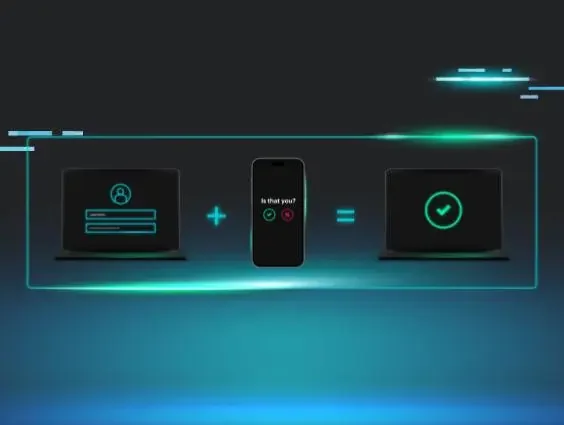
The primary purpose of MFA is to create a layered defense, making it more difficult for an unauthorized user to access an account. Even if a threat actor manages to steal your password (something you know), they would still need the second factor—like your phone (something you have)—to successfully log in. Benefits of MFA include:

  • Enhanced security: MFA significantly increases protection by requiring more than just a password, making it much harder for threat actors to access accounts even if they steal login credentials.

  • Faster response time: MFA stops most password attacks at authentication, preventing breaches and saving security teams time and resources.

  • Reduced risk of data breaches: By creating a strong barrier against unauthorized access, MFA drastically lowers the likelihood of account takeovers and the theft of sensitive data through methods such as credential stuffing. 

  • Regulatory compliance: Implementing MFA helps organizations meet strict security requirements for regulations like GDPR, HIPAA, and PCI DSS, avoiding potential fines and legal issues.

  • Secure remote access: It enables employees to securely access company networks and resources from anywhere, supporting a flexible and safe remote work environment.

  • User-friendly options: Modern MFA methods, such as push notifications and biometric scans, offer strong security with minimal friction, making them easy and quick for users to adopt.

How does MFA work?

Multi-factor authentication is a pretty straightforward process where the main steps include:

  1. Initial login: The user starts by providing their first factor, usually a username and password (something they know).

  2. MFA challenge: After the system successfully verifies the password, it doesn't give immediate access. Instead, it presents a challenge, requesting the second factor.

  3. Second factor verification: The user must then provide the second form of authentication. For example, they might receive a one-time passcode (OTP) via a text message to their phone, get a push notification on an authenticator app, or be prompted to use a fingerprint scanner.

  4. Access granted: Access to the account is granted only after all factors are successfully verified, proving that the user both knows the password and possesses the other factor. If an attacker has only the password, they’ll be blocked at the second step because they lack the required second factor. This makes it harder for a threat actor to compromise the account.
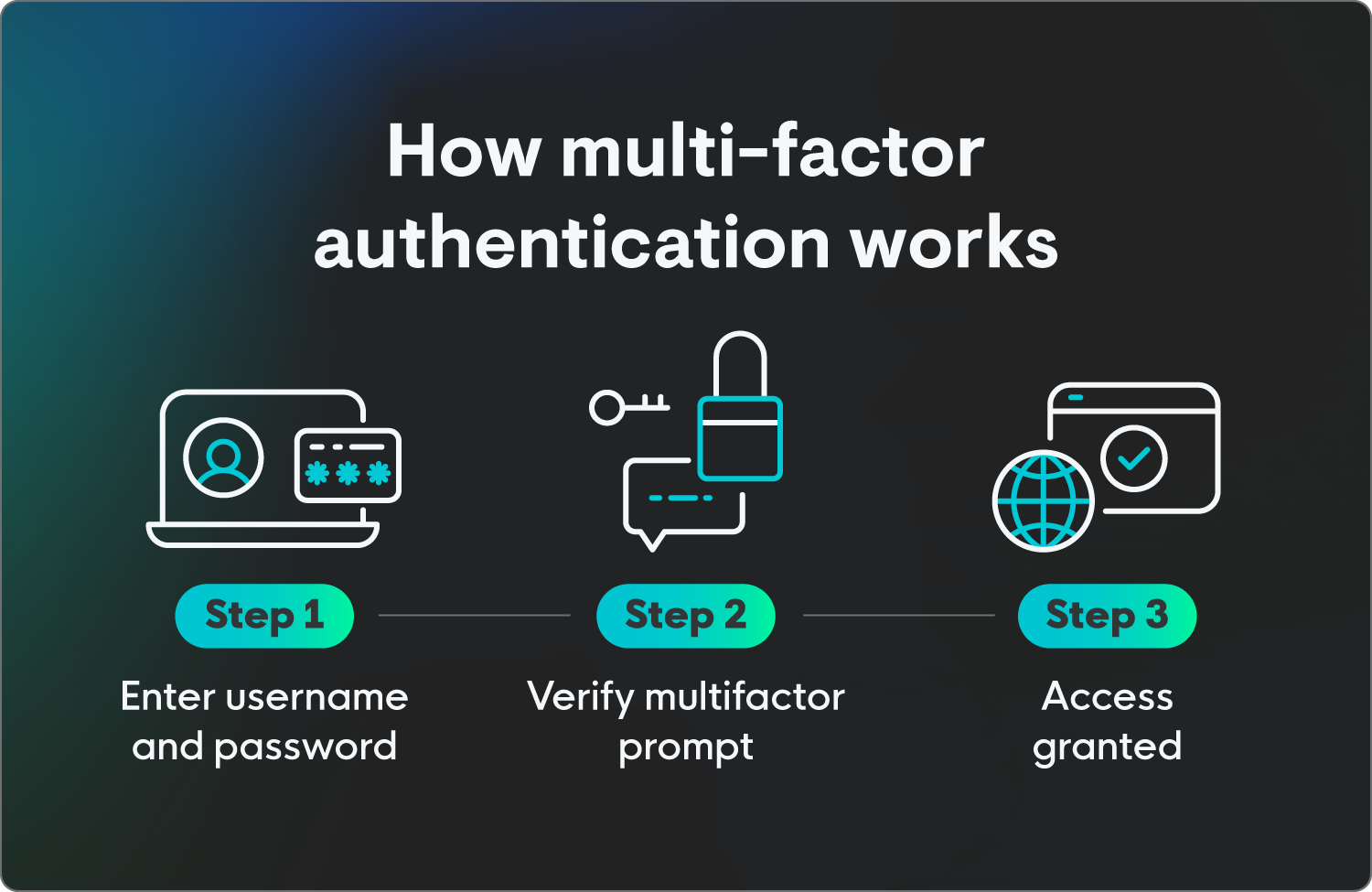
How MFA works, including entering username and password, verifying, and access being granted.


Types of multi-factor authentication

There are several common types of multi-factor authentication, each using a different verification category to enhance security. They’re used in combination with a password to create a strong defense. Here’s an overview of some of the most frequently used forms of MFA. 

Authenticator apps

These apps, such as Google Authenticator or Microsoft Authenticator, generate a unique, time-sensitive code (a time-based one-time password, or TOTP) that users must enter to log in. 

This method is generally considered more secure than SMS because the codes are generated locally on the device and don't rely on a cellular network that could be compromised.

SMS or text message codes

This is one of the most common and familiar types of MFA. After entering their password, a user receives a unique code via text message to their registered phone number. They then enter this code to complete the login process. 

While convenient, it’s less secure than authenticator apps due to the risk of SIM swapping, which is when threat actors fraudulently transfer a victim’s number to a SIM controlled by them, and other cellular network vulnerabilities.

Biometrics

This method uses a unique physical characteristic of the user for verification, like fingerprint scans, facial recognition, or iris scans. This is often used on smartphones and other personal devices as a quick and highly secure way to authenticate.

Hardware security keys

These are physical devices, such as a YubiKey, that plug into a computer's USB port or connect wirelessly. To authenticate, a user simply presses a button on the key. This is one of the most secure forms of MFA because it’s resistant to phishing and man-in-the-middle attacks.

Push notifications 

A user receives a notification on their smartphone or other registered device, which they can approve or deny with a single tap. This user-friendly method removes the need to manually enter a code.

Real-world MFA examples

Let’s go over how these different types of MFA may play out. Here are some examples of how multi-factor authentication may happen in the real world:

  • Something you know: When logging into your Microsoft account, you’re prompted to enter the last four digits of your phone number as additional security. 

  • Something you have: When signing into your work account from a new location, you’re sent a push notification to your work phone to verify your identity. 

  • Something you are: When using your phone to check if a deposit has gone through in your banking app, you’re required to use a biometric signature to verify your identity, so you use the face scan feature on your iPhone to gain access. 

AI's role in multi-factor authentication

AI's role in MFA is to make the process smarter, more seamless, and more secure by moving beyond static, rigid security checks. Instead of requiring a second factor every single time, AI-powered MFA uses machine learning to analyze user behavior and context in real time.

This lets the system assess the risk of a login attempt and either ask for an additional verification step or, in low-risk situations, give faster access. Essentially, AI helps MFA adapt to the specific situation, making it more effective and user-friendly.

How leaders can implement MFA

Implementing multi-factor authentication for businesses is a critical step in strengthening an organization's cybersecurity posture, but it requires more than simply flipping a switch. A successful rollout involves careful planning, clear communication, and a strategic approach to choosing the right technology.

Here are some tips and considerations for implementing MFA effectively:

  • Get buy-in: Before implementing MFA, explain to all staff why it’s important—from leadership to entry-level—as a crucial security measure protecting company and personal data.

  • Start with the most vulnerable accounts: Prioritize implementing MFA on accounts that have elevated privileges or access to sensitive data like administrator accounts, cloud service portals (e.g., Microsoft 365, Google Workspace), and financial systems. This approach can reduce the most critical risks right away.

  • Choose the right MFA method for you: While any form of MFA is better than none, certain methods offer stronger protection. Opt for authenticator apps or hardware security keys rather than SMS-based MFA, which, while convenient, is vulnerable to SIM swapping attacks.

  • Go for flexibility and scalability: Look for an MFA solution that can grow with your organization and supports various authentication methods. A solution that integrates seamlessly with your existing infrastructure (e.g., identity providers, VPNs) will make deployment and management much easier long term.

  • Develop a phased rollout plan: Avoid a company-wide all-at-once rollout, which can overwhelm IT support and users alike. Instead, implement MFA in phases, starting with a small pilot group or single department. Gather feedback, address any issues, and refine your process before expanding to the next group.

  • Provide clear and simple instructions: Create easy-to-follow, step-by-step guides and videos for users. Offer a help desk or a designated point of contact to help with any issues that come up during the setup process. 

  • Use multiple forms of protection: Consider implementing various forms of cyber protection at login, such as SSO login, zero trust architecture, and MFA. 

  • Plan for account recovery and lost devices: A critical part of MFA is having a secure process for when a user loses their phone or other second factor. Establish a clear, secure procedure for identity verification and account recovery that doesn't compromise security, including who to contact and how. 

Multi-layered endpoint protection is within reach

Protecting your access points is one of the first steps of many to ensure threat actors are unable to access your data. Setting up systems like multi-factor authentication can help stop attacks from happening and alert team members to any potential password vulnerabilities. 

We understand what threats like credential theft and unauthorized access mean for your business, and we’re here to help. Huntress has you covered continuously with managed identity threat detection and response (ITDR), protecting identities across your organization 24/7.


FAQ

What is the difference between 2FA and MFA?

Multi-factor authentication (MFA) is a broader term for any security system that requires two or more authentication methods to verify a user's identity. Two-factor authentication (2FA) is a specific type of MFA that requires exactly two authentication methods. While all 2FA is a form of MFA, not all MFA is 2FA, as MFA can involve three or more factors.

Do I need multi-factor authentication?

Yes, MFA is an important cybersecurity protection. Passwords alone aren’t enough to defend against modern cyber threats, as they can be easily stolen, guessed, or compromised in data breaches. MFA adds a critical second layer of security, making it significantly harder for threat actors to access your accounts even if they have your password.

How do I enable multi-factor authentication?

Navigate to the security or privacy section of your account (e.g., Google, Apple, Microsoft). From there, look for a setting labeled "Two-Factor Authentication," "Multi-Factor Authentication," or "Two-Step Verification."

After you select this option, you'll be guided through a setup process where you can choose your preferred second verification method, such as a code from an authenticator app (like Google or Microsoft Authenticator), a text message to your phone, or a security key. Using an authenticator app over text messages is highly recommended for enhanced security.


Categories
Cybersecurity Education
Summarize this postClose Speech Bubble
ChatGPTClaudePerplexityGoogle AI

See Huntress in action

Our platform combines a suite of powerful managed detection and response tools for endpoints and Microsoft 365 identities, science-backed security awareness training, and the expertise of our 24/7 Security Operations Center (SOC).

Book a Demo
Share
Facebook iconTwitter X iconLinkedin iconDownload icon
Glitch effect

You Might Also Like

  • Demystifying Multi-Factor Authentication for Businesses

    MFA for business isn’t a silver bullet. But it’s close! Learn the benefits, MFA methods, and how to make it work without the usual headaches.
  • SSO vs. MFA: Key Differences, Compared + Explained

    SSO vs. MFA: Why choose between the two? Learn how both single sign-on and multi-factor authentication can improve your cybersecurity posture.
  • Is There a Right Way to Set Up Two-Factor Authentication?

    In this blog, we aim to answer the question: how easy is it for hackers to circumvent two-factor authentication? We look at their tricks to learn the best way to set up 2FA.
  • What Is Single Sign-On?

    Learn what single sign-on (SSO) login is, how it’s used in role management and cybersecurity, and how to set it up at your organization.
  • To MFA or Not to MFA: How Multi-Factor Authentication Saves the SMB

    MFA could be the thing that stops your payroll money from disappearing in a wire transaction. So why do we treat it as an optional inconvenience?
  • 90% of IT Professionals Are Confident in Cybersecurity for Remote Work (New Data)

    New data shows cybersecurity professionals are confident about their remote work safety. See the findings, plus security best practices for remote and hybrid work.
  • What Is the Zero Trust Security Model?

    Learn the fundamentals of Zero Trust Security and how it protects organizations by ensuring constant verification and reducing cyber risks. Stay secure with Zero Trust.
  • What Is Defense Evasion?

    An introduction to defense evasion as an attack tactic. Read on to explore what defense evasion is and why it’s important to understand how it’s used.

Sign Up for Huntress Updates

Get insider access to Huntress tradecraft, killer events, and the freshest blog updates.
Privacy • Terms
By submitting this form, you accept our Terms of Service & Privacy Policy
Thank you! Your submission has been received!
Oops! Something went wrong while submitting the form.
Huntress Managed Security PlatformManaged EDRManaged EDR for macOSManaged EDR for LinuxManaged ITDRManaged SIEMManaged Security Awareness TrainingManaged ISPMManaged ESPMBook a Demo
PhishingComplianceBusiness Email CompromiseEducationFinanceHealthcareManufacturingState & Local Government
Managed Service ProvidersResellersIT & Security Teams24/7 SOCCase Studies
BlogResource CenterCybersecurity 101Upcoming EventsSupport Documentation
Our CompanyLeadershipNews & PressCareersContact Us
Huntress white logo

Protecting 215k+ customers like you with enterprise-grade protection.

Privacy PolicyCookie PolicyTerms of UseCookie Consent
Linkedin iconTwitter X iconYouTube iconInstagram icon
© 2025 Huntress All Rights Reserved.

Join the Hunt

Get insider access to Huntress tradecraft, killer events, and the freshest blog updates.

By submitting this form, you accept our Terms of Service & Privacy Policy