


As a TAM (Technical Account Manager), I’m always looking at my partners’ Huntress portals. I look for misconfigurations, opportunities to align settings with best practices, and potential security risks.
From a security perspective, I’m interested in finding things like:
-
Recent threats Huntress detected in a partner’s environment
-
External Recon reporting risky ports or services exposed to the internet
-
Potentially unsecured credentials saved in cleartext in shared locations
-
Multi-factor authentication (MFA) disabled on critical Microsoft 365 accounts
-
Risky managed antivirus exclusions
One of my favorite parts of my job is to identify opportunities for my partners and their end clients to strengthen their overall security postures. After performing some routine account reviews, I came across an interesting find that led me down a rabbit hole. This blog explains a managed antivirus (MAV) exclusion I found in my partner’s portal, and how it informed a hunt across all customer environments. Before we dive into my findings, let’s make sure we’re on the same page about MAV.
What is managed antivirus (MAV)?
Huntress Managed Endpoint Detection and Response (EDR) is a pure-play EDR, meaning there isn’t an AV or Next Generation Antivirus (NGAV) component to our agent. This allows our partners and customers to stack our EDR with an AV of their choosing. While certainly not required, we find that many customers, approximately 50% of them, choose to pair Huntress Managed EDR with Windows Defender. And just to be clear, we’re talking about the free, built-in version of Defender that comes installed with every modern Windows operating system.
This pairing, known as managed antivirus, or “MAV,” allows customers to re-allocate their third-party AV spend somewhere else, while still centrally managing AV policies, updates, and exclusions, all in one place—the Huntress Portal.
Historically, you’d have to manage Defender on each individual computer or with pesky GPOs. The other nice advantage of MAV is that our Security Operations Center (SOC) gets visibility into the native Defender alerts and can correlate them with other findings in Managed EDR and Managed Security Information and Event Management (SIEM).
Why are MAV exclusions interesting?
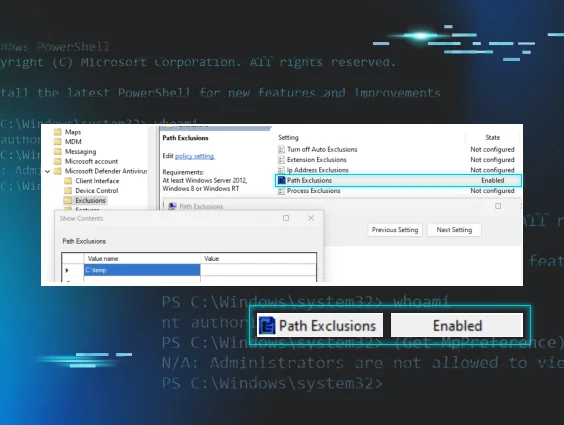
A MAV exclusion is when Defender is configured to NOT scan or take action on anything associated with a specific process, within a certain folder path, or that has a specific extension. These exclusions can be applied to an individual endpoint, several endpoints, an entire organization, or even multiple customers in a multi-tenant Huntress environment.
Oftentimes, IT admins need to create AV exclusions to ensure that legitimate critical lines of business applications aren’t interfered with by the AV. IT admins often look to disable or exclude AV as a common troubleshooting step, so it's not uncommon to find leftover exclusions, especially when managed service providers (MSPs) take over a client from a previous IT provider.
I always recommend auditing these exclusions in the same way that you’d want to audit a perimeter gateway’s firewall rules for risky attack surface exposures. We should always be intentional, specific, and explicit when allowing things to run on our endpoints or traverse our networks.
Risky exclusions
While there are legit use cases for creating exclusions, we also know that poorly scoped exclusions can make your AV blind when malware is downloaded or dropped. EDR is great at catching post-execution activity, but AVs can still detect malicious binaries written to disk.
In a world where defense in depth is critical, we need to make sure AV can do its job to catch malicious activity as early as possible in the kill chain. You want to make sure Defender is scanning common places where malware is executed, files with extensions that can be used for malicious purposes, and processes that can be leveraged to carry out an attack.
Here are some basic examples of risky exclusions:
|
Path Exclusion |
Extension Exclusion |
Process Exclusion |
|
C:\Windows\Temp\ |
*.exe |
powershell.exe |
|
%TEMP% or C:\Users\<Username>\AppData\Local\Temp\ |
*.dll |
wscript.exe |
|
%USERPROFILE%\Downloads\ |
*.ps1 |
rundll32.exe |
|
%APPDATA%\Microsoft\Windows\Start Menu\Programs\Startup\ |
*.msi |
chrome.exe |
|
C:\ProgramData\Microsoft\Windows\Start Menu\Programs\Startup\ |
*.vbs |
outlook.exe |
|
C:\Users\Public\ |
*.iso |
mshta.exe |
If you’d like to learn more about MAV exclusions, see additional advanced use cases, and better understand how Huntress uses telemetry from MAV exclusions to fuel our detection engineering efforts, check out our blog, "You Can Run, but You Can’t Hide: Defender Exclusions".
Using MAV exclusions as a pivot point
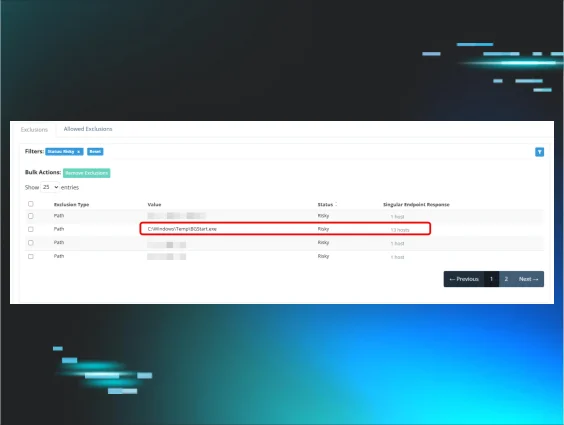
Towards the end of April 2025, I was preparing for a regular recurring sync with one of my customers, and I came across an interesting MAV exclusion in their portal.
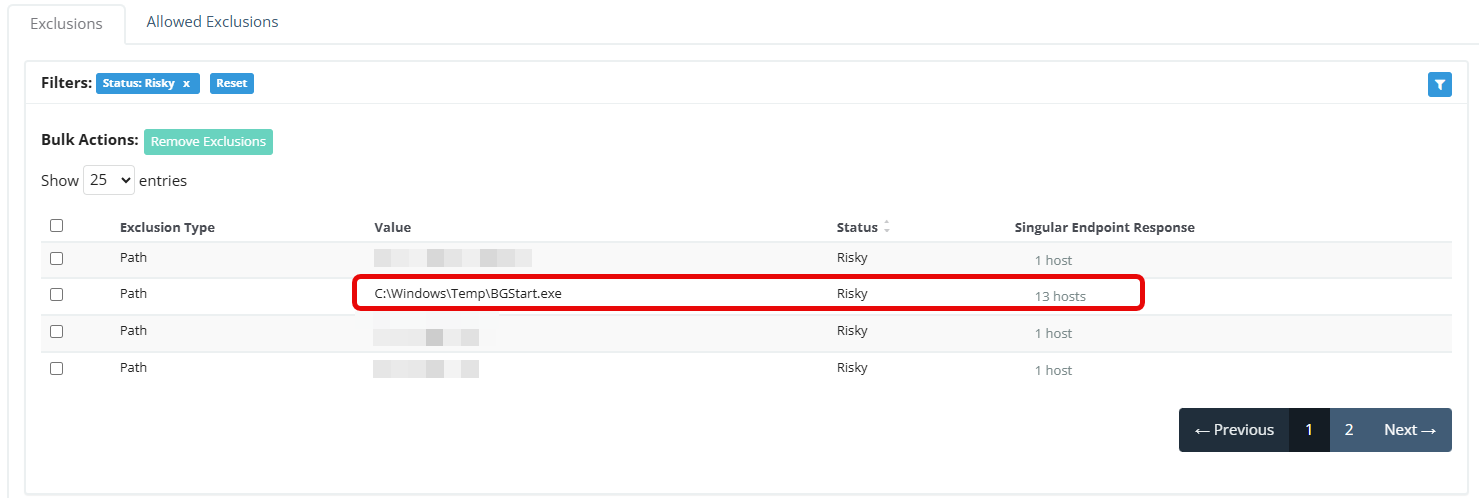 Figure 1: Screenshot of the partner’s Huntress portal displaying active MAV exclusions
The exclusion is for C:\Windows\Temp\BGStart.exe and it’s applied to 13 hosts. Off the top of my head, I had no idea what “BGStart” is. Time to hit up Google to figure out what application this executable is associated with and what it does.
What is ActivTrak?
I learned that bgstart.exe is associated with a software called ActivTrak. Activtrak appears legitimate. Here's what their website advertises:
WORKFORCE ANALYTICS & INTELLIGENCE:
Improve workforce productivity. Maximize performance outcomes. Get the visibility to make smart decisions with advanced employee monitoring, productivity management & workforce planning.
If you look a bit deeper and get past the marketing buzzword soup, you’ll find this software offers the following features:
- Screenshots
-
Live screen view
-
App termination
-
Activity logs
Basically, this is employee monitoring software that captures screenshots, which may contain sensitive information. Organizations can use this type of software to "spy" on their users to make sure they're not wasting time on non-work related things (social media, YouTube, etc.). Not my cup of tea (if you can’t trust the people you employ, why hire them in the first place?), but it doesn’t appear to be inherently malicious. But if the client accepts the security and company culture risks of having it in place, there isn’t much we can do here.
Before I move on to reviewing other parts of the portal ahead of this customer meeting, I should probably check which hosts these Defender exclusions are applied to:
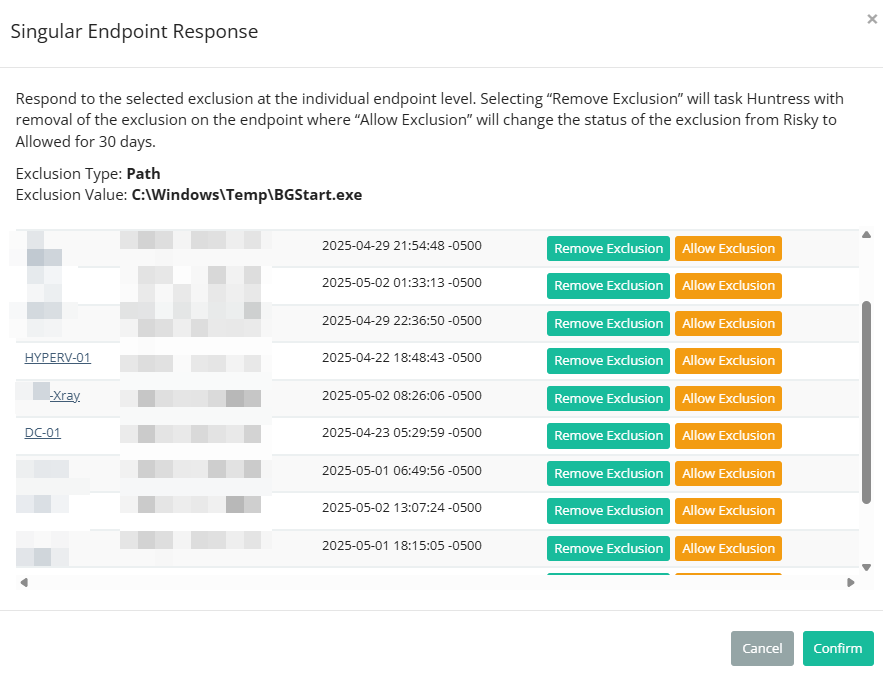 Figure 2: Screenshot of partner’s Huntress portal showing the scope of which endpoints to which this exclusion is applied.
Well, that’s interesting. The first thing I noticed is that this is a medical clinic (name of the business redacted in the screenshot). The second thing I noticed is that this software has been excluded on their hypervisor, their domain controller, and an X-ray machine.
Why does employee monitoring software need to be installed on any of these systems? It’s one thing to monitor individual employee computers, but it's another to capture screenshots and analytics from critical infrastructure. And while ActivTrak seems to have settings for HIPAA compliance, it seems weird to have this kind of monitoring software on an X-ray machine.
Employee monitoring/stalkerware risk
My issue isn’t with ActivTrak as a company, but rather this industry of employee monitoring businesses that can be used as stalkerware by threat actors. At the end of April 2025, a company called WorkComposer, which offers similar solutions, left an AWS bucket open to the internet and leaked over 21 million screenshots. A few months earlier, another employee monitoring software company called WebWork Tracker was breached and leaked over 13 million screenshots.
Given the wildly expensive upfront and ongoing costs of a record breach, is having “Productivity Monitoring Tools” deployed actually worth it? According to the HIPAA Journal, “The penalties for HIPAA violations include civil monetary penalties ranging from $141 to $2,134,831 per violation, depending on the level of culpability.”
There are additional security risks to consider. We know that threat actors like to “live off the land” and leverage legitimate applications to carry out their attacks. By doing this, they’ll be able to get past the reputation and signature-based AV solutions. If the AV doesn’t classify the software or binary as evil, the AV will leave it alone. Therefore, in the same way that we see threat actors abuse RMMs, an adversary could abuse this type of employee monitoring software to spy on a company and/or steal data. The only way you’d know it’s there is if you hunt for it in your EDR or if you regularly audit your software inventory.
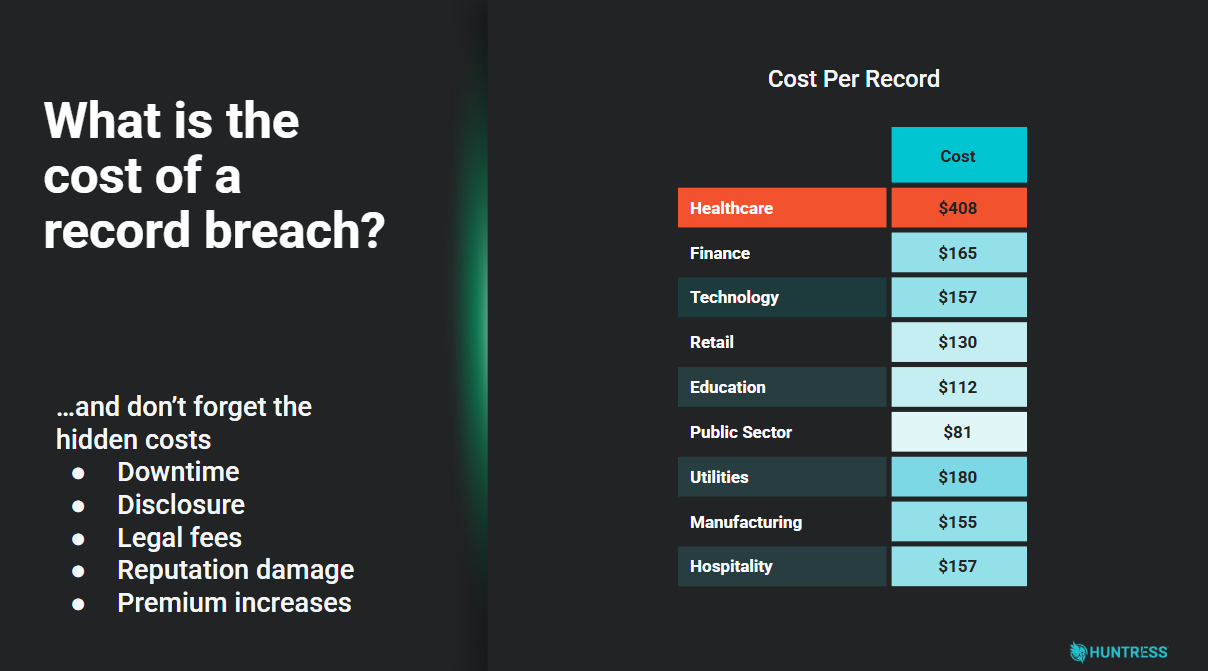 Figure 3: Average cost of record breaches
Customer conversation
Fortunately, shortly after doing this research, I was able to connect with the MSP partner, including some of their security leaders. I went over the risks involved with this type of software. Here's what I asked them to confirm:
-
Does the client have an active contract with ActivTrak? Or is this totally unknown to them?
-
If they can account for this software, where do they want it deployed? I suggested being highly specific to scope the machines that they want monitored.
-
Review administrative access to the ActivTrak platform. Who can access it via GUI and via API?
-
Review ActivTrak settings to only capture data points that are deemed acceptable by the organization’s GRC team.
Hunting across Huntress
It doesn’t necessarily make sense to send incident reports for every single execution of ActivTrak. After all, Huntress only sends alerts for meaningful, time-worthy, human-validated threats. Some organizations want to use this application, but we can look out for unusual deployments. Similar to the medical clinic, if we see it running on medical device machines or critical infrastructure, we can have some good customer conversations to figure out if these deployments are intentional.
If the software installation can’t be accounted for, this could tip us off about an ongoing malicious corporate espionage or data exfiltration campaign. We also regularly hunt for suspicious and malicious exclusions across all customers. Malicious exclusions are common examples of defense evasion tactics that we regularly catch when threat actors think they're being sneaky.
Conclusion
The partner contacted the medical clinic, which had already decided not to renew ActivTrak due to a lack of active management or review. It appears a previous IT admin deployed it broadly after purchase, but without following up on scope or ongoing business use. The partner advised the clinic to work with ActivTrak support to ensure no new suspicious admin accounts were created or unaccounted-for data pull requests occurred.
While we currently have no evidence of a threat actor compromising the medical clinic’s ActivTrak tenant, we found ample evidence of a hasty deployment of risky software and a clear lack of oversight that could have led to significant data privacy issues.
ActivTrak endpoint IOCs for non-Huntress customers
All businesses should audit their software inventories. Don’t just take my recommendation, as it’s the second most important control according to the Center for Internet Security. For organizations running a dedicated software inventory solution (MSPs often rely on their RMM to manage this), you can search for “ActivTrak” or “Birch Grove Software.”
You can use the following IOCs to hunt for the execution of ActivTrak or the netconn to ActivTrak’s servers:
|
Windows |
MacOS |
|
C:\Windows\SysWow64\SVCTCOM.exe |
/Library/LaunchAgents/com.bgrove.activtrak.agent.plist |
|
C:\Windows\SysWow64\SCTHOST.exe |
/Library/LaunchDaemons/com.bgrove.activtrak.daemon.plist |
|
C:\Windows\SysWow64\SCTHOSTH.dll |
/Library/PrivilegedHelperTools/svctcom |
|
C:\Windows\SysWow64\syschk.exe |
/Library/PrivilegedHelperTools/scthost |
|
C:\Windows\SysWow64\svctcr.exe |
/Library/PrivilegedHelperTools/scthostp |
|
C:\Windows\SysWow64\conmhost.exe |
/Library/PrivilegedHelperTools/scthostu |
|
C:\Windows\Temp\activtrakagent.msi |
/Library/PrivilegedHelperTools/svctcr |
|
C:\Windows\Temp\BGStart.exe |
Network IOCs
https://agent-dl1.activtrak.net
https://agent-dl2.activtrak.net
https://agent-dl3.activtrak.net
https://prod-cart-gcp-us.activtrak.net
https://backend-master.activtrak.net
https://backend.activtrak.net
https://backend-gcp-us.activtrak.net
https://ws.activtrak.net
https://prod-frontendv2-gcp-us.activtrak.com
https://prod-reporting-us.activtrak.com
https://api.activtrak.com
https://backend-gcp-eu.activtrak.net
https://ws-gcp-eu.activtrak.net
https://api-eu.activtrak.com
https://backend-gcp-ca.activtrak.net
https://ws-gcp-ca.activtrak.net
https://api-ca.activtrak.com
https://backend-gcp-uk.activtrak.net
https://ws-gcp-uk.activtrak.net
https://api-uk.activtrak.com
https://master-backend.activtrak.net
https://backend-gcp-au.activtrak.net
https://ws-gcp-au.activtrak.net
https://api-au.activtrak.com