

Don’t let overlooked obligations become incidents. Learn how.
Utility navigation bar redirect icon
Portal LoginSupportContact
Search
Close search
Huntress Logo in Teal
  • Platform Overview
    Managed EDR

    Get full endpoint visibility, detection, and response.

    Managed EDR

    Get full endpoint visibility, detection, and response.

    Managed ITDR

    Protect your Microsoft 365 identities and email environments.

    Managed ITDR

    Protect your Microsoft 365 identities and email environments.

    Managed SIEM

    Managed threat response and robust compliance support at a predictable price.

    Managed SIEM

    Managed threat response and robust compliance support at a predictable price.

    Managed Security Awareness Training

    Empower your teams with science-backed security awareness training.

    Managed Security Awareness Training

    Empower your teams with science-backed security awareness training.

    Managed ISPM

    Continuous Microsoft 365 and identity hardening, managed and enforced by Huntress experts.

    Managed ISPM

    Continuous Microsoft 365 and identity hardening, managed and enforced by Huntress experts.

    Managed ESPM

    Proactively secure endpoints against attacks.

    Managed ESPM

    Proactively secure endpoints against attacks.

    Integrations
    Integrations
    Support Documentation
    Support Documentation
    See Huntress in Action

    Quickly deploy and manage real-time protection for endpoints, email, and employees - all from a single dashboard.

    Huntress Cybersecurity
    See Huntress in Action

    Quickly deploy and manage real-time protection for endpoints, email, and employees - all from a single dashboard.

    Huntress Cybersecurity
  • Threats We Stop
    Phishing
    Phishing
    Business Email Compromise
    Business Email Compromise
    Ransomware
    Ransomware
    Infostealers
    Infostealers
    View Allright arrowView Allright arrow
    Industries We Serve
    Education
    Education
    Financial Services
    Financial Services
    State and Local Government
    State and Local Government
    Healthcare
    Healthcare
    Law Firms
    Law Firms
    Manufacturing
    Manufacturing
    Utilities
    Utilities
    View Allright arrowView Allright arrow
    Tailored Solutions
    MSPs
    MSPs
    Resellers
    Resellers
    SMBs
    SMBs
    Compliance
    Compliance
    What Gets Overlooked Gets Exploited

    Most days, nothing happens. But one day, something will.

    Huntress Cybersecurity
    Cybercriminals Have Evolved

    Get the intel on today’s cybercriminal groups and learn how to protect yourself.

    Huntress Cybersecurity
  • Pricing
  • Community Series
    The Product Lab

    Shape the next big thing in cybersecurity together.

    The Product Lab

    Shape the next big thing in cybersecurity together.

    Fireside Chat

    Real people. Real perspectives. Better conversations.

    Fireside Chat

    Real people. Real perspectives. Better conversations.

    Tradecraft Tuesday

    No products, no pitches – just tradecraft.

    Tradecraft Tuesday

    No products, no pitches – just tradecraft.

    _declassified

    Exposing hidden truths in the world of cybersecurity.

    _declassified

    Exposing hidden truths in the world of cybersecurity.

    Resources
    Upcoming Events
    Upcoming Events
    Ebooks
    Ebooks
    On-Demand Webinars
    On-Demand Webinars
    Videos
    Videos
    Whitepapers
    Whitepapers
    Datasheets
    Datasheets
    Cybersecurity Education
    Cybersecurity 101
    Cybersecurity 101
    Cybersecurity Guides
    Cybersecurity Guides
    Threat Library
    Threat Library
    Real Tradecraft, Real Results
    Real Tradecraft, Real Results
    2026 Cyber Threat Report
    2026 Cyber Threat Report
    The Huntress Blog
    Huntress Lands on the Microsoft Marketplace
    Huntress Cybersecurity
    Huntress Lands on the Microsoft Marketplace
    Huntress Cybersecurity
    How Huntress & DEFCERT Are Streamlining CMMC Assessment Prep
    Huntress Cybersecurity
    How Huntress & DEFCERT Are Streamlining CMMC Assessment Prep
    Huntress Cybersecurity
    Live Hacking Into Microsoft 365 with Kyle Hanslovan
    Huntress Cybersecurity
    Live Hacking Into Microsoft 365 with Kyle Hanslovan
    Huntress Cybersecurity
  • Why Huntress

    Go beyond AI in the fight against today’s hackers with Huntress Managed EDR purpose-built for your needs

    Huntress Cybersecurity
    Why Huntress

    Go beyond AI in the fight against today’s hackers with Huntress Managed EDR purpose-built for your needs

    Huntress Cybersecurity
    The Huntress SOC

    24/7 Security Operations Center

    The Huntress SOC

    24/7 Security Operations Center

    Reviews

    Why businesses of all sizes trust Huntress to defend their assets

    Reviews

    Why businesses of all sizes trust Huntress to defend their assets

    Case Studies

    Learn directly from our partners how Huntress has helped them

    Case Studies

    Learn directly from our partners how Huntress has helped them

    Community

    Get in touch with the Huntress Community team

    Community

    Get in touch with the Huntress Community team

    Compare Huntress
    Bitdefender
    Bitdefender
    Blackpoint
    Blackpoint
    Breach Secure Now!
    Breach Secure Now!
    Crowdstrike
    Crowdstrike
    Datto
    Datto
    SentinelOne
    SentinelOne
    Sophos
    Sophos
    Compare Allright arrowCompare Allright arrow
  • HUNTRESS HUB

    Login to access top-notch marketing resources, tools, and training.

    Huntress Cybersecurity
    HUNTRESS HUB

    Login to access top-notch marketing resources, tools, and training.

    Huntress Cybersecurity
    Partners
    MSPs

    Join our partner community to deliver expert-led managed security.

    MSPs

    Join our partner community to deliver expert-led managed security.

    Resellers

    Partner program designed to grow your cybersecurity business.

    Resellers

    Partner program designed to grow your cybersecurity business.

    Tech Alliances

    Driving innovation through global technology Partnerships

    Tech Alliances

    Driving innovation through global technology Partnerships

    Microsoft Partnership

    A Level-Up for Your Business Security

    Microsoft Partnership

    A Level-Up for Your Business Security

  • Press Release
    Huntress Announces Collaboration with Microsoft to Strengthen Cybersecurity for Businesses of All Sizes
    Huntress Cybersecurity
    Press Release
    Huntress Announces Collaboration with Microsoft to Strengthen Cybersecurity for Businesses of All Sizes
    Huntress Cybersecurity
    Our Story

    We're on a mission to shatter the barriers to enterprise-level security.

    Our Story

    We're on a mission to shatter the barriers to enterprise-level security.

    Newsroom

    Explore press releases, news articles, media interviews and more.

    Newsroom

    Explore press releases, news articles, media interviews and more.

    Meet the Team

    Founded by former NSA Cyber Operators. Backed by security researchers.

    Meet the Team

    Founded by former NSA Cyber Operators. Backed by security researchers.

    Careers

    Ready to shake up the cybersecurity world? Join the hunt.

    Careers

    Ready to shake up the cybersecurity world? Join the hunt.

    Awards
    Awards
    Contact Us
    Contact Us
  • Portal Login
  • Support
  • Contact
  • Search
  • Get a Demo
  • Start for Free
Portal LoginSupportContact
Search
Close search
Get a Demo
Start for Free
HomeBlog
You Can Run, but You Can’t Hide: Defender Exclusions
Published:
November 21, 2024

You Can Run, but You Can’t Hide: Defender Exclusions

By:
Jonathan Johnson
Share icon
Glitch effectGlitch effectGlitch effect

The endpoint team at Huntress is focused on providing telemetry and protections around real adversary threats. One thing we've noticed that's often overlooked is adversaries leveraging Microsoft Defender Antivirus (MDAV) settings to circumvent scans on their malicious binaries. Obviously, turning off Defender completely is ideal for adversaries, but the setting we’re going to discuss today is MDAV exclusions.

Exclusions are a capability that Microsoft has exposed. They allow a user with administrator privileges or higher to circumvent AV scans on folders, binaries, and IP addresses. Depending on the use case, an attacker can leverage Exclusions more stealthily than shutting the antivirus down completely.

Before we dive into the adversary tradecraft, let’s take a look into the internals of MDAV exclusions. Microsoft supports four types of Antivirus exclusions, which support different actions on the exclusions:

Exclusion Types

Exclusion TypeDescription
ProcessDisables real-time scanning on files that are opened by specific processes, i.e., specified (source) process is not scanned.
PathExcludes entire file paths from real-time/scheduled scans.
ExtensionDisables real-time/scheduled/custom scans on certain file extensions.
IpAddressDisables network packet inspection incoming from a certain IP.

There are a few different ways someone can interact with MDAV exclusions:

  1. PowerShell (Set-MpPreference/Add-MpPreference)
  2. WMI (MSFT_MpPreference Class)
  3. Group Policy (GPO)
  4. Direct Registry Modification

When someone sets an exclusion via PowerShell, the call execution goes through the MSFT_MpPreference WMI Class. Then it makes its way through COM & RPC to eventually transition execution to MsMpEng.exe (the MDAV binary). MsMpEng.exe then makes a registry modification to the HKEY_LOCAL_MACHINE\SOFTWARE\Microsoft\Windows Defender\Exclusions registry key.

If someone creates an exclusion via a GPO, the execution flow often goes through the GPO svchost (C:\Windows\system32\svchost.exe -k netsvcs -p -s gpsvc) which sets a registry value within the registry key HKEY_LOCAL_MACHINE\SOFTWARE\Policies\Microsoft\Windows Defender\Exclusions.

Note: This is a different registry key than the one that MsMpEng.exe modifies. However, whenever someone tries to query the Defender exclusions, it will query the exclusions set by GPO and MDAV. Figure 1 shows a ProcMon result while running (Get-MpPreference).ExclusionPath in PowerShell.

Figure 1: Registry activity shown by ProcMon

Now that we understand MDAV exclusions a little bit better, let's dive into attacker tradecraft.

Adversary Tradecraft

As you can probably tell, exclusions are a great way to circumvent MDAV scans, and the two types of exclusions that are most used and valuable to an attacker are Path and Extension exclusions. When those two exclusions are set, the path/process that matches that exclusion is removed from scheduled scans, on-demand scans, and always-on, real-time protection and monitoring. We see this with the following adversary campaigns:

GootKit - 2019
Creates an MDAV path exclusion via the MSFT_MpPreference WMI Class.

WhisperGate - 2022
Creates an MDAV path exclusion for the C:\ Drive via PowerShell’s Set-MpPreference CmdLet

Muddled Libra - 2024

As mentioned above, plenty of ways exist to create an entry into the exclusion policy—PowerShell, WMI, GPO, and direct registry modification. Let’s take a look at an example of each:

PowerShell: 

Set-MpPreference: 
Set-MpPreference -ExclusionPath C:\Temp

Add-MpPreference:
Add-MpPreference -ExclusionPath C:\Temp

WMI: 

Add Method in MSFT_MpPreference Class:
Invoke-CimMethod -Namespace root/Microsoft/Windows/Defender -ClassName MSFT_MpPreference -MethodName Add -Arguments @{ExclusionPath=@("C:\Temp"); ThreatIDDefaultAction_Ids=@([Int64]1,[Int64]2,[Int64]3,[Int64]10); ThreatIDDefaultAction_Actions=@([Byte]1, [Byte]2, [Byte]3, [Byte]10); Force=$true}

GPO:

Computer Configuration -> Administrative Templates -> Windows Components -> Microsoft Defender Antivirus -> Exclusions

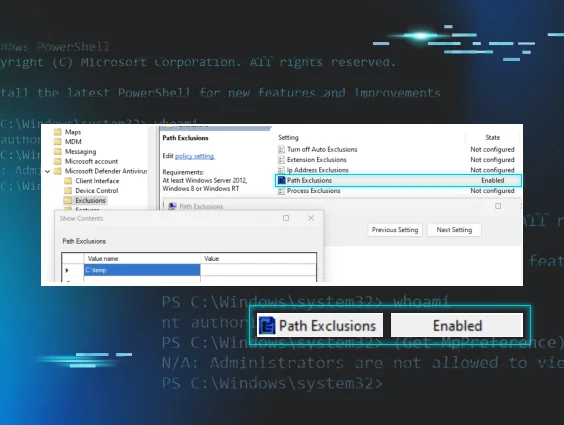
Figure 2: View of GPO exclusion of C:\temp

Direct Registry Modification:

Due to MDAV locking down the ability to directly write to the KEY_LOCAL_MACHINE\SOFTWARE\Microsoft\Windows Defender\Exclusions registry key, it isn’t feasible to directly modify it. However, an attacker could directly modify the Paths value for the following GPO registry key: HKEY_LOCAL_MACHINE\SOFTWARE\Policies\Microsoft\Windows Defender\Exclusions. The following command shows one such modification in order to add the C:\temp folder to the exclusion:

reg add "HKLM\SOFTWARE\Policies\Microsoft\Windows
Defender\Exclusions\Paths" /v "C:\Temp" /t REG_SZ

The only caveat is that this policy requires a reboot to take place.

But wait…there’s more.

Another interesting thing we found during this initiative is that attackers can set the following registry key value to “hide” exclusions from administrators when they try to query them:

HKLM\SOFTWARE\Policies\Microsoft\Windows
Defender\HideExclusionsFromLocalAdmins

Figure 3 shows attempts to query exclusions before and after the HideExclusionsFromLocalAdmins registry value is set. As you can see, the administrator is unable to view the exclusions by querying them via PowerShell.

Figure 3: Unsuccessful PowerShell query after setting HideExclusionsFromLocalAdmins value

Although this registry value says “HideExclusionsFromLocalAdmins,” it also stops SYSTEM users from querying this data, as seen in Figure 4.
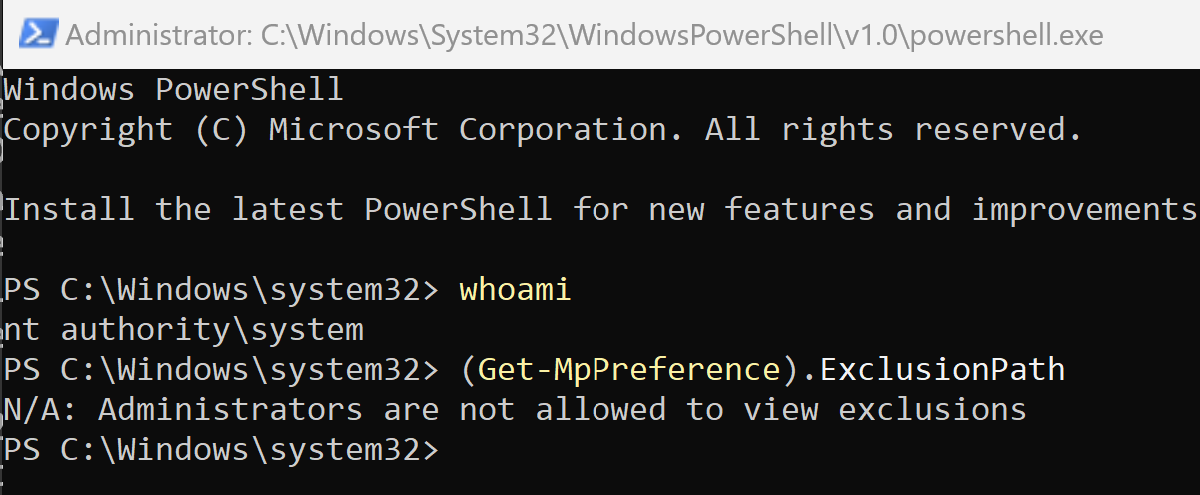
Figure 4: Unsuccessful PowerShell query at SYSTEM level

This is obviously problematic because, depending on how products are querying the exclusions list, it allows attackers to potentially hide the exclusions they're setting. However, administrators and SYSTEM users can still query this data. They just need to do it through the registry directly.

What is Huntress Doing?

For those that have Huntress Managed EDR, you know it's our goal to provide the best coverage we can for our partners and customers, and to be transparent about everything for you. With that in mind, the following outlines what the Huntress Windows EDR team has implemented:

Telemetry:

  1. Collect telemetry on exclusions being set via registry operations. We wanted to do this because no matter how someone sets an exclusion, it needs to be set in the registry. This allows us to see if someone sets this exclusion via PowerShell, WMI, GPO, or manually.
  2. Collect telemetry on the HideExclusionsFromLocalAdmins setting is set via registry operations.

Detections:

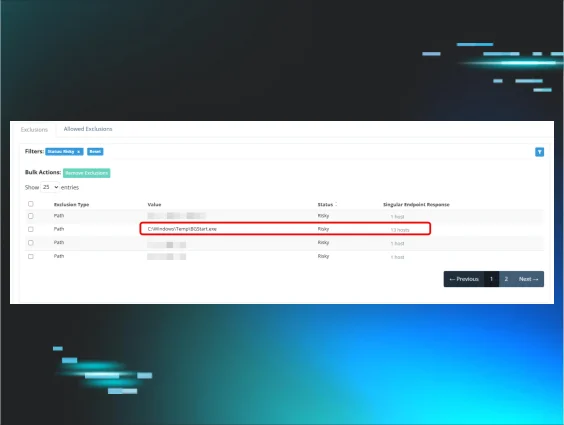
  1. We have built-in detections for suspicious exclusions set on the machine. This goes for known bad binaries and also suspicious directories like C:\, Temp, Downloads, etc. 
  2. Detections around the HideExclusionsFromLocalAdmins setting being set.

Conclusion

At Huntress, we want to provide the best security we can for you. Part of that process is looking at older technology and seeing if adversaries are still using it to help them be successful in their campaigns. We identified that MDAV exclusions are used more than we originally thought. These techniques give attackers an edge, and we wanted to address that. To do so, we dove into this tradecraft, identified how attackers can and have executed this, as well as identified ways that attackers could execute this activity in ways we haven’t quite seen so that we have proper coverage.

We wanted to provide a write-up on this initiative and how we've gone about providing better understanding and capabilities into our endpoint agent to help secure you better. We hope you've enjoyed this. As always, feel free to reach out if you have any questions, or book a demo to see these capabilities in action.

Categories
Threat Analysis
Summarize this postClose Speech Bubble
ChatGPTClaudePerplexityGoogle AI

See Huntress in action

Our platform combines a suite of powerful managed detection and response tools for endpoints and Microsoft 365 identities, science-backed security awareness training, and the expertise of our 24/7 Security Operations Center (SOC).

Book a Demo
Share
Facebook iconTwitter X iconLinkedin iconDownload icon
Glitch effect

You Might Also Like

  • Cephalus Ransomware: Don’t Lose Your Head

    In mid-August, Huntress saw two incidents that linked back to a ransomware variant called Cephalus, which included DLL sideloading via a legitimate SentinelOne executable.
  • The Commented Kill Chain: Why Old Ransomware Playbooks Never Die

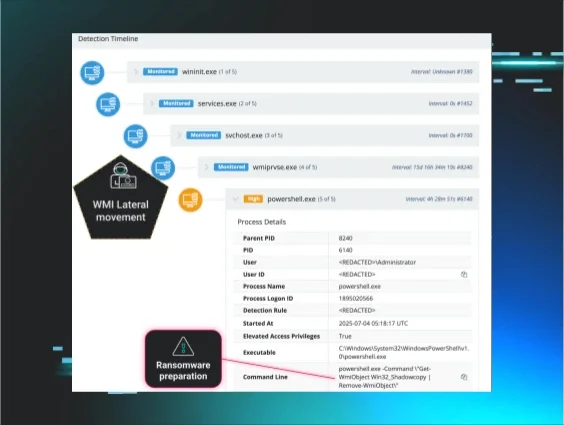
    When a clearly commented script revealed an attacker's tactics, Huntress prevented encryption. Read on to learn more about the evolution of recycled ransomware playbooks used by multiple threat actors.
  • CrushFTP CVE-2025-31161 Auth Bypass and Post-Exploitation

    Huntress observed in-the-wild exploitation of CVE-2025-31161, an authentication bypass vulnerability in versions of CrushFTP and further post-exploitation leveraging MeshCentral and other malware.
  • Why Microsoft Defender Antivirus Is Worth Another Look

    Microsoft Defender Antivirus is among one of the leading antivirus contenders. Here’s why it’s worth taking another look at Defender AV.
  • Why Huntress Trusts Microsoft Defender Antivirus (And You Should Too)

    Is it worth switching to Microsoft Defender Antivirus? Spoiler alert: We think yes! Explore why Defender is a solid AV solution.
  • How a Proactive Account Review Uncovered Unauthorized Surveillance Tools

    A routine account review revealed the use of productivity monitoring tools in a medical clinic, highlighting the hidden risks associated with employee monitoring software. Learn the importance of proactive audits in protecting critical systems and sensitive data from potential threats.
  • defendnot? Defend YES! Detecting Malicious Security Product Bypass Techniques

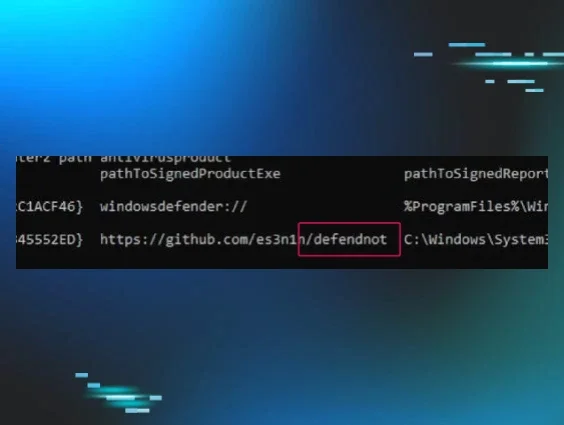
    "defendnot" bypasses Windows Defender using undocumented APIs. Learn detection strategies and robust defenses against this sophisticated evasion technique.
  • Addressing Initial Access

    Series of blog posts that share the breadth and depth of Huntress’ experience to assist others in reducing their attack surface, and inhibiting or even obviating cyber attacks.

Sign Up for Huntress Updates

Get insider access to Huntress tradecraft, killer events, and the freshest blog updates.
Privacy • Terms
By submitting this form, you accept our Terms of Service & Privacy Policy
Thank you! Your submission has been received!
Oops! Something went wrong while submitting the form.
Huntress Managed Security PlatformManaged EDRManaged EDR for macOSManaged EDR for LinuxManaged ITDRManaged SIEMManaged Security Awareness TrainingManaged ISPMManaged ESPMBook a Demo
PhishingComplianceBusiness Email CompromiseEducationFinanceHealthcareManufacturingState & Local Government
Managed Service ProvidersResellersIT & Security Teams24/7 SOCCase Studies
BlogResource CenterCybersecurity 101Upcoming EventsSupport Documentation
Our CompanyLeadershipNews & PressCareersContact Us
Huntress white logo

Protecting 215k+ customers like you with enterprise-grade protection.

Privacy PolicyCookie PolicyTerms of UseCookie Consent
Linkedin iconTwitter X iconYouTube iconInstagram icon
© 2025 Huntress All Rights Reserved.

Join the Hunt

Get insider access to Huntress tradecraft, killer events, and the freshest blog updates.

By submitting this form, you accept our Terms of Service & Privacy Policy