


Tl;dr: If you administer at least one Microsoft 365 tenant, audit your OAuth applications right now. Statistically speaking, there’s a good chance your tenant is infected with a malicious app.
I wrote an open-source script that can help you do this:
https://github.com/HuskyHacks/cazadora
Specifically, look in your Enterprise Applications and Application Registrations for:
- Apps named after a user account
- Apps named “Test” or “Test App” or something similar
- Apps named after the tenant domain name where they are installed
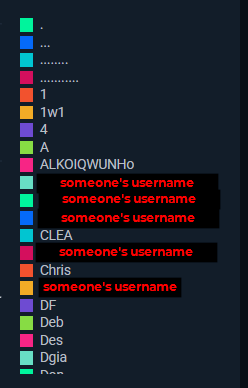
- Apps using arbitrary strings as the designated names, like apps with non-alphanumeric names (i.e. “........”)
- Anomalous reply URLs, specifically including a local loopback URL with port 7823 [“http://localhost:7823/access/”]
Seriously, go audit your apps! The article will be here when you get back.
If you are interested in nerdy threat intel stuff, read on.
Picture this: it’s a beautiful Sunday morning and you’re looking forward to a well-deserved day of rest after a rough week. You groggily stumble into your kitchen and prepare your caffeinated beverage of choice. The sun is shining. The birds are chirping. You lean out your window and feel the summer breeze across your brow. You’re at peace for a moment. You’re happy to be alive.
And then you look down and see that on your window sill stands a single, solitary, lone termite.
And at first you think, “Well, it’s just one termite, no big deal.”
And then you think about it for another second. And your blood runs cold because you realize the terrible truth: this is the only termite that you’ve seen.
But there’s never just one termite.
Your hopes of relaxation evaporate as you form a plan to tear up your kitchen floorboards.
This is, more or less, the position that myself and other staff at Huntress found themselves in when we started to look at the data about Azure applications and how they're used maliciously in our partner tenants. So come along with us for a wild ride as we rip up the kitchen floorboards and uncover exactly how big the termite nest really is!
OAuth Application Attacks
Since releasing the Unwanted Access capability in August 2024, the Huntress Security Operations Center (SOC) has been busy racking up the count of deterred identity attacks. We built the capability to target key areas of initial access in the identity space, including credential theft, token theft, adversary-in-the-middle (AiTM) attacks, and location/VPN anomaly logins. According to the data, the capability has put a massive dent into threat actor activity, and we’re now squashing anywhere from 3 to 6,000 cases of initial access every month.
But true to the art of cyber defense, it does us no good to sit back on our laurels. Hackers are like the zombies from I Am Legend. Why? Well, both of them burn when exposed to direct sunlight. But more importantly, both will evolve to the point where your current defenses are meaningless after enough time has passed. So onward we press to find new avenues of identifying and breaking their attack chains.
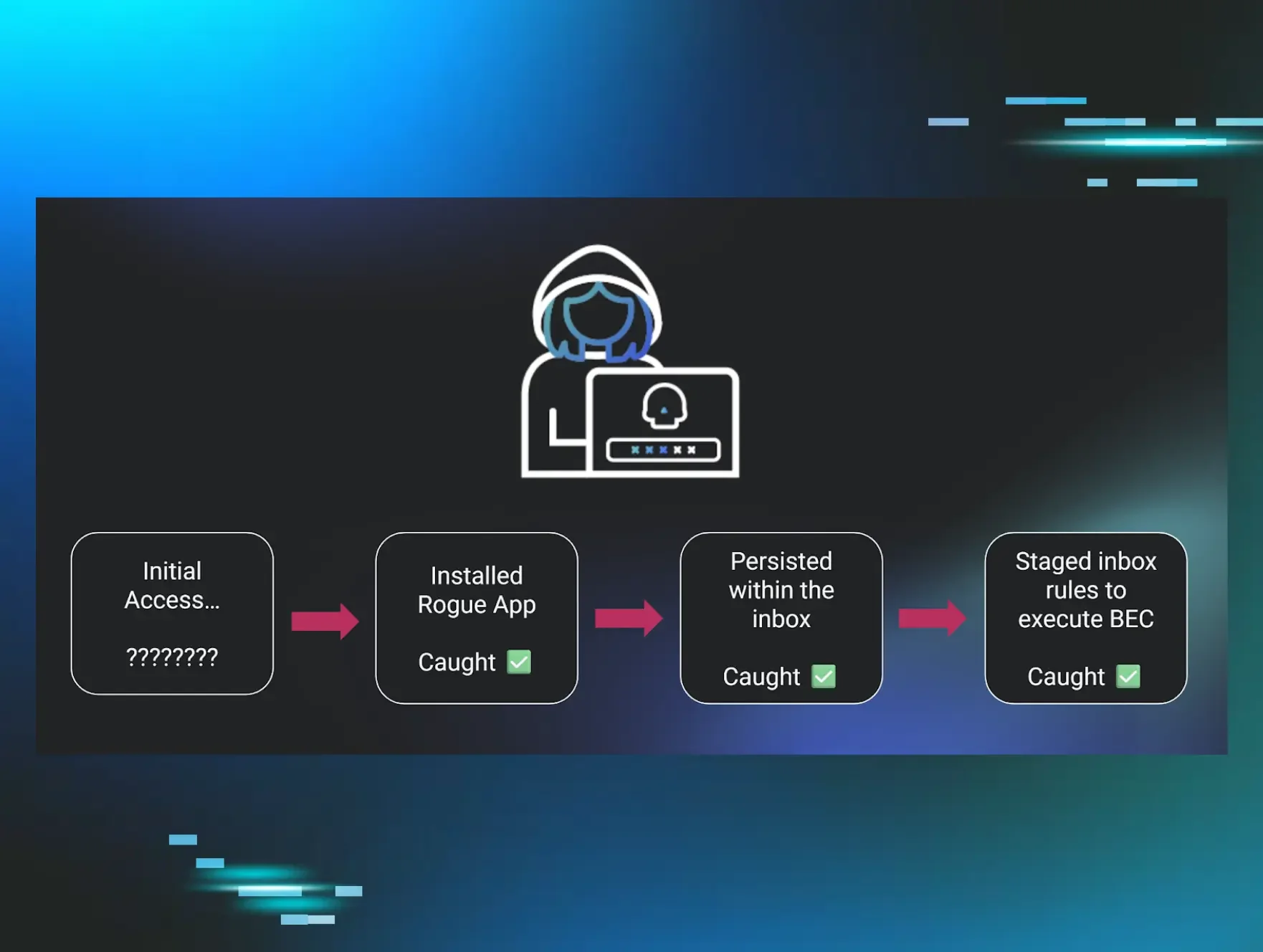
One area of pressing research in particular is the concept of the Rogue App. Cloud applications are a core part of the user experience and give developers a powerful toolkit to build and scale. But as we’ve come to learn recently, the same benefits that make cloud applications so attractive for administrators and app developers also make them an attractive option for cybercriminals. This seemed like the next best place to start looking for attacks that managed to slip by our systems of combating initial access.
So, in August 2024, I set out with some research questions to answer. How do OAuth applications work in Azure? How can they be leveraged during attacks? What makes them so powerful and useful to cybercriminals? What’s the best way to hunt these rogue apps down? And the final question which instilled a sense of dread in me: how many are out there?
In searching for the answers to these questions, we ended up getting way more than we bargained for.
The Systems at Play: How OAuth Apps Work
Hold onto your butts, because here’s a crash course in Azure applications and how they work. I’ll start by saying that this system is complicated and weird. One resource that helped me with my understanding is John Savill’s Technical Training lecture, "Azure App Registrations, Enterprise Apps, and Service Principals." And for what it’s worth, John is a certified master of Azure administration and the thumbnail of this video is him looking concerned at having to explain the concept. So, don’t worry about understanding the system all the way down to the nitty-gritty details. For the purposes of this blog, I’ll explain the concepts that are directly relevant to how apps can be used maliciously.
Apps in the cloud are much like apps on your phone or on your PC. They’re modular programs designed to do something useful. Apps in Azure hook into Entra ID so your Microsoft 365 account could, for example, use a desktop client that organizes your cloud account’s emails.
Azure splits applications into two categories: Enterprise Applications and Application Registrations. I find this naming convention extremely confusing, and it took a while to sort out which one was which in my mind. But the main difference can be summarized by, “Did you build the app, or are you using an app that someone else built?”
Enterprise applications are apps that are built, maintained, and published by someone else in another tenant that you're now using in your own tenant. Application Registrations are apps that you're building, maintaining, and publishing in your own tenant for other people to use. In other words, an Application Registration is a bit like a template for an app, while an Enterprise Application is an instance of an app that someone is using. A developer will ostensibly write the code for the app and then build an Application Registration in their own tenant before publishing it for public or internal use.
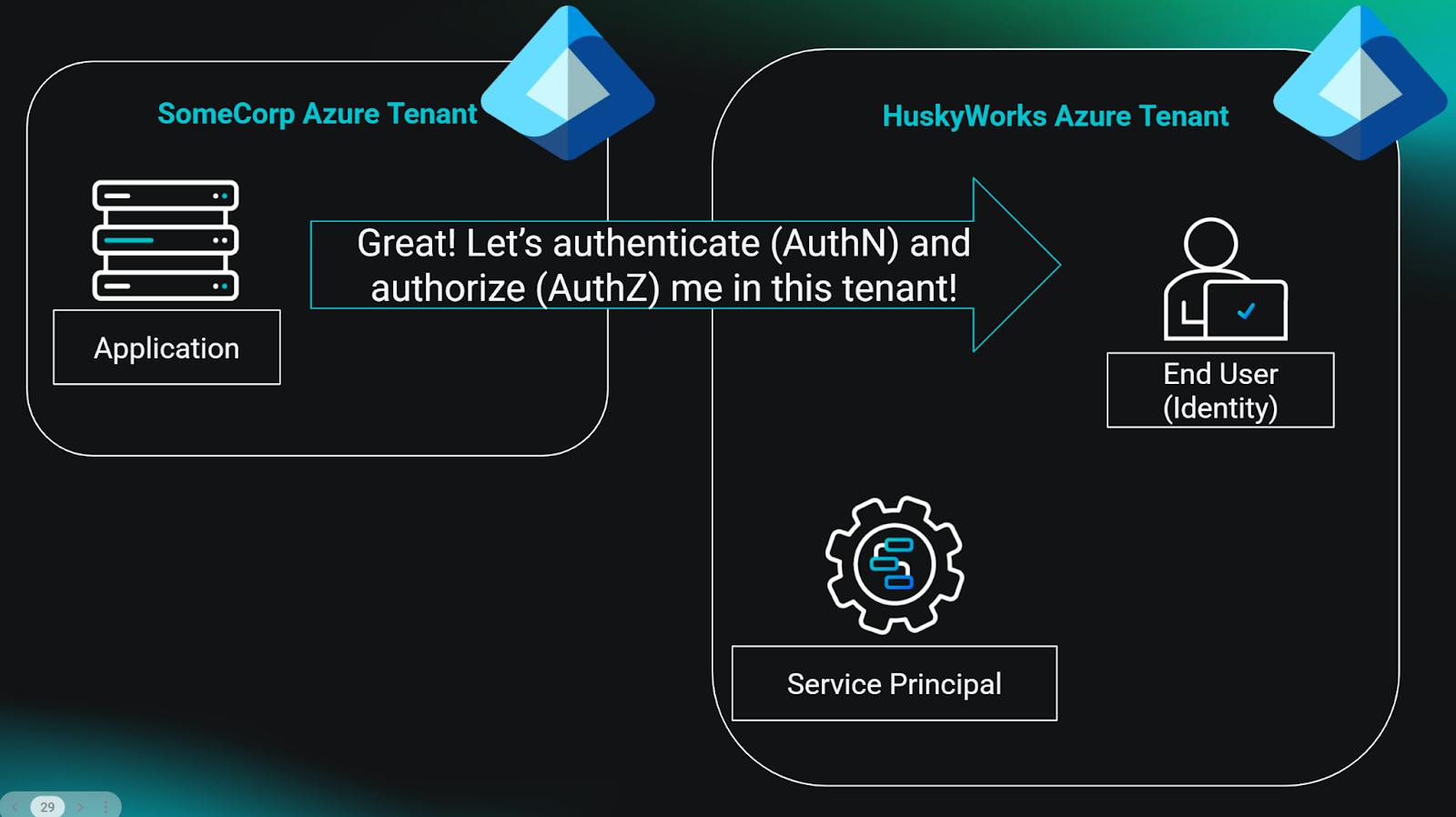
Now, let’s say some enterprising administrator wants to install your app in their tenant. Maybe they found your website and think that your app looks useful. Apps can’t just install themselves wherever they please. Could you imagine? It would be chaos. So there must be some system of authentication (authN) and authorization (authZ) before someone can install an app in their tenant. This usually goes something like this:
- The user will request to install the app. While doing this, the user authenticates with their username, password, and MFA to ensure that the app is being installed by a trusted party.
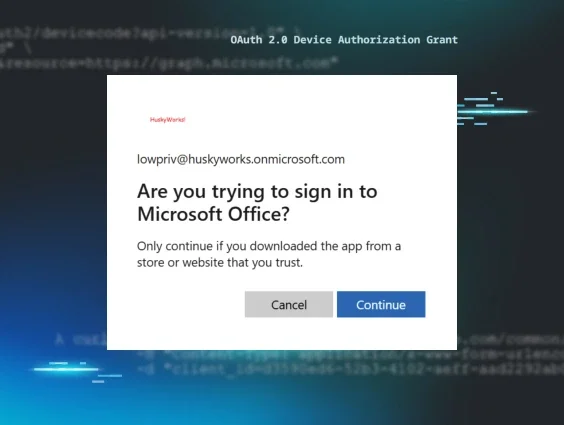
- The app has a set of permissions that allows it to do whatever it was designed to do. For example, the permissions might allow the app to access the Graph API to retrieve the user’s emails. The app presents a prompt for the user to consent to the permissions.
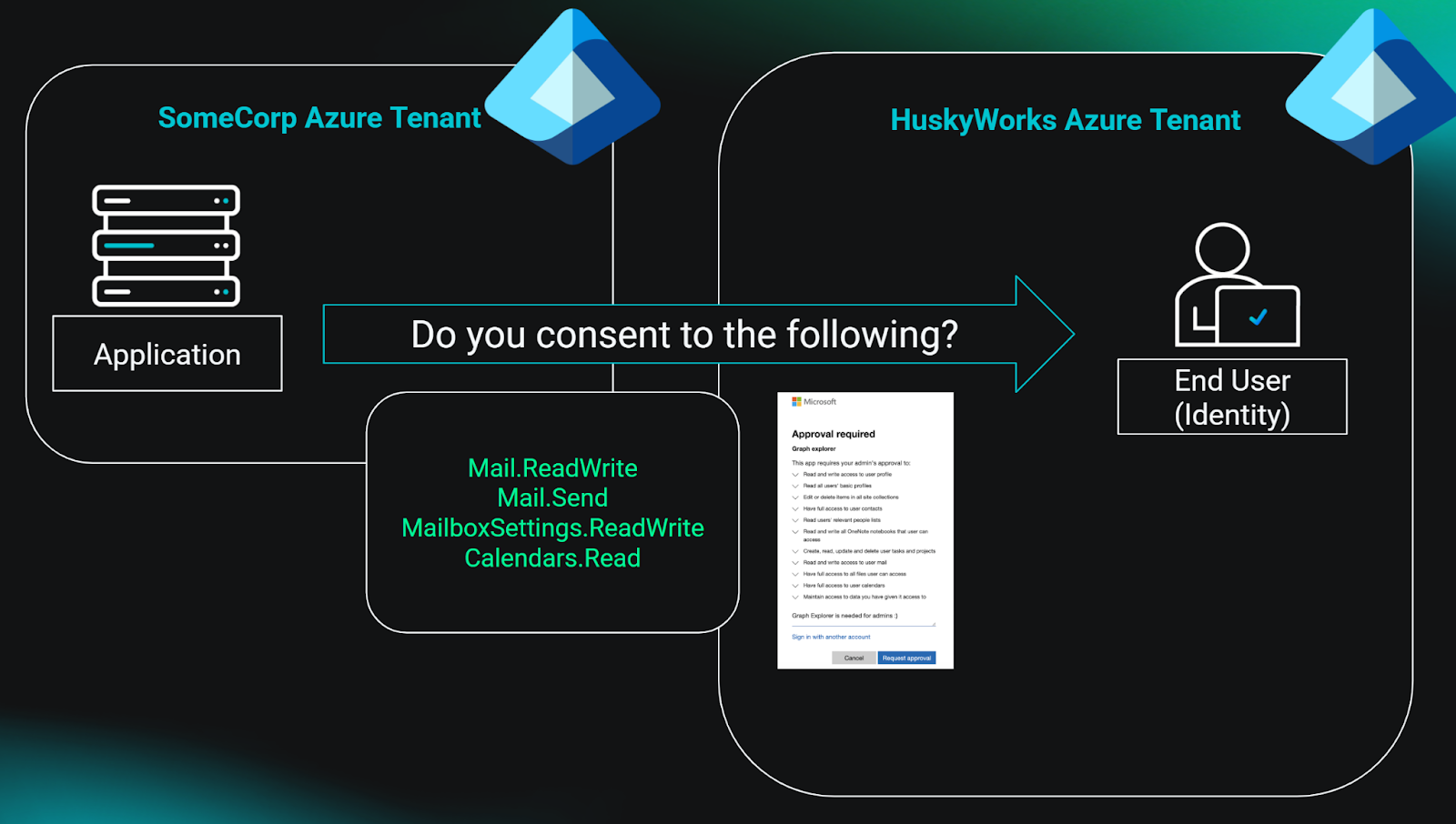
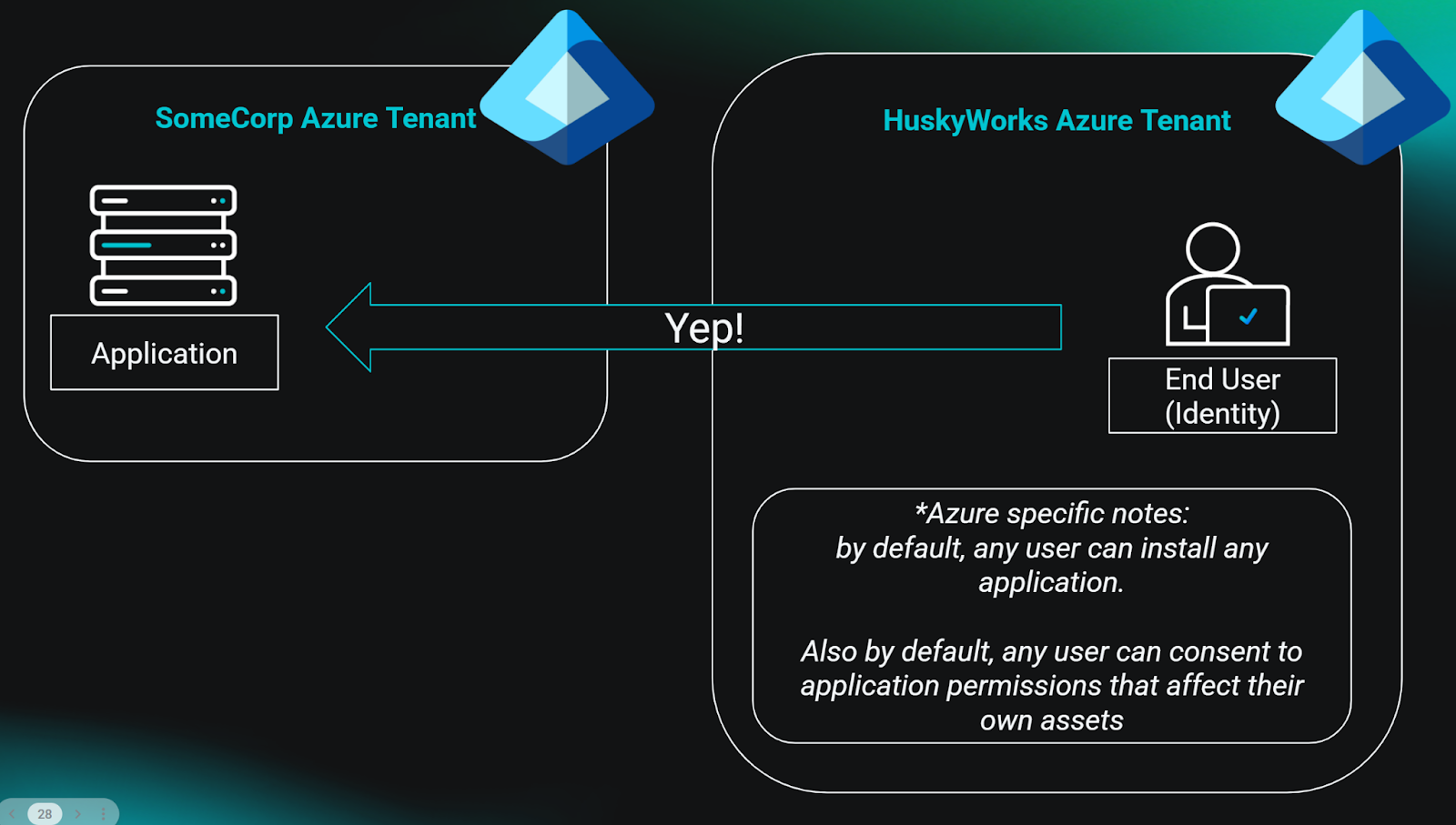
- The user consents to the permissions and authorizes the app to access resources based on those permissions. With authentication and authorization now sorted, the app can do what it was designed to do.
- A service principal is now installed in the user’s tenant that acts as an account for this app. It keeps track of the consented permissions and the identities that have consented to the app. The service account acts on behalf of the app while the app remains installed in the tenant.
If you skipped the previous section because it was boring, hey I can’t blame you. But the takeaways are as follows:
- Apps can be built in-house (Application Registrations) or installed from another tenant (Enterprise Applications).
- Apps can have delegated access on behalf of one or more users in a tenant to access resources.
- Azure apps use the built-in system of authentication and authorization to function.
- Any time an app is installed somewhere, a service principal is installed in that tenant, which functions as the working account for that application.
- And finally, Azure’s default configuration allows any user to install any application and consent to permissions specific to their own resource access without requiring review of the app!
What we have here is a fantastic set of primitives for exploitation.
Why? Anyone who has spent time administering a large, complicated system of authentication and authorization will tell you that attackers love to find the unpatchable cracks of the system to perform exploitation. Any red teamer who has run a Kerberoasting attack will tell you that the best exploitation primitives are features, not bugs, and therefore can’t be patched. Apps in Azure follow suit to this axiom—they’re part of the ecosystem, for better or for worse. Their customizability gives attackers plenty of options for fitting the app to the type of attack they want to execute. And they largely fly under the radar given how obtuse this whole system can be.
When you use apps in Azure—evil or otherwise—you’re remaining entirely within the legitimate scaffolding that allows apps to function. To threat actors, that's an unbelievably powerful system to play around in. Let’s find out exactly how useful it can be.
Traitorware: Good Apps Gone Rogue
A crowbar is an incredibly useful tool. You can use it to open crates, pry open doors if they’re stuck, and if you’re lucky, even escape from a massive underground research facility in the deserts of New Mexico. If you got that last reference, you pass the vibe check.
A crowbar alone is neither good nor bad. It’s useful in many different contexts. And those contexts define how we see the crowbar as a tool. So whether you’re opening a crate of supplies or breaking into someone’s house, the crowbar remains the same. You can’t say all crowbars are evil all the time, of course. But most of the time you see someone breaking into a house, they have a crowbar!
In the world of Azure apps, the first category of apps that we’re hunting is a lot like a crowbar. We call this category Traitorware. The term refers to apps that are not designed explicitly for evil purposes, but just happen to be extremely useful to hackers, cybercriminals, and shady characters. We hunt for apps that are overwhelmingly used in attacks, even if those apps are themselves not evil.
The closest endpoint security analog to this would be somewhere between Living Off the Land and Bring Your Own tools. This type of attack is most similar to Remote Monitoring and Management (RMM) installation during an endpoint intrusion—the threat actor brings a legitimate tool to the fight, which happens to be useful for their shady purposes.

At the time of writing this post, there are five such apps that we consider to be smoking guns. Statistically speaking, these five apps are favored by attackers. With a sample size of about 1.5k reported instances and an average false positive rate of 1.8%, the data supports that detecting these apps will uncover far more hacking activity than legitimate activity.
The full list of Traitorware apps that we’ve compiled so far and more detail about how they're often abused is available at our open source repository of Rogue Apps. If you’ve seen apps abused in similar ways, we’d love to hear about it! Please consider opening a PR and contributing to the knowledge base so we can better define and track this interesting emerging attack surface.
Stealthware: Farm-to-Table Evil Apps
On the other hand, the Azure app ecosystem also gives hackers the tools to build apps from the ground up that are designed to wreak havoc. I’m talking about farm-to-table, small-batch, home-grown, ethically-sourced, free-range, dolphin-safe, artisanal, hand-crafted EVIL APPS. Made by hacker hands and delivered straight to your tenant.
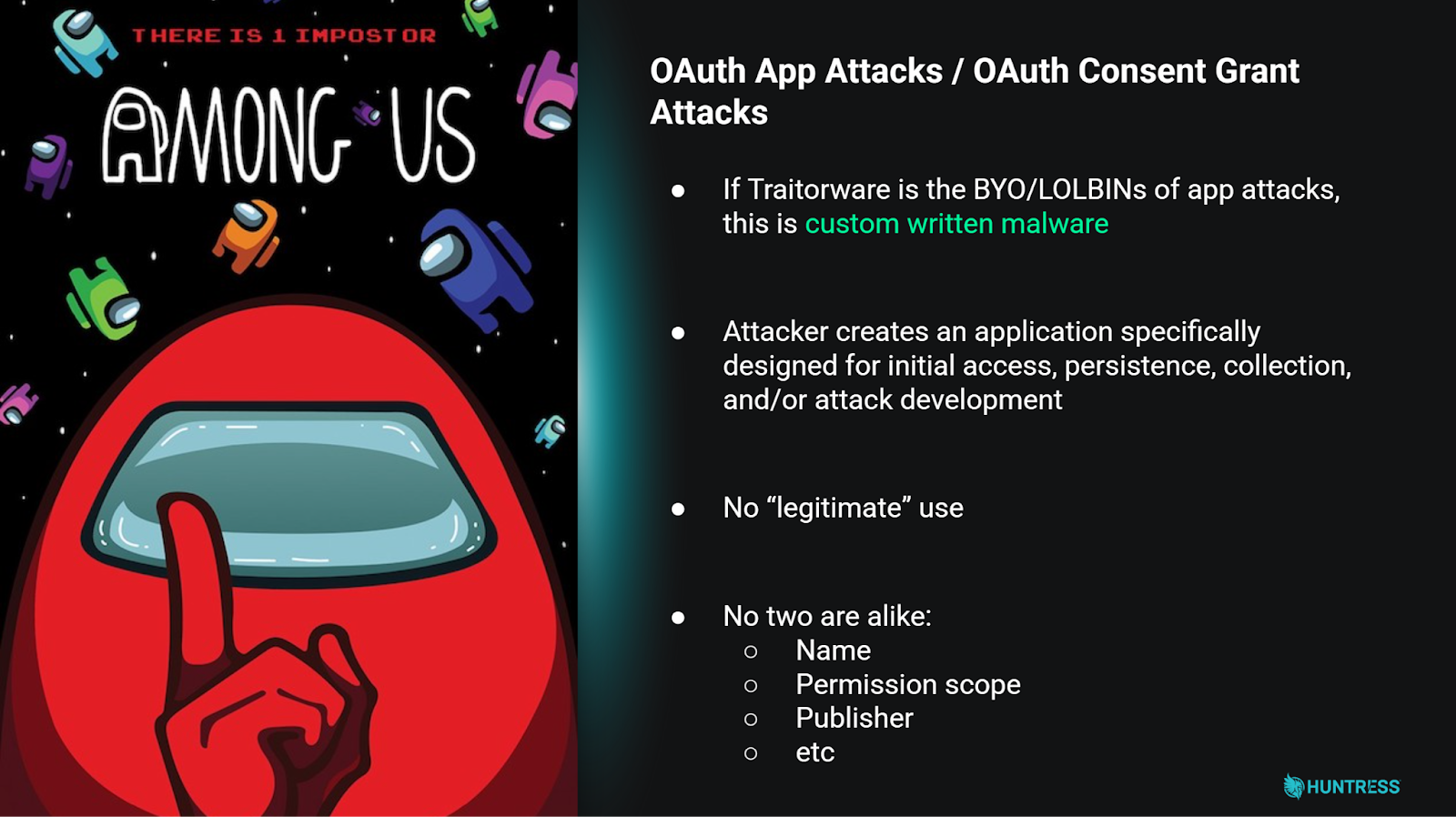
The long-form name for these attacks is “OAuth Illicit Consent Grant Attacks," but that’s like calling a dog Canis Lupus. Only nerds use scientific nomenclature, so you can be a cool nerd like me and call them Stealthware.
The tricky part about hunting Stealthware apps is that no two of them are alike. You can’t find them by looking for a specific app name. Each app is custom made and tailored to the type of exploitation that the hacker intends to carry out.
I teach how to make one for education purposes in an episode of Tradecraft Tuesday, if you’re interested in that kind of thing.
The Hunt in Motion
With our threat model ironed out, it’s time to dive into the data and figure out the answer to the question: “Aside from that one termite, how many more are out there?” To do this, myself and Staff Threat Ops Developer Christina Parry set out on a data collection journey. We enumerated over 8,000 tenants across multiple verticals and industries, collected all of their Enterprise Applications and App Registrations, ran a whole bunch of analyses against the data, and presented our findings at BSidesNYC in October 2024. The long and short of it is this:
- We found evidence of both Traitorware and Stealthware in the surveyed tenants.
- About 10% of the surveyed tenants had at least one of the Traitorware apps installed.
- Using a combination of global rarity, the number of users assigned per app, and the app’s granted permissions is an effective way to hunt down Stealthware.
- Apps with less than 1% global prevalence across the surveyed tenants that had delegated access to a single user were more likely to be Stealthware. The addition of classifying OAuth permissions into groups based on what they allowed hackers to do during intrusions and detecting rare apps that also had powerful permissions raised the hit rate significantly.
Following our presentation, we went to work building the systems to expand the data and capture the data for all Huntress partner tenants. After re-analyzing and tweaking our analyses, we found that the finding regarding Traitorware applications remained consistent at about 10%.
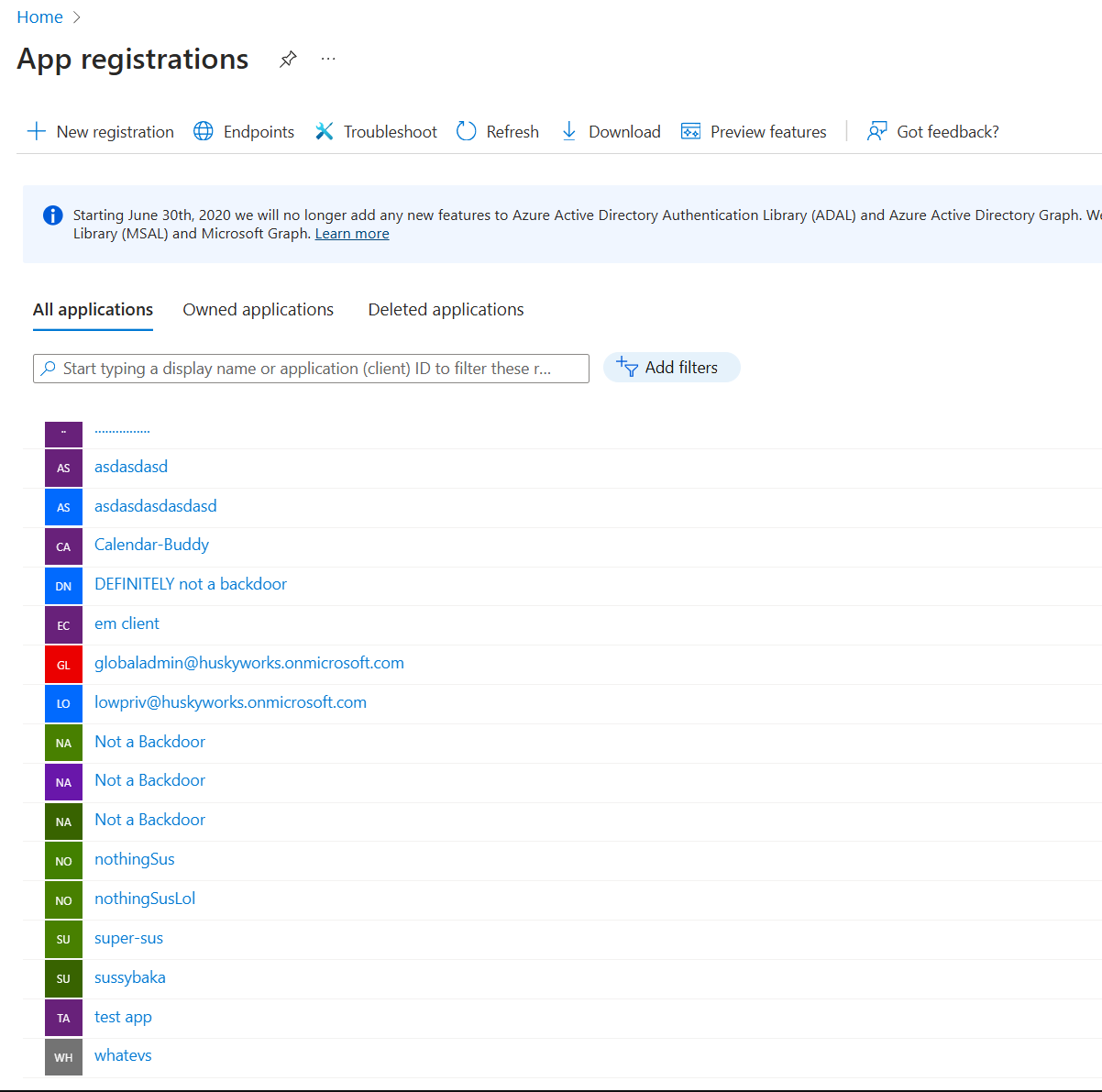
After publishing our findings, the Huntress SOC also went to work. Using the new telemetry, they formed a hunting hypothesis and identified over 500 instances of Stealthware applications across all partner tenants. I mentioned earlier that you can’t hunt for Stealthware by searching for an application name, and the results proved that point. This is just a sample of some of the names of the confirmed true positive apps that we found:
With a few hypotheses now proven, we were finally in a position to make the call. OAuth App Attacks aren't only present in the Huntress partner tenancy, but they're way more prevalent than we anticipated. Some of these apps had been around for years by the time we uncovered them. And if you take anything from this article, let it be this: statistically speaking, there’s a good chance that your own tenant is infected with one of these apps.
Introducing: Cazadora
If you’ve made it this far and are now thinking, “Wow, maybe I should go audit my apps,” great! That means that I’ve sufficiently demonstrated how much attack potential exists in the Azure app ecosystem.
To speed up the process of educating the community and giving Azure admins a fighting chance to clear out the termite nests, I built and released an open-source tool that enumerates your tenant’s apps and hunts through them to find any smoking guns.

Introducing Cazadora, a dead-simple Azure app hunting script. Huntress partner or otherwise, anyone can run this script to enumerate and audit your tenant apps against a set of commonly observed tradecraft attributes. It uses your own user authentication, calls the Graph API, wrangles the data from the API about your tenant’s Enterprise Applications and App Registrations, and runs some hunting logic against the results. It’s quick and rough around the edges, but the idea here is to empower Azure admins everywhere to get an immediate idea about any smoking gun apps in their tenant.
The script can’t find 100% of evil apps everywhere, of course. And even if the script doesn’t find anything, that does not mean your tenant is safe from malicious apps. But, at the very least, it’s a great jump-off point for Azure admins to audit their apps and identify anything glaring. Please see the README in the repo for instructions!
Until next time, take care of yourself. Take care of each other. Stay vigilant. Happy hacking!