



Don’t let overlooked obligations become incidents. Learn how.
Utility navigation bar redirect icon
Portal LoginSupportContact
Search
Close search
Huntress Logo in Teal
  • Platform Overview
    Managed EDR

    Get full endpoint visibility, detection, and response.

    Managed EDR

    Get full endpoint visibility, detection, and response.

    Managed ITDR

    Protect your Microsoft 365 identities and email environments.

    Managed ITDR

    Protect your Microsoft 365 identities and email environments.

    Managed SIEM

    Managed threat response and robust compliance support at a predictable price.

    Managed SIEM

    Managed threat response and robust compliance support at a predictable price.

    Managed Security Awareness Training

    Empower your teams with science-backed security awareness training.

    Managed Security Awareness Training

    Empower your teams with science-backed security awareness training.

    Managed ISPM

    Continuous Microsoft 365 and identity hardening, managed and enforced by Huntress experts.

    Managed ISPM

    Continuous Microsoft 365 and identity hardening, managed and enforced by Huntress experts.

    Managed ESPM

    Proactively secure endpoints against attacks.

    Managed ESPM

    Proactively secure endpoints against attacks.

    Integrations
    Integrations
    Support Documentation
    Support Documentation
    See Huntress in Action

    Quickly deploy and manage real-time protection for endpoints, email, and employees - all from a single dashboard.

    Huntress Cybersecurity
    See Huntress in Action

    Quickly deploy and manage real-time protection for endpoints, email, and employees - all from a single dashboard.

    Huntress Cybersecurity
  • Threats We Stop
    Phishing
    Phishing
    Business Email Compromise
    Business Email Compromise
    Ransomware
    Ransomware
    Infostealers
    Infostealers
    View Allright arrowView Allright arrow
    Industries We Serve
    Education
    Education
    Financial Services
    Financial Services
    State and Local Government
    State and Local Government
    Healthcare
    Healthcare
    Law Firms
    Law Firms
    Manufacturing
    Manufacturing
    Utilities
    Utilities
    View Allright arrowView Allright arrow
    Tailored Solutions
    MSPs
    MSPs
    Resellers
    Resellers
    SMBs
    SMBs
    Compliance
    Compliance
    What Gets Overlooked Gets Exploited

    Most days, nothing happens. But one day, something will.

    Huntress Cybersecurity
    Cybercriminals Have Evolved

    Get the intel on today’s cybercriminal groups and learn how to protect yourself.

    Huntress Cybersecurity
  • Pricing
  • Community Series
    The Product Lab

    Shape the next big thing in cybersecurity together.

    The Product Lab

    Shape the next big thing in cybersecurity together.

    Fireside Chat

    Real people. Real perspectives. Better conversations.

    Fireside Chat

    Real people. Real perspectives. Better conversations.

    Tradecraft Tuesday

    No products, no pitches – just tradecraft.

    Tradecraft Tuesday

    No products, no pitches – just tradecraft.

    _declassified

    Exposing hidden truths in the world of cybersecurity.

    _declassified

    Exposing hidden truths in the world of cybersecurity.

    Resources
    Upcoming Events
    Upcoming Events
    Ebooks
    Ebooks
    On-Demand Webinars
    On-Demand Webinars
    Videos
    Videos
    Whitepapers
    Whitepapers
    Datasheets
    Datasheets
    Cybersecurity Education
    Cybersecurity 101
    Cybersecurity 101
    Cybersecurity Guides
    Cybersecurity Guides
    Threat Library
    Threat Library
    Real Tradecraft, Real Results
    Real Tradecraft, Real Results
    2026 Cyber Threat Report
    2026 Cyber Threat Report
    The Huntress Blog
    Huntress Lands on the Microsoft Marketplace
    Huntress Cybersecurity
    Huntress Lands on the Microsoft Marketplace
    Huntress Cybersecurity
    How Huntress & DEFCERT Are Streamlining CMMC Assessment Prep
    Huntress Cybersecurity
    How Huntress & DEFCERT Are Streamlining CMMC Assessment Prep
    Huntress Cybersecurity
    Live Hacking Into Microsoft 365 with Kyle Hanslovan
    Huntress Cybersecurity
    Live Hacking Into Microsoft 365 with Kyle Hanslovan
    Huntress Cybersecurity
  • Why Huntress

    Go beyond AI in the fight against today’s hackers with Huntress Managed EDR purpose-built for your needs

    Huntress Cybersecurity
    Why Huntress

    Go beyond AI in the fight against today’s hackers with Huntress Managed EDR purpose-built for your needs

    Huntress Cybersecurity
    The Huntress SOC

    24/7 Security Operations Center

    The Huntress SOC

    24/7 Security Operations Center

    Reviews

    Why businesses of all sizes trust Huntress to defend their assets

    Reviews

    Why businesses of all sizes trust Huntress to defend their assets

    Case Studies

    Learn directly from our partners how Huntress has helped them

    Case Studies

    Learn directly from our partners how Huntress has helped them

    Community

    Get in touch with the Huntress Community team

    Community

    Get in touch with the Huntress Community team

    Compare Huntress
    Bitdefender
    Bitdefender
    Blackpoint
    Blackpoint
    Breach Secure Now!
    Breach Secure Now!
    Crowdstrike
    Crowdstrike
    Datto
    Datto
    SentinelOne
    SentinelOne
    Sophos
    Sophos
    Compare Allright arrowCompare Allright arrow
  • HUNTRESS HUB

    Login to access top-notch marketing resources, tools, and training.

    Huntress Cybersecurity
    HUNTRESS HUB

    Login to access top-notch marketing resources, tools, and training.

    Huntress Cybersecurity
    Partners
    MSPs

    Join our partner community to deliver expert-led managed security.

    MSPs

    Join our partner community to deliver expert-led managed security.

    Resellers

    Partner program designed to grow your cybersecurity business.

    Resellers

    Partner program designed to grow your cybersecurity business.

    Tech Alliances

    Driving innovation through global technology Partnerships

    Tech Alliances

    Driving innovation through global technology Partnerships

    Microsoft Partnership

    A Level-Up for Your Business Security

    Microsoft Partnership

    A Level-Up for Your Business Security

  • Press Release
    Huntress Announces Collaboration with Microsoft to Strengthen Cybersecurity for Businesses of All Sizes
    Huntress Cybersecurity
    Press Release
    Huntress Announces Collaboration with Microsoft to Strengthen Cybersecurity for Businesses of All Sizes
    Huntress Cybersecurity
    Our Story

    We're on a mission to shatter the barriers to enterprise-level security.

    Our Story

    We're on a mission to shatter the barriers to enterprise-level security.

    Newsroom

    Explore press releases, news articles, media interviews and more.

    Newsroom

    Explore press releases, news articles, media interviews and more.

    Meet the Team

    Founded by former NSA Cyber Operators. Backed by security researchers.

    Meet the Team

    Founded by former NSA Cyber Operators. Backed by security researchers.

    Careers

    Ready to shake up the cybersecurity world? Join the hunt.

    Careers

    Ready to shake up the cybersecurity world? Join the hunt.

    Awards
    Awards
    Contact Us
    Contact Us
  • Portal Login
  • Support
  • Contact
  • Search
  • Get a Demo
  • Start for Free
Portal LoginSupportContact
Search
Close search
Get a Demo
Start for Free
HomeBlog
Ask the Mac Guy: Best Practices for Securing Macs
Published:
September 5, 2023

Ask the Mac Guy: Best Practices for Securing Macs

By:
Stuart Ashenbrenner
Share icon
Glitch effectGlitch effectGlitch effect

Welcome back to the second edition of Ask the Mac Guy. In our first post of this series, we discussed why you should protect your Macs. Now, we’re going to pivot to how you can best secure your Macs.

This will range from high-level, such as helpful tools you can use to protect your Macs, and even move to some of the lower-level, more technical facets of macOS that can be leveraged to keep you safe and secure.

These best practices won’t be specific to an end user or to an admin—the idea is that this can be consumable by anyone. Let's dive in!

Keep *OS and Applications Up to Date

It sounds simple—and in some ways, it is—but it is very common for users to not update their operating system. Apple continually pushes updates, whether security updates or general updates, to their endpoints that are designed to provide further protection to end users. These updates will include updates to Apple’s XProtect signatures and to its XProtect Remediator tool, both of which are designed to block and remediate malware.

Use Third-party Tools

There are many third-party tools that you can use to keep yourself safer. There are enough different options that occasionally decision fatigue can set in. So, to hopefully allow you to spend more time protecting your Mac device and not deciding how, here are a few of my favorite tools.

  • Objective-See Tools: These tools are on the more technical side, so I’d advise having some familiarity with Macs. Founder and creator Patrick Wardle has created a suite of tools, which are both open source and free, that are designed to protect users from malware. Whether it’s enumerating the persistence on your device with KnockKnock, a firewall called LuLu, or monitoring your microphone and camera for unauthorized use with Oversight, these tools are a one-stop shop for Mac protection.
  • SilentKnight: A simple, straightforward tool by Howard Oakley at the Eclectic Light Co. that is designed to help assay the system. It will check different Apple security tools, fireware, and some data files to make sure they’re up to date.
  • Huntress on macOS: Available at the business level, Huntress on macOS is designed to protect end users from persistent threats. We're also looking to expand our Managed EDR capabilities for Macs in the near future. 👀
  • Suspicious Package: Likely more aimed at security professionals, Suspicious Package is designed to look inside bundles to show you if it’s potentially malicious. It checks signing and notarization status, and it can also show you pre- or post-install scripts that run.
  • Malwarebytes for Mac: I've used Malwarebytes for Mac on my personal computer for years, as they offer personal use licenses. Since Malwarebytes acquired AdwareMedic, I had confidence in their product. They have robust blocking and remediating capabilities for home/personal users. This can assist in making sure that what you download is valid and safe.

MacOS Security Myths- Blog Thumbnail

Now you may be thinking, "couldn’t I just use what Apple has built-in?" This is a completely understandable question. In my opinion, you need more. And although Apple makes it difficult to build security tools, especially when it comes to ease of installation, I don’t believe Macs are made to run strictly with the security solution Apple ships with its devices. I’ve written about this before; a great reference can be found in the first blog in the Ask the Mac Guy series. 

Perform a System Audit

This could be considered one of the more important parts of securing your machines. If a threat does get on the endpoint and is attempting to evade end-user detection, going back and auditing your systems on occasion can help prevent future intrusion. Everything I speak of below can be found within the user’s System Settings (formerly System Preferences) application.

Filevault

In short, Filevault encrypts the information on your machine so only the user with the authorized password can access it. Within the System Settings, under Privacy & Security, there is an option to turn on FileVault. As it mentions, you will need to pick a password that you are confident you will remember, as if you forget that password (and the recovery key), you will lose all of the information on your hard drive. However, this is very valuable in keeping the information on your device safe.
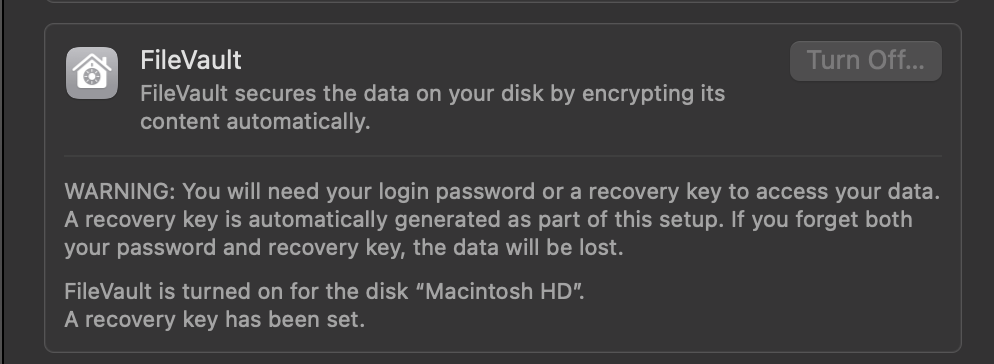
You can implement this at a business level, but even at an end-user level, I can’t recommend enough turning this functionality on.

Firewall

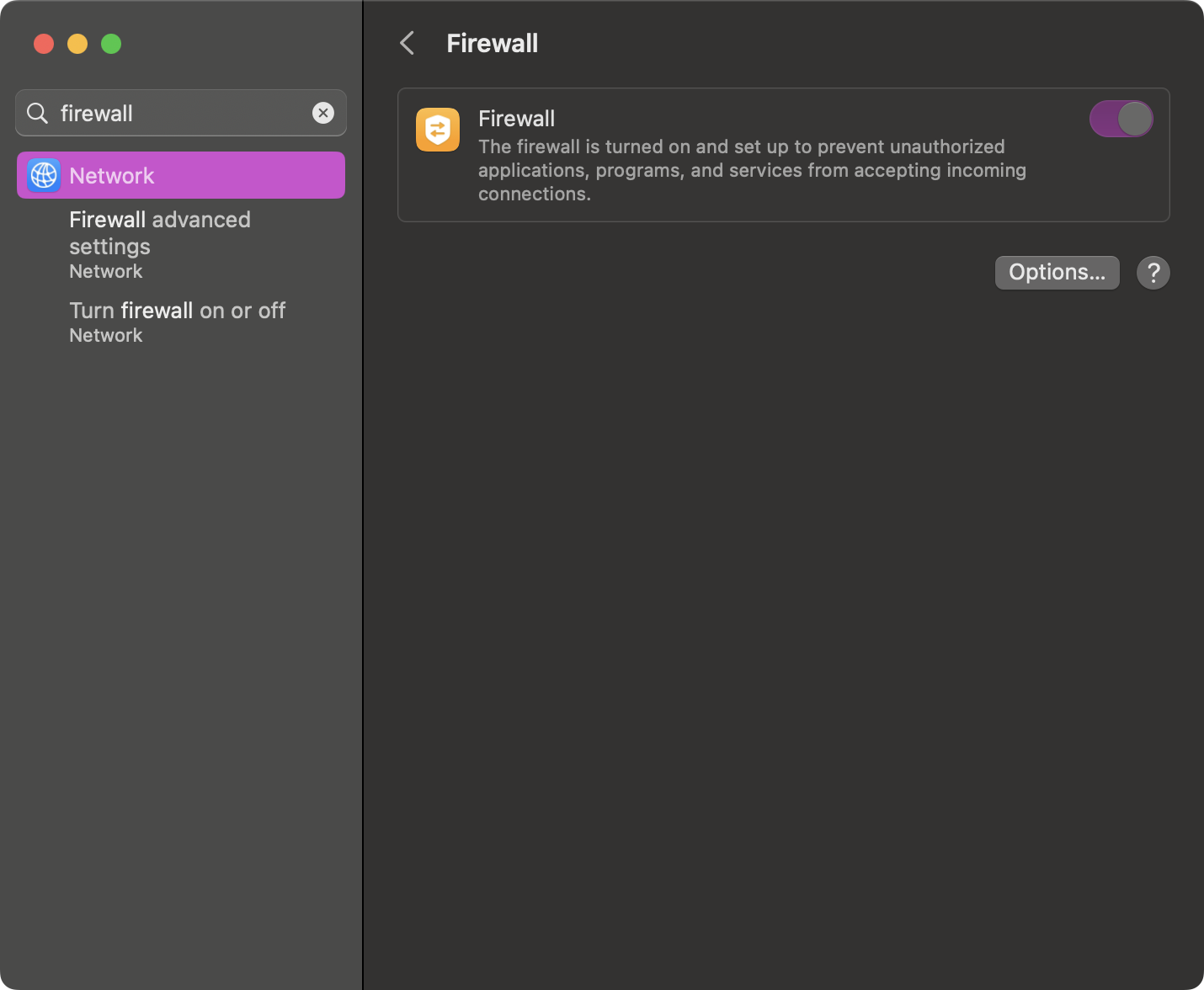
Apple has a built-in firewall that can be toggled on and off. A firewall protects your device from unauthorized incoming connections. There are also third-party firewalls, like LuLu or Guardian, that can extend this capability.
TCC

Transparency, Consent, and Control (TCC) is a database on your system that restricts an application’s access to different parts of your software and hardware that it hasn’t been given explicit permission to access. When I talk about auditing the permissions therein, I speak about looking at all of the different tabs in the Privacy & Security pane.
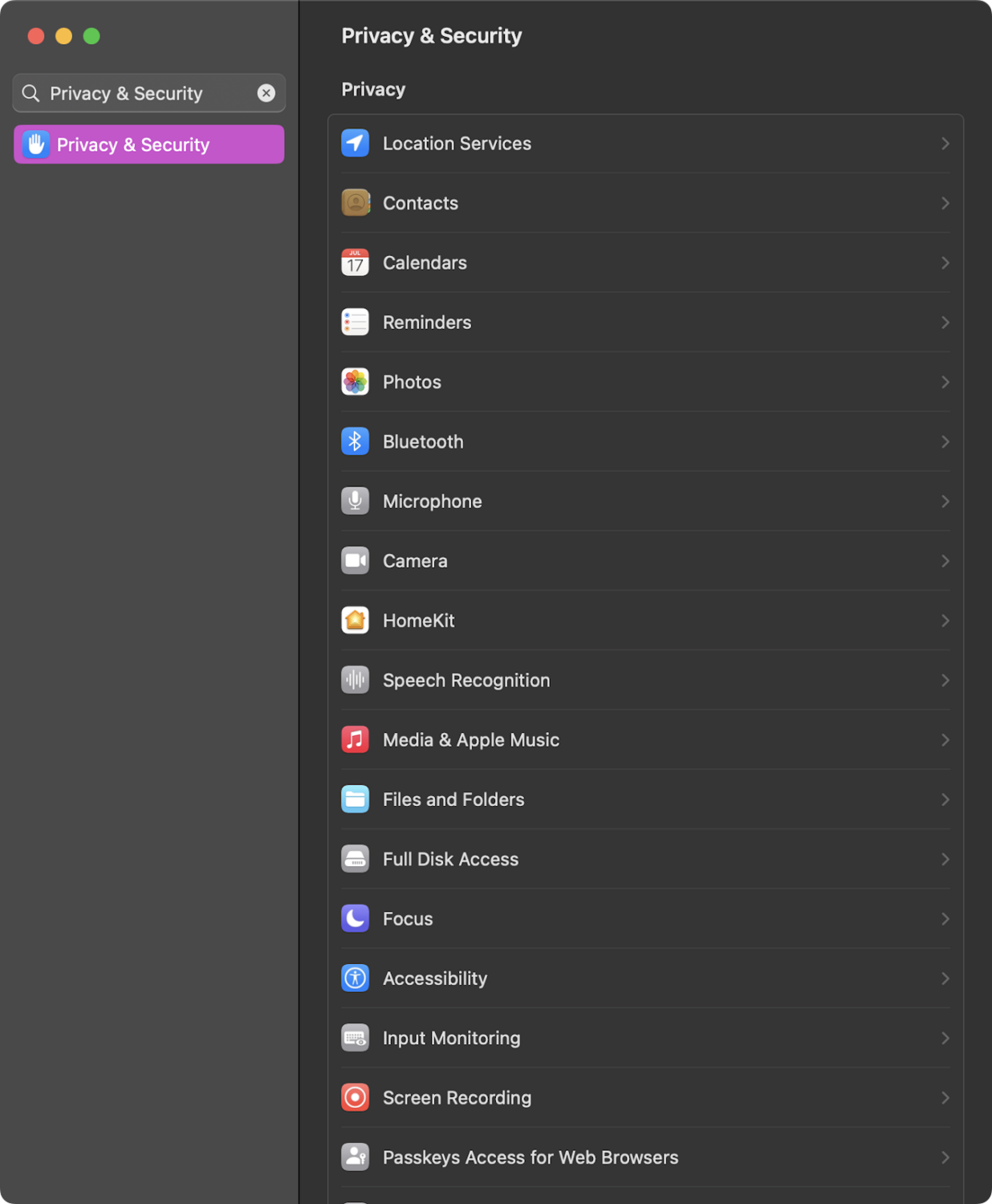
All of these contain sensitive information. If we were to look in Microphone or Camera, we would see applications that have the ability to turn our microphone or camera on and off. If you were looking through these and see an application that you are not familiar with, it may be best to remove said application’s access to the mic and camera. 

As we navigate through these, especially Full Disk Access, we can see what applications have the ability to read and write to a directory that may contain sensitive information—such as Desktop, Documents, Downloads, Pictures, etc. Other tabs here include information about what applications have access to your location data, your Photos, and more. Going through each of these on occasion and making sure everything looks accurate can help reduce your risk.

Sharing

Within the System Settings, if you navigate to the Sharing pane, you will see a list with things like Screen Sharing, Remote Login, Remote Management, and others.
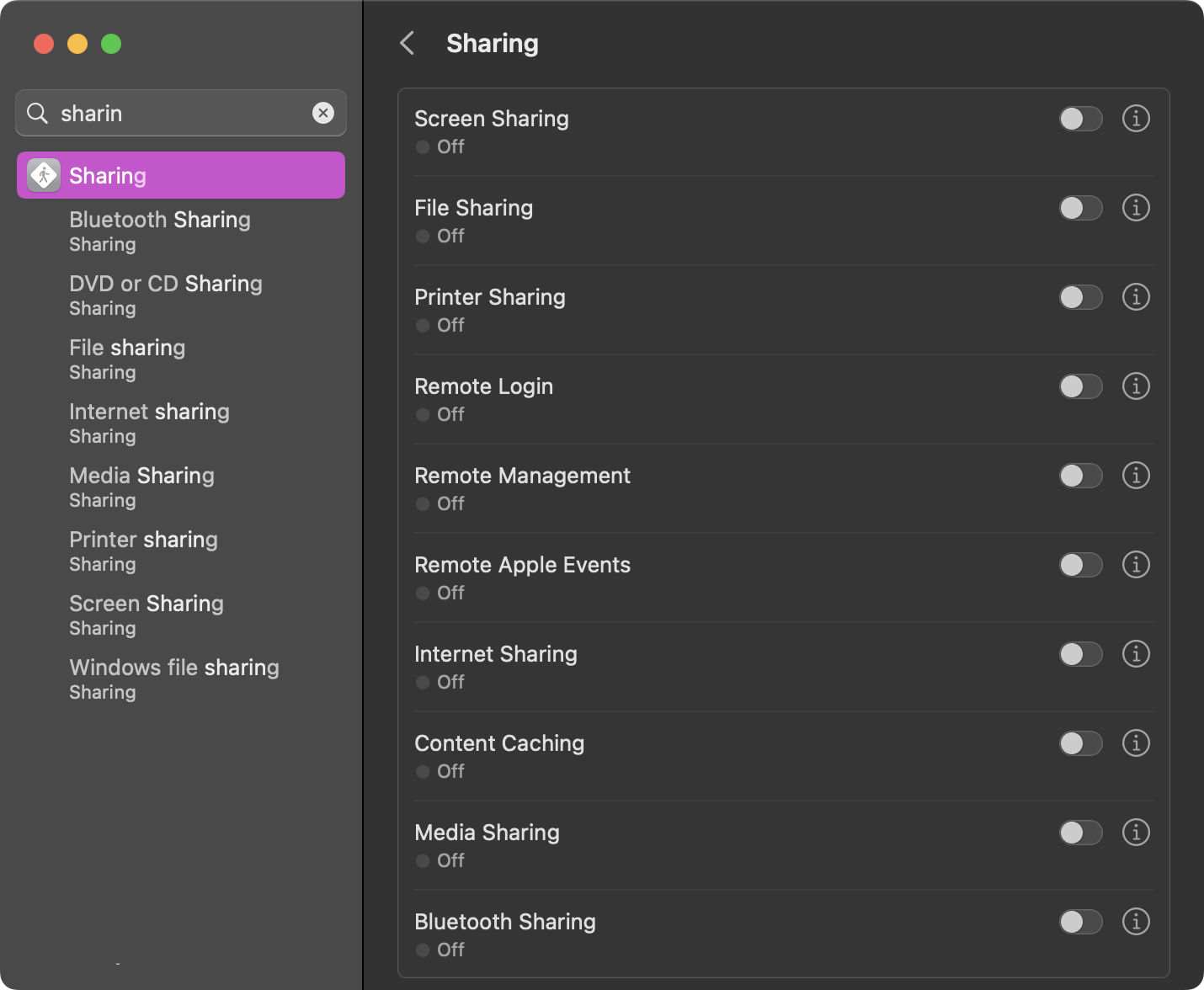
If something like Remote Login is toggled on, it may be worth digging into if it is a necessity or not. Remote Login can allow other users to remotely access your system via SSH or SFTP.

Incident Response

When an incident occurs and you discover that perhaps there is malware on a Mac endpoint, the best thing you can do first is try to gather more information. Tools such as Aftermath, which is free, can gather more information from the endpoint than when analyzed, and put relevant information into a spreadsheet to view.
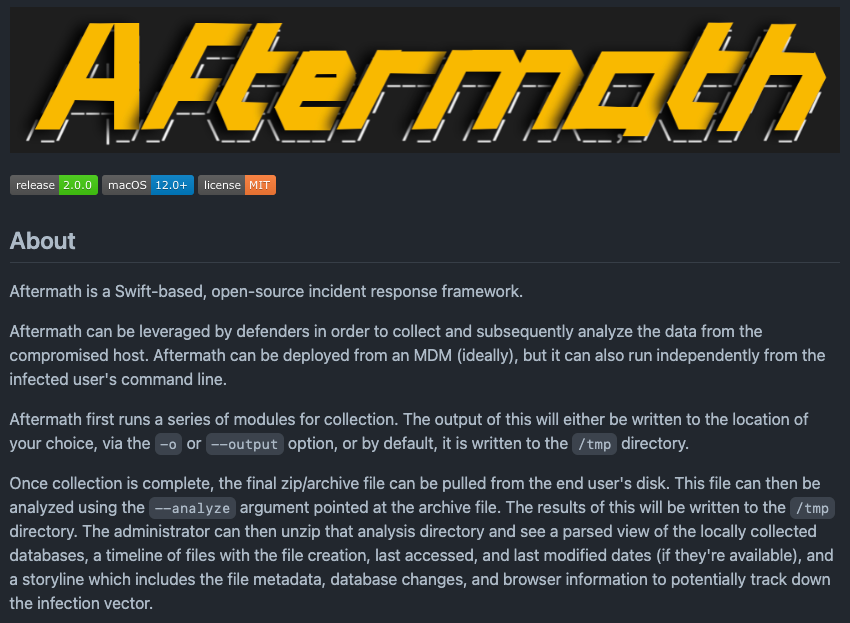
This can allow you to see what websites were visited in browsers and what was subsequently downloaded, installed, and executed. This can be invaluable in learning more about what happened on the endpoint.

Closing Thoughts

There are many ways to secure your Macs, and each way varies in your understanding of macOS security. If you start by keeping your operating system and applications up to date, you are already well ahead of the competition.

For those in the IT or security space who are trying to keep your Mac fleet secure, using some type of security awareness, such as Security Awareness Training from Huntress, can greatly improve the knowledge of your end users. This in and of itself can be a huge leg up in keeping your devices secure.

Stay tuned for more Mac tips from the Mac guy coming soon!

Categories
Cybersecurity Education
Summarize this postClose Speech Bubble
ChatGPTClaudePerplexityGoogle AI

See Huntress in action

Our platform combines a suite of powerful managed detection and response tools for endpoints and Microsoft 365 identities, science-backed security awareness training, and the expertise of our 24/7 Security Operations Center (SOC).

Book a Demo
Share
Facebook iconTwitter X iconLinkedin iconDownload icon
Glitch effect

You Might Also Like

  • Ask the Mac Guy: What's the Deal with Full Disk Access For Mac

    Learn about the importance of Full Disk Access for Mac, its role in macOS security, and how it affects app performance and functionality.
  • Ask the Mac Guy: macOS Security Myths

    Discover the truth about macOS security. The Huntress Mac Guy answers common macOS security questions like why you should protect your Mac computers.
  • Ask the Mac Guy: Do I Need AV on My Mac?

    In this blog, our Mac expert answers the existential question: As a Mac user, do you need to use an antivirus (AV) to protect your Mac?
  • The Battle for macOS Management: MDM vs. RMM

    Explore the two primary methods for managing macOS devices, MDM (Mobile Device Management) and RMM (Remote Monitoring and Management).
  • Debunking 5 Major macOS Myths

    Let Huntress debunk the biggest Mac security myths. macOS is now a popular target for hackers, so learn the truth about its vulnerabilities and discover practical steps to enhance protection against cyber threats.
  • Insistence on Persistence

    In this blog, we'll explore our new Mac agent, what we look for and why—and where we’re heading.
  • Full Transparency: Controlling Apple's TCC

    Dive into Apple's TCC framework, decoding its role in user privacy. Explore permissions, challenges, and the encryption safeguarding sensitive data.
  • Full Transparency: Controlling Apple's TCC Part II

    The primary goal of Apple's Transparency, Consent, and Control (TCC) is to empower users with transparency regarding how their data is accessed and used by applications. In this Part 2, dig even deeper into the mechanism that runs TCC and what's happening in the background.

Sign Up for Huntress Updates

Get insider access to Huntress tradecraft, killer events, and the freshest blog updates.
Privacy • Terms
By submitting this form, you accept our Terms of Service & Privacy Policy
Thank you! Your submission has been received!
Oops! Something went wrong while submitting the form.
Huntress Managed Security PlatformManaged EDRManaged EDR for macOSManaged EDR for LinuxManaged ITDRManaged SIEMManaged Security Awareness TrainingManaged ISPMManaged ESPMBook a Demo
PhishingComplianceBusiness Email CompromiseEducationFinanceHealthcareManufacturingState & Local Government
Managed Service ProvidersResellersIT & Security Teams24/7 SOCCase Studies
BlogResource CenterCybersecurity 101Upcoming EventsSupport Documentation
Our CompanyLeadershipNews & PressCareersContact Us
Huntress white logo

Protecting 215k+ customers like you with enterprise-grade protection.

Privacy PolicyCookie PolicyTerms of UseCookie Consent
Linkedin iconTwitter X iconYouTube iconInstagram icon
© 2025 Huntress All Rights Reserved.

Join the Hunt

Get insider access to Huntress tradecraft, killer events, and the freshest blog updates.

By submitting this form, you accept our Terms of Service & Privacy Policy